Short version: I could not verify the claim that 33% of routers in the United States were hacked by Russia. What is confirmed is still serious: the U.S. Department of Justice and FBI announced a court-authorized disruption of a Russian GRU/APT28 router DNS-hijacking network on April 7, 2026, and the FBI/IC3, NCSC, Microsoft, and Lumen all published technical details about vulnerable small-office/home-office routers being abused to steal credentials.
If you saw a social post or headline saying “one-third of U.S. routers were hacked,” treat that number as unverified. The verified reporting points to thousands of compromised routers worldwide, not one-third of every router in America. That distinction matters because the right response is not panic. It is checking your router firmware, DNS settings, passwords, remote management exposure, and whether old equipment has reached end-of-support.
In this article:
What Was Actually Confirmed?
- DOJ/FBI: U.S. authorities said they neutralized the U.S. portion of a compromised SOHO router network controlled by Russian GRU Military Unit 26165, also known as APT28, Fancy Bear, Forest Blizzard, Sofacy, Pawn Storm, and Sednit.
- FBI/IC3: The FBI said GRU actors exploited vulnerable routers worldwide, changed DHCP/DNS settings, and used attacker-controlled DNS resolvers to support credential theft.
- NCSC: The UK advisory said APT28 used vulnerable routers for DNS hijacking and adversary-in-the-middle attacks that could harvest passwords, OAuth tokens, and other credentials.
- Microsoft: Microsoft Threat Intelligence reported more than 200 organizations and 5,000 consumer devices impacted by Forest Blizzard’s malicious DNS infrastructure, while noting that Microsoft-owned assets and services were not compromised.
- Lumen Black Lotus Labs: Lumen tracked the campaign as FrostArmada and observed compromised edge devices, notably MikroTik and TP-Link routers, with activity that reached a large worldwide footprint.
The confirmed story is about compromised edge devices and DNS manipulation. It is not evidence that every third U.S. home router was taken over. The more useful lesson is that old, poorly managed, internet-exposed routers are attractive targets because they sit upstream of everything else on the network.
Why DNS Hijacking Is A Big Deal
DNS is the address book your devices use to turn a site name like outlook.office.com into the server address your phone or computer should visit. Most people never look at the DNS settings on their router. That is exactly why this kind of attack can sit quietly in the background.
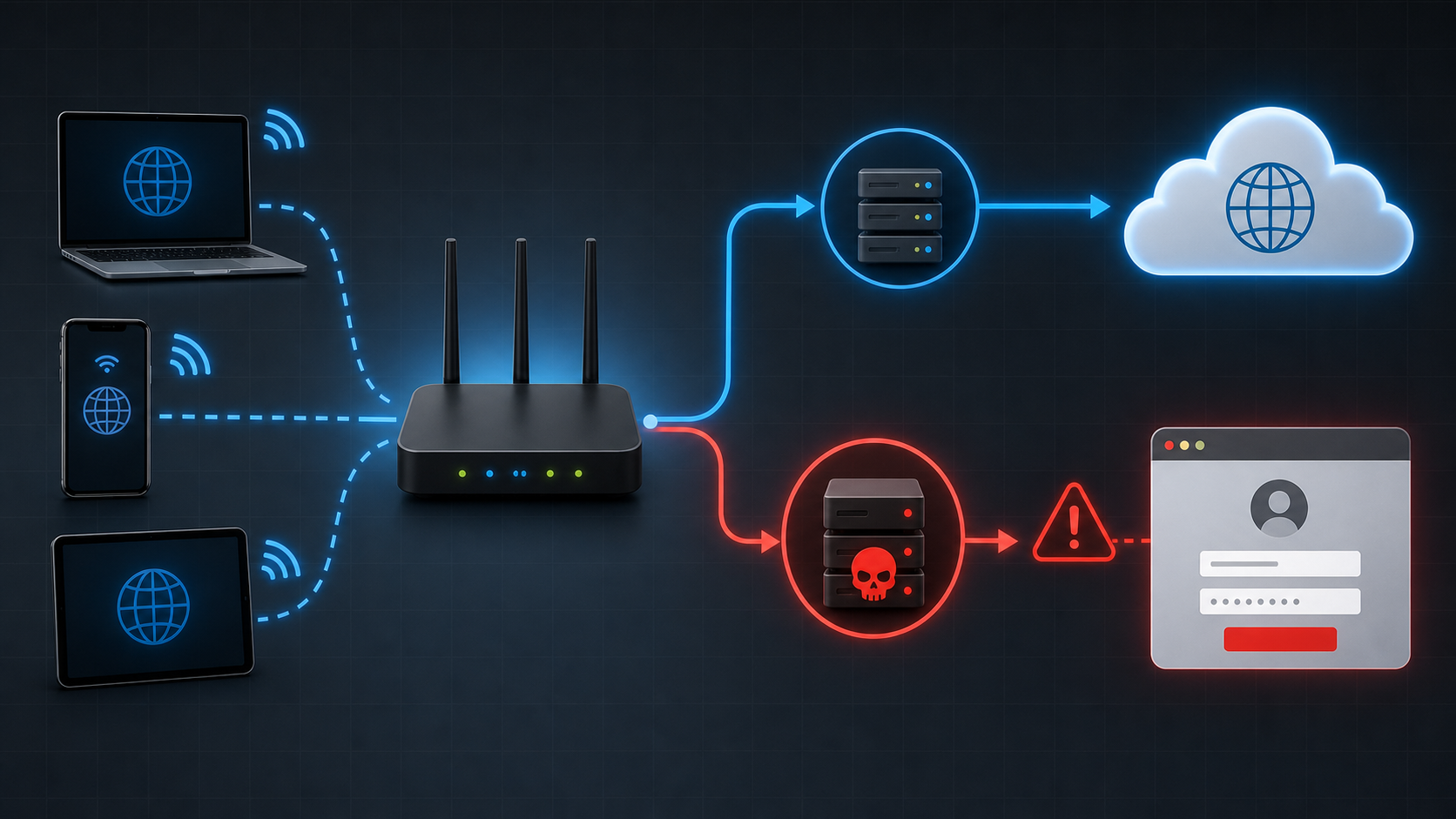
In the APT28 campaign, compromised routers had their DHCP/DNS settings changed. That means devices connected to the router could inherit the malicious DNS settings automatically. For ordinary web browsing, the attacker-controlled DNS server might still return the legitimate destination. For selected targets or services, it could return a fraudulent destination and set up an adversary-in-the-middle path. If the user ignored a browser or mail-client certificate warning, the attacker could see information that would normally be protected by TLS encryption.
The FBI said the GRU harvested passwords, authentication tokens, emails, and web browsing information from affected networks. NCSC’s advisory also calls out OAuth-style tokens, which is important because stealing a token can sometimes let an attacker access an account without simply knowing the user’s password.
Who Should Care About This?
Home users should care if their router is old, no longer receiving firmware updates, still uses a default admin password, or exposes its management page to the internet. Small businesses should care even more because a consumer-grade router may be protecting payment terminals, security cameras, employee laptops, shared files, cloud applications, and guest Wi-Fi all at once.
Remote work also changes the risk. A company may have solid Microsoft 365 security and endpoint protection, but an employee’s unmanaged home router can still interfere with DNS before traffic ever reaches those protected services. Microsoft specifically warned that organizations need to account for unmanaged SOHO devices used by remote and hybrid workers.
Routers And Vulnerabilities Mentioned In The Advisories
The advisories especially discuss TP-Link and MikroTik devices. The NCSC advisory says one exploited model was the TP-Link WR841N, likely using CVE-2023-50224, and lists multiple TP-Link models observed in the activity. Lumen also describes MikroTik and TP-Link edge devices being used in the broader FrostArmada campaign.
That does not mean every TP-Link or MikroTik router is compromised. It also does not mean other brands are automatically safe. The real pattern is older or vulnerable routers, exposed management services, weak/default credentials, stale firmware, and equipment that is no longer receiving security support.
What To Check Tonight
1. Check Firmware And Support Status
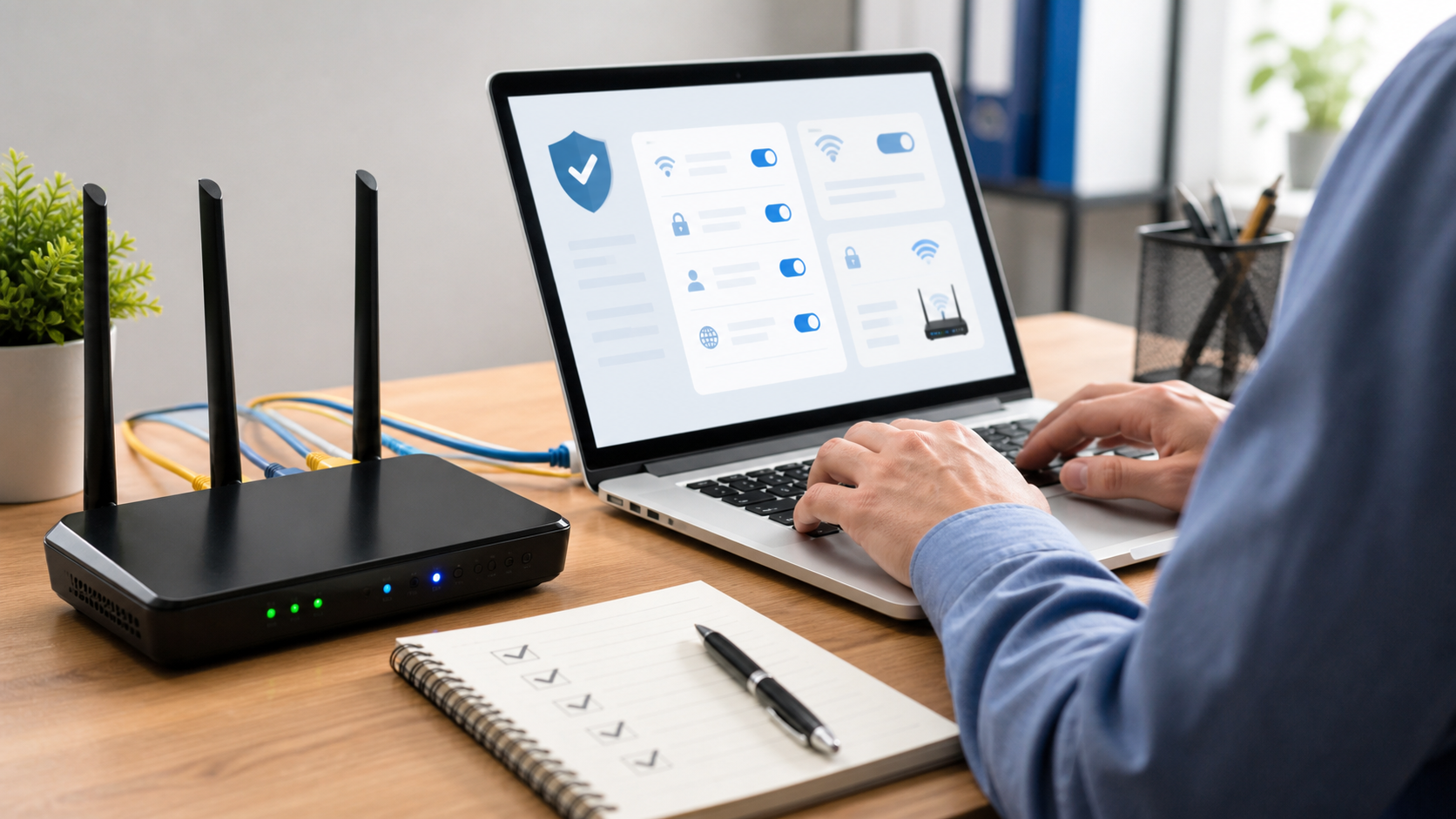
Log into the router’s admin page and look for a firmware or software update section. Install the latest firmware from the router manufacturer or your internet provider. If the router is end-of-life or end-of-support, replacement is usually the better security decision. A router that no longer receives updates will keep accumulating known vulnerabilities.
2. Change The Router Admin Password
The router admin password is different from the Wi-Fi password. The admin password controls the settings page. If it is still admin, printed on an old label, reused from another account, or something employees know from years ago, change it to a strong unique password and store it in a password manager.
3. Verify DNS Settings
Look for WAN, internet, DHCP, or DNS settings. If DNS is set manually, confirm the listed resolvers are ones you intentionally use, such as your ISP, Cloudflare, Google, Quad9, OpenDNS, or a managed business DNS service. If you see unfamiliar DNS server IP addresses, do not ignore that. Document what you see, change the settings to known-good resolvers, update firmware, and consider a full router reset if you suspect compromise.
4. Turn Off Internet-Facing Management
Disable remote administration from the internet unless there is a specific business reason and it is locked down properly. Also review old port forwards, UPnP, WPS, and cloud management features. These convenience features are not automatically evil, but they often become the forgotten doorway attackers use later.
5. Treat Certificate Warnings As A Stop Sign
The advisories repeatedly mention adversary-in-the-middle attacks against encrypted traffic. One of the practical user-facing clues can be a browser or app warning about a certificate problem. If you get that warning while signing into email, Microsoft 365, banking, payroll, or a vendor portal, stop and verify through another network or device. Do not click through because you are in a hurry.
Extra Steps For Small Businesses
For a business network, router security should not be treated as a one-time checkbox. A small office should know who manages the router, when it was last updated, whether the device is still supported, what DNS provider is configured, whether guest Wi-Fi is separated from business devices, and which ports or services are exposed to the internet.
- Inventory the edge: Record router/firewall model, serial number, firmware version, support status, and admin owner.
- Separate guest Wi-Fi: Customer and visitor Wi-Fi should not sit on the same network as payment devices, staff computers, cameras, NAS boxes, or printers.
- Use MFA, but do not rely on it alone: Token theft and adversary-in-the-middle attacks can undermine basic MFA expectations. Use phishing-resistant MFA where possible and review conditional access rules for Microsoft 365.
- Monitor sign-ins: Check Microsoft 365, Google Workspace, and remote access logs for impossible travel, unfamiliar IP addresses, suspicious inbox rules, and unexpected OAuth app consent.
- Replace home-grade gear when the network matters: A $60 router may be fine for light personal use, but it is usually not the right firewall for a business handling customer data, employee files, payments, or remote access.
If You Think Your Router Was Compromised
- Save screenshots of the router model, firmware version, WAN/DNS settings, and remote management settings.
- Update firmware if the device is still supported.
- Change the router admin password and Wi-Fi password.
- Set DNS to a known-good provider or your managed business DNS service.
- Disable internet-facing management and review firewall/port-forwarding rules.
- Reboot the router, then confirm connected devices receive the expected DNS settings.
- Change passwords for email, Microsoft 365, VPN, banking, payroll, and other sensitive accounts from a clean device and trusted network.
- Review account sign-in logs and revoke suspicious sessions or OAuth/app permissions.
- If you see signs of targeted activity, report it through the FBI Internet Crime Complaint Center or your local FBI field office.
Bottom Line
The “33% of U.S. routers” number is not supported by the official sources I checked. The real confirmed issue is narrower and more actionable: Russian GRU-linked actors exploited vulnerable routers, changed DNS settings, and used that position to support credential theft. For home users and small businesses, the fix starts with knowing what router you have, whether it still gets updates, who controls its admin settings, and whether its DNS and remote management configuration still look the way they should.
The IT Guys can help local homes and businesses in Port Saint Lucie, Jensen Beach, Fort Pierce, and Vero Beach review router security, replace unsupported equipment, separate guest Wi-Fi, and check Microsoft 365 accounts for signs of suspicious access.
Sources
- U.S. Department of Justice: court-authorized disruption of Russian GRU DNS hijacking network
- FBI/IC3: Russian GRU exploiting vulnerable routers to steal sensitive information
- UK NCSC advisory: APT28 exploit routers to enable DNS hijacking operations
- Microsoft Security Blog: SOHO router compromise leads to DNS hijacking and adversary-in-the-middle attacks
- Lumen Black Lotus Labs: FrostArmada research
- CISA: Edge device security guidance
- Related: The IT Guys router security checklist