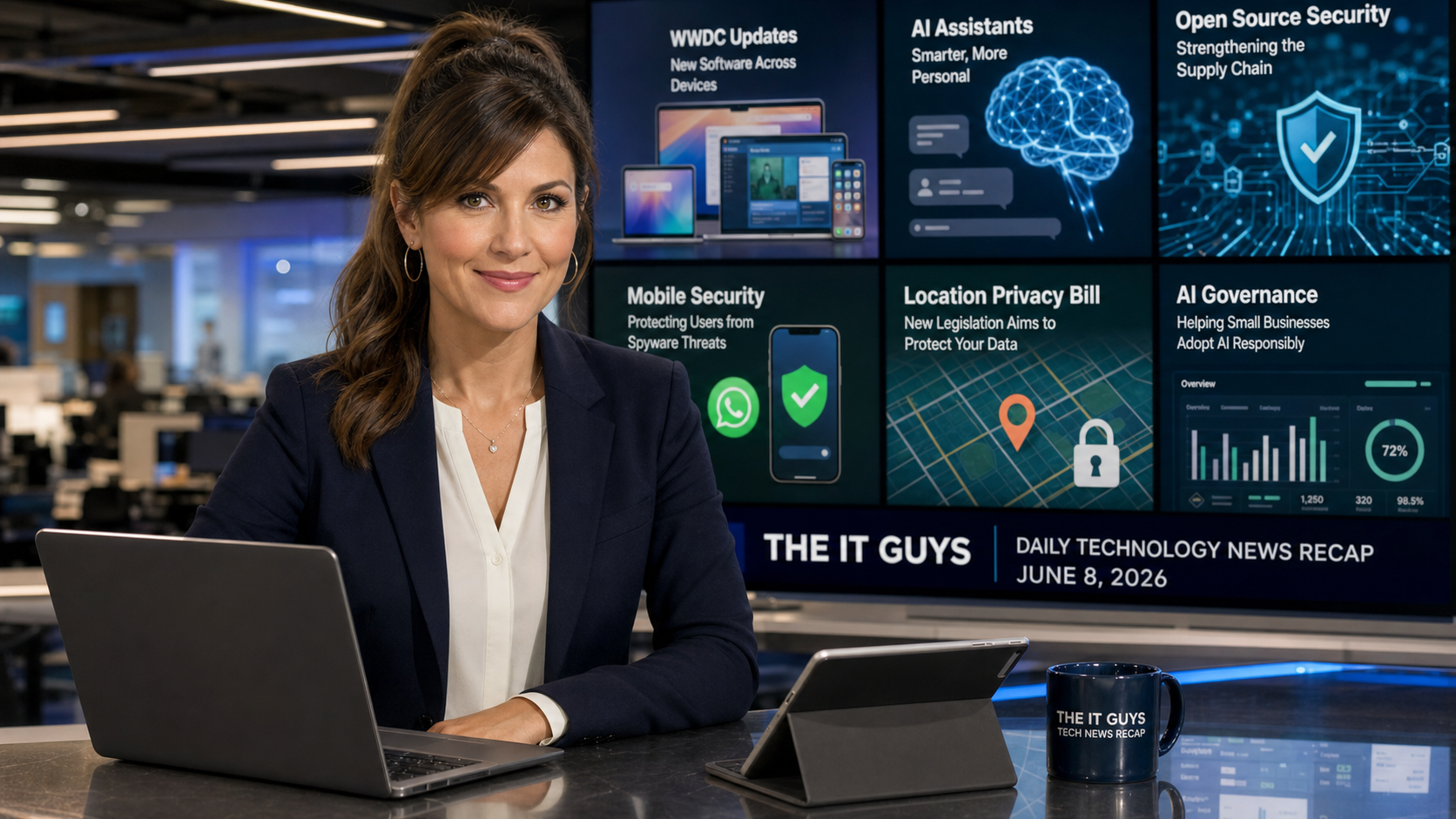
Today is Monday, June 8, 2026, and this is the daily technology news recap from The IT Guys. Today’s news has a useful mix of good and bad. Apple opened WWDC26 with major Siri AI and iOS 27 announcements. WhatsApp says it caught another spyware-linked social engineering campaign. Microsoft’s developer ecosystem is still dealing with dangerous software supply-chain attacks. IBM published a blunt warning about AI systems moving faster than governance. And Massachusetts advanced a privacy bill that would ban the sale of precise location data.
The short version: update plans and buying decisions should wait until Apple’s new software compatibility details are clear; developers and businesses using npm, GitHub Actions, AI coding agents, or cloud credentials should review recent package activity; WhatsApp users should treat unexpected links and “security” messages with care; business owners experimenting with AI need written ownership and logging rules; and privacy rules around location data are getting stricter state by state.
In this article:
- Quick Takeaways
- 1. WWDC26 Brings Siri AI, iOS 27, And More Apple Intelligence
- 2. Developer Supply-Chain Attacks Are Getting More Dangerous
- 3. WhatsApp Says It Disrupted NSO-Linked Spyware Phishing
- 4. IBM Warns Of An AI Control Gap Inside Businesses
- 5. Massachusetts Pushes A Stronger Location Privacy Bill
- What To Do This Week
- FAQ
Quick Takeaways
- Good news for Apple users: Apple used WWDC26 to preview Siri AI, Apple Intelligence updates, iOS 27, performance claims, and new parental controls. The practical question is which devices and apps will handle the fall updates smoothly.
- Bad news for developers: Microsoft and security reporting continue to document credential-stealing supply-chain attacks aimed at packages, build systems, AI coding agents, GitHub tokens, npm tokens, cloud credentials, and developer machines.
- Good and bad news for messaging security: WhatsApp says it disrupted NSO-linked spear-phishing attempts, but the story is a reminder that high-end spyware groups still use normal-looking links and social engineering.
- Mixed news for AI adoption: IBM says many CIOs and CTOs are now accountable for AI systems they do not fully control, and only a small share of surveyed leaders say they are fully ready for large-scale AI agent deployment.
- Good news for privacy: Massachusetts lawmakers advanced a bill that would ban sale of precise location data and create new consumer data rights. Even businesses outside Massachusetts should pay attention to the trend.
1. WWDC26 Brings Siri AI, iOS 27, And More Apple Intelligence
Apple’s official WWDC schedule said the conference would begin today, June 8, with a keynote and Platforms State of the Union covering platform updates, AI advancements, new software, and developer tools. Same-day coverage from TechCrunch’s WWDC26 live recap says Apple showed a more capable Siri AI, new Apple Intelligence features, updates across Apple apps, iOS 27 support going back to iPhone 11, opt-in controls for the Liquid Glass design style, and new parental controls.
For normal users, the headline is not just “new features.” The practical question is whether your current device will remain comfortable for another year. Apple’s reported iOS 27 support for iPhone 11 and newer is encouraging for people holding onto older iPhones. That can stretch the useful life of a phone, especially if the main needs are calls, messages, browsing, school apps, family photos, banking, and work email.
For small businesses, WWDC matters because Apple software changes can affect device management, printer and scanner drivers, VPN clients, line-of-business apps, password workflows, passkeys, conferencing software, and staff training. AI features are useful only if they fit privacy and compliance expectations. If a business handles client records, legal paperwork, health-adjacent information, financial data, or employee files, the right question is not “Can Siri summarize this?” It is “Should this data be sent into this workflow, who can see the result, and is there an audit trail?”
The buying advice is simple: if your Mac, iPad, or iPhone purchase is not urgent, wait until compatibility lists and app vendor guidance settle. If the device is mission-critical and failing now, buy what keeps the business running, but choose a model with a long support runway and enough storage and memory to survive several software cycles.
The IT Guys takeaway: before replacing Apple hardware this summer, check operating system support, required business apps, storage pressure, battery health, and whether AI features are actually needed. The best deal is not always the cheapest device today; it is the device that will still be secure and useful three years from now.
2. Developer Supply-Chain Attacks Are Getting More Dangerous
The ugliest security story today is aimed at developers and the businesses that depend on them. Ars Technica reported on June 8 that dozens of cryptographically verified Microsoft-related open-source packages were compromised with credential-stealing code triggered by AI coding agents. The report says 73 packages were flagged as malicious by automated systems on GitHub. That follows Microsoft’s own recent research into the Miasma credential-stealing npm campaign, which described trojanized packages, malicious install scripts, cloud credential theft, GitHub Actions runner memory scraping, and forged software provenance.
This matters because modern software projects often install hundreds or thousands of dependencies. Developers may trust package signatures, publisher reputation, lockfiles, GitHub badges, or AI coding tools to speed up work. Those signals help, but they are not enough by themselves. Microsoft’s Miasma writeup says the malicious packages carried authentic provenance signatures while embedding malware, which is exactly why teams need layered controls instead of one trust indicator.
The small-business angle is straightforward: even if your company does not write software, you may rely on vendors, contractors, website plugins, automations, bookkeeping connectors, custom scripts, dashboards, or ecommerce code that does. A compromised developer machine can expose website credentials, cloud keys, customer data, Microsoft 365 tokens, payment integration secrets, backups, and source code. A compromised build pipeline can ship malicious code downstream to customers without anyone manually “hacking” each customer.
Practical steps for development teams include pinning dependency versions, using lockfiles, reviewing package install scripts, avoiding blind automatic upgrades, rotating tokens after suspected exposure, separating production credentials from development machines, limiting GitHub and npm token scope, and monitoring CI/CD logs for strange script execution or outbound connections. For AI coding agents, keep them in constrained workspaces and assume any package they open may try to influence or exploit the toolchain.
The IT Guys takeaway: if your business has a website, app, automation, or custom integration, ask who controls the source code, where secrets are stored, whether dependencies are pinned, and how quickly credentials can be rotated. “It came from a trusted package” is no longer enough comfort.
3. WhatsApp Says It Disrupted NSO-Linked Spyware Phishing
WhatsApp published a June 8 update saying it caught and disrupted spear-phishing attempts linked to NSO Group, the spyware firm previously barred from targeting WhatsApp and its users by a permanent injunction. WhatsApp says the activity tried to trick people into clicking malicious links that sent them outside WhatsApp, and that the company is asking the court to hold NSO in contempt.
The good news is that WhatsApp says it detected the campaign, removed test accounts and groups, and shared threat indicators. The bad news is that spyware attacks do not always look like dramatic “hacking.” They can start with a message, link, fake support request, or urgent warning that feels personalized. The target may be a journalist, attorney, executive, activist, government worker, military member, nonprofit staffer, or someone connected to a sensitive organization.
For home users, the practical advice is to keep WhatsApp and the phone operating system updated, avoid links from unexpected contacts, and be skeptical of any message that tries to move the conversation to a strange website. For higher-risk users, WhatsApp recommends strict account settings. On iPhone and Android, high-risk users should also review lockdown-style features, app permissions, unknown device sessions, and recovery options.
For businesses, messaging apps are often unofficial business systems. Employees use them for vendor questions, customer screenshots, urgent scheduling, and quick approvals. That convenience creates risk. A company should have clear rules about what can be approved through chat, where customer records belong, how payment or banking requests are verified, and how staff report suspicious messages without embarrassment.
The IT Guys takeaway: do not treat encrypted messaging as automatically safe from every threat. Encryption protects message content in transit, but it does not stop a user from clicking a malicious link, installing a fake app, approving a bogus payment, or handing over a login code.
4. IBM Warns Of An AI Control Gap Inside Businesses
IBM released a June 8 study saying many technology leaders are being held responsible for AI systems they do not fully control. The IBM Institute for Business Value study surveyed 2,000 senior technology executives across 33 geographies and 19 industries. IBM says two-thirds of surveyed CIOs and CTOs report accountability for systems they do not fully control, 70% say business teams are deploying technology faster than IT can track, and only 11% say they are completely prepared for the expected scale of AI agent deployment.
That is a big-company study, but the lesson lands directly in small businesses. AI tools are easy to add one at a time: a browser extension, a meeting note taker, a chatbot, a marketing image generator, an email helper, a spreadsheet assistant, a coding tool, a support bot, a transcription app. The risk is that nobody owns the full picture. One tool may store customer records. Another may train on prompts. Another may connect to email. Another may have access to files. Another may be used from a personal account with no company visibility.
AI does not need to be banned to be controlled. The more useful approach is to write down approved tools, approved data types, prohibited data types, account ownership, retention settings, review requirements, and who responds if an AI tool leaks information, creates bad output, or connects to the wrong system. For a small business, even a one-page AI use policy is better than pretending the tools are not being used.
IBM’s study also says organizations with stronger built-in controls reported fewer incidents and better performance outcomes. That matches what we see in practical IT work: good governance does not have to slow everything down. It gives people a clear path so they do not make risky guesses.
The IT Guys takeaway: if employees are already using AI, make it visible. Inventory the tools, decide what data is allowed, turn on admin controls where available, and keep sensitive customer or financial data out of personal AI accounts.
5. Massachusetts Pushes A Stronger Location Privacy Bill
In better privacy news, TechCrunch reported on June 8 that Massachusetts lawmakers voted to advance privacy protections that would give residents new rights over data held by large technology companies and ban companies from selling users’ precise location data. The House vote was unanimous, and the bill is expected to move toward the governor after being combined with the Senate version.
Location privacy matters because precise movement data can reveal far more than a mailing address. It can expose medical visits, religious attendance, work routines, school drop-offs, political activity, home address, travel habits, and who someone spends time with. For businesses, location data may come from mobile apps, fleet tools, Wi-Fi analytics, advertising pixels, booking systems, delivery apps, customer loyalty platforms, or website marketing integrations.
Even if your business is not in Massachusetts, the direction is clear: states are filling the gap left by the absence of a single nationwide U.S. privacy law. If you collect, share, or sell precise location data, the compliance burden is only getting heavier. If you do not truly need precise location, do not collect it. If you do need it, document why, keep it for the shortest practical time, secure it, and make consent clear.
Home users can also take action. Review location permissions on phones, especially apps set to “always” access. Turn off location access for apps that do not need it. Avoid loyalty, coupon, or tracking apps that ask for precise location without a clear reason. And remember that “free” apps often make money from data, ads, or influence, not from kindness.
The IT Guys takeaway: treat precise location as sensitive data. If your website, app, fleet system, or ad platform collects it, ask whether the business need is strong enough to justify the privacy and compliance risk.
What To Do This Week
- Hold non-urgent Apple purchases until iOS 27, macOS, iPadOS, watchOS, and app compatibility details are clearer.
- If you run development projects, check recent npm, PyPI, GitHub Actions, VS Code extension, and AI coding-agent activity for unexpected package versions or suspicious scripts.
- Rotate developer, npm, GitHub, cloud, and CI/CD tokens after any suspected package exposure.
- Keep WhatsApp and mobile operating systems updated, and do not click unexpected “security” links in messaging apps.
- Write a short AI use policy: approved tools, allowed data, forbidden data, admin owner, and incident contact.
- Review phone and app location permissions, especially “always on” access and marketing tools that collect precise location.
FAQ
Should I upgrade to iOS 27 as soon as it arrives?
For personal devices, waiting a short time after a major release can be reasonable unless it contains an urgent security fix. For business devices, test one or two non-critical devices first, confirm important apps work, and then schedule a broader rollout.
Does a signed or verified package mean it is safe?
No. Signing and provenance are useful, but recent supply-chain attacks show that attackers can abuse trusted publishing flows or compromised maintainer credentials. Use signatures, but also use lockfiles, review install scripts, restrict tokens, monitor CI/CD, and rotate secrets quickly when exposure is suspected.
Is WhatsApp unsafe?
WhatsApp’s end-to-end encryption is still useful, but encryption does not protect against every kind of attack. Spyware and phishing campaigns often target the person, the device, or a link outside the app. Keep the app updated and be cautious with unexpected links, login prompts, and requests for codes.
What is the first AI policy a small business should write?
Start with a one-page rule: which AI tools are approved, who owns the accounts, what data can be used, what data is prohibited, whether outputs need human review, and who to contact if something sensitive was pasted into the wrong tool.
Need Help Turning Today’s News Into Action?
If you want help checking Apple upgrade readiness, developer supply-chain exposure, WhatsApp security settings, AI tool governance, or location privacy risk, contact The IT Guys. We can help turn technology headlines into a practical checklist for your home or business.
Related reading from The IT Guys: schedule a monthly update window, add a passkey before the next phishing email hits, and check SPF, DKIM, and DMARC before email spoofing hurts your business.
Sources
- Apple Newsroom: WWDC26 starts June 8
- TechCrunch: WWDC 2026 announcements
- Ars Technica: Microsoft packages laced with credential stealer
- Microsoft Security Blog: Miasma npm credential-stealing campaign
- WhatsApp / Meta: Fighting spyware update
- IBM: AI control gap study
- TechCrunch: Massachusetts precise location data privacy bill