Checked Friday, June 19, 2026: Amazon Prime Day 2026 officially runs June 23 through June 26, but early mini PC deals are already showing up. Prices and Prime-only offers can move quickly, so treat every price below as a snapshot and confirm the final cart total before paying.
Mini PCs can be excellent replacements for bulky desktops when the job is web browsing, Microsoft 365, QuickBooks-style office work, email, streaming, point-of-sale back-office tasks, signage, or a clean multi-monitor desk. The trick is buying enough processor, memory, storage, ports, and warranty support for the way the computer will actually be used.
Quick Picks
| Pick | Checked price | Best fit | Link |
|---|---|---|---|
| GMKtec M8 Ryzen Pro 6650H 16GB RAM, 512GB SSD, triple 4K support, Oculink | $389.99 | Best balanced early Prime mini PC deal | Check Amazon |
| Kamrui Pinova P1 Ryzen 4300U 16GB RAM, 512GB SSD, triple 4K support | $339 | Budget office, web, streaming, and school PC | Check Amazon |
| GMKtec M6 Ultra Ryzen 7 7640HS 32GB RAM, 1TB SSD, triple 4K support | $550 | Power users who want more memory and storage | Check Amazon |
| Bosgame P6 Ryzen 9 6900HX 24GB LPDDR5X RAM, 1TB SSD, triple 4K support | $570 | Compact workstation-style use and light gaming | Check Amazon |
| Kamrui Hyper H2 Intel Core i5-14450HX 32GB RAM, 1TB SSD, triple 4K support | $568 | Intel-based heavy multitasking and office workstations | Check Amazon |
| GEEKOM Air12 Intel 7505 8GB RAM, 256GB SSD, dual 4K support | $299 | Basic home office, child/student PC, streaming box | Check Amazon |
What Looks Good
- Several early deals include 16GB or more of RAM. That matters because 8GB Windows PCs can feel cramped once Chrome, Teams, Outlook, security software, and cloud sync are all running.
- Ryzen 7 and Ryzen 9 mini PCs are becoming strong desktop replacements. The GMKtec M6 Ultra, Bosgame P6, and similar boxes can handle much more than basic web browsing.
- Multiple-display support is common. Many of these listings mention dual or triple 4K output, which is useful for office desks where monitors should take the space instead of the tower.
- Some models include modern extras. Oculink, 2.5GbE, Wi-Fi 6, and larger SSD options can matter for gaming experiments, NAS access, and heavier home-office workflows.
What To Watch Before Buying
- Amazon blocked automated product-page parsing during my check. I used current PCWorld deal research plus direct Amazon product links, then linked each button back to Amazon so readers can verify the live price themselves.
- Prime Day is not fully live yet. The official 2026 Prime Day window is June 23-26, so some June 19 deals are early offers, not the final sale lineup.
- Cheap mini PCs vary wildly in support quality. Check seller name, return window, warranty language, and review history before buying a marketplace listing.
- Memory may be soldered. LPDDR5/LPDDR5X mini PCs often cannot be upgraded later, so 16GB or 24GB should be treated as the permanent limit unless the listing clearly says otherwise.
- Windows licensing matters. For business use, Windows 11 Pro is preferable when BitLocker, Remote Desktop host, domain join, or management policies matter.
- Small boxes still need airflow. Do not bury one behind a monitor, under paperwork, or inside a closed cabinet if it will run hard all day.
Deal Notes And Recommendations
GMKtec M8: Best balanced early Prime mini PC deal
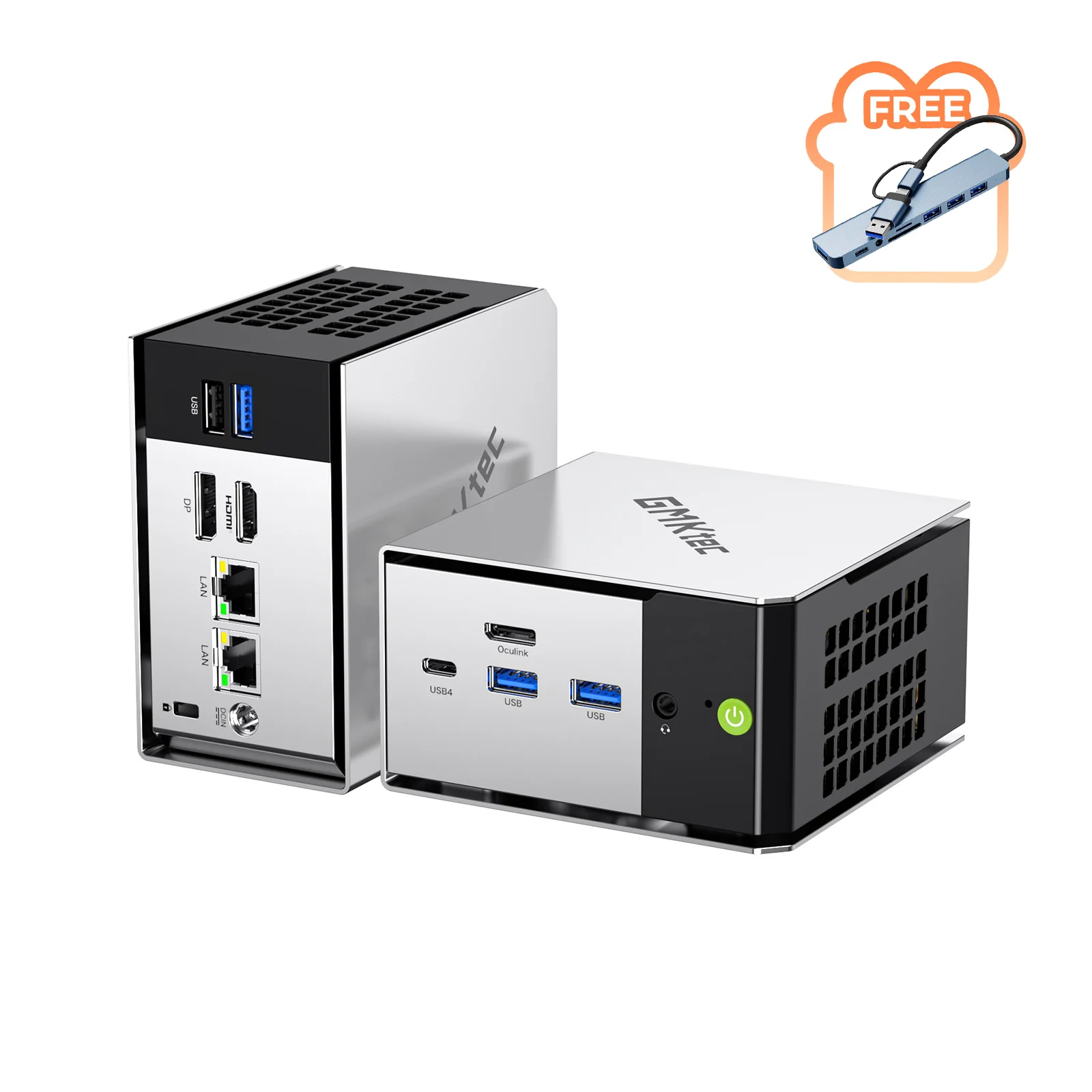
Checked price: $389.99. Core specs: Ryzen Pro 6650H; 16GB RAM, 512GB SSD, triple 4K support, Oculink.
This is the deal I would check first for a home office or small business desk where the PC needs to feel quick without taking over the desk. The Ryzen Pro 6650H, DDR5 memory, 512GB SSD, and Oculink port make it more flexible than many cheap mini PCs.
Buying caution: Amazon blocked automated page parsing during my check, so the article uses PCWorld verified pricing and links customers back to Amazon to confirm the live cart total before buying.
Kamrui Pinova P1: Budget office, web, streaming, and school PC
Checked price: $339. Core specs: Ryzen 4300U; 16GB RAM, 512GB SSD, triple 4K support.
The Pinova P1 is the simple budget pick. It is not a powerhouse, but 16GB of RAM and 512GB of storage are the right baseline for a normal Windows desktop in 2026.
Buying caution: The Ryzen 4300U is older and slower than the Ryzen 7 picks. Buy it for everyday work, not heavier creative work or gaming.
GMKtec M6 Ultra: Power users who want more memory and storage
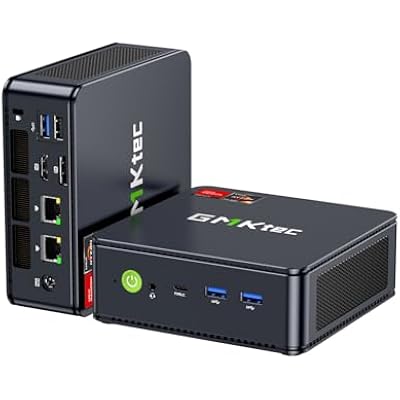
Checked price: $550. Core specs: Ryzen 7 7640HS; 32GB RAM, 1TB SSD, triple 4K support.
This is the practical step-up choice. The 32GB memory and 1TB SSD matter for people who keep too many browser tabs open, work in large spreadsheets, edit photos, or want the machine to stay useful longer.
Buying caution: At this price, compare it against a normal desktop tower if upgradeability, repairability, or dedicated graphics matter more than small size.
Bosgame P6: Compact workstation-style use and light gaming
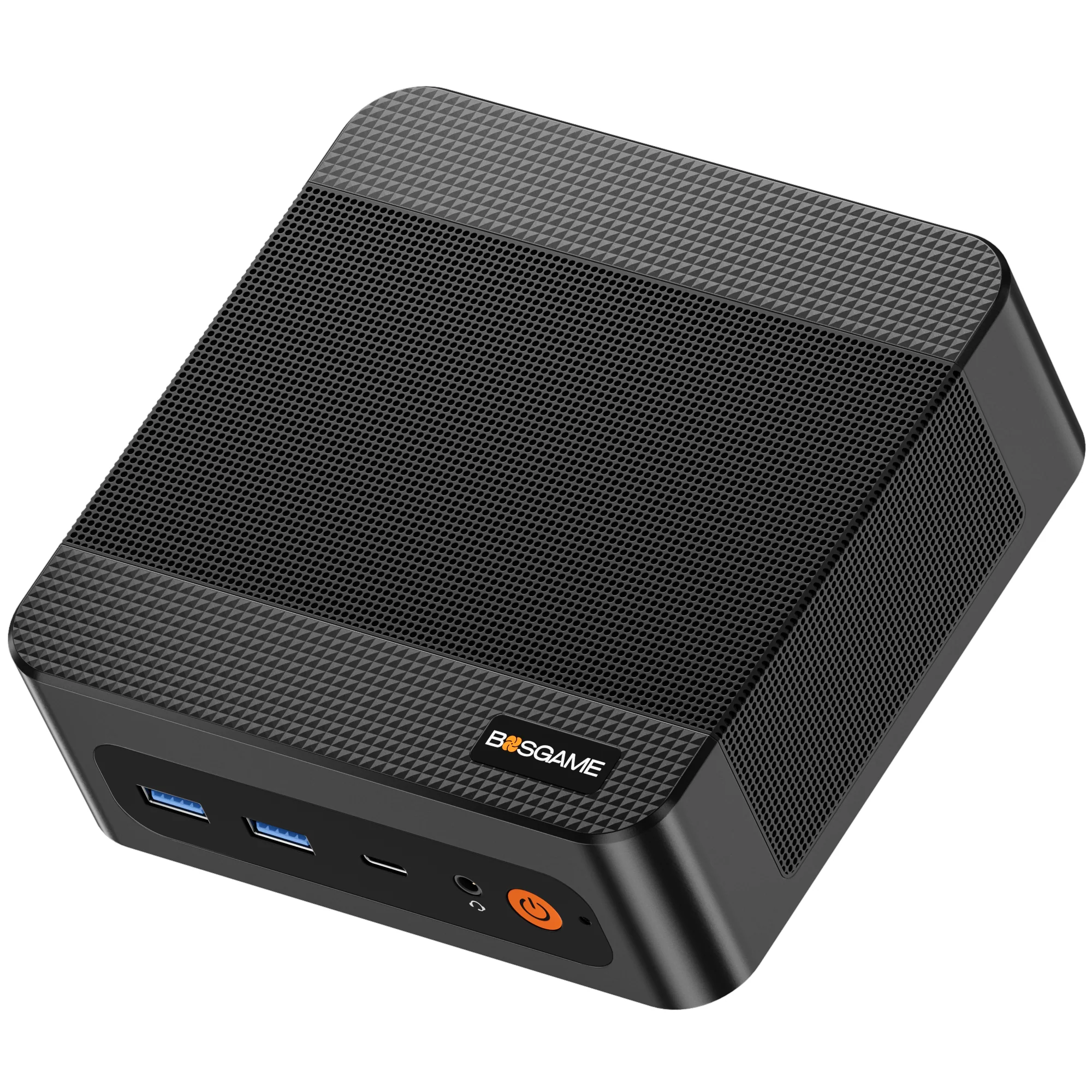
Checked price: $570. Core specs: Ryzen 9 6900HX; 24GB LPDDR5X RAM, 1TB SSD, triple 4K support.
The Ryzen 9 6900HX gives this little machine strong CPU performance for multitasking, programming, light content creation, and media-center duty.
Buying caution: PCWorld notes the LPDDR5X memory is soldered. Treat 24GB as the permanent memory limit before buying.
Kamrui Hyper H2: Intel-based heavy multitasking and office workstations
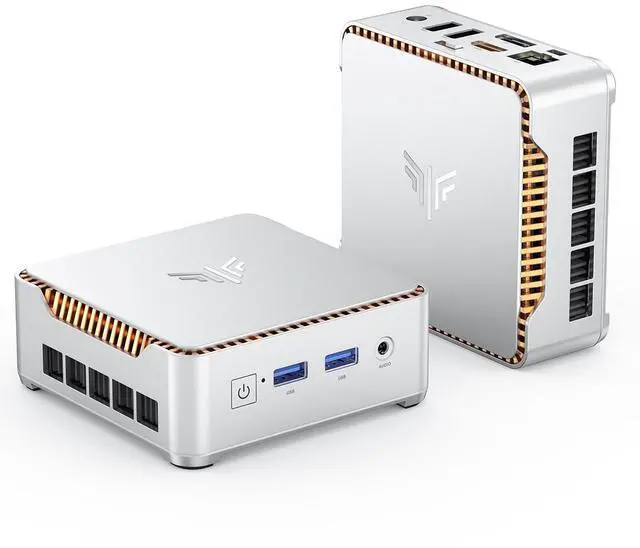
Checked price: $568. Core specs: Intel Core i5-14450HX; 32GB RAM, 1TB SSD, triple 4K support.
This is the stronger Intel pick in the group. The Core i5-14450HX, 32GB RAM, and 1TB SSD make sense for multi-monitor office work and heavier productivity loads.
Buying caution: A high-performance HX-class chip in a small chassis can mean more fan noise and heat under sustained load. Keep it ventilated.
GEEKOM Air12: Basic home office, child/student PC, streaming box
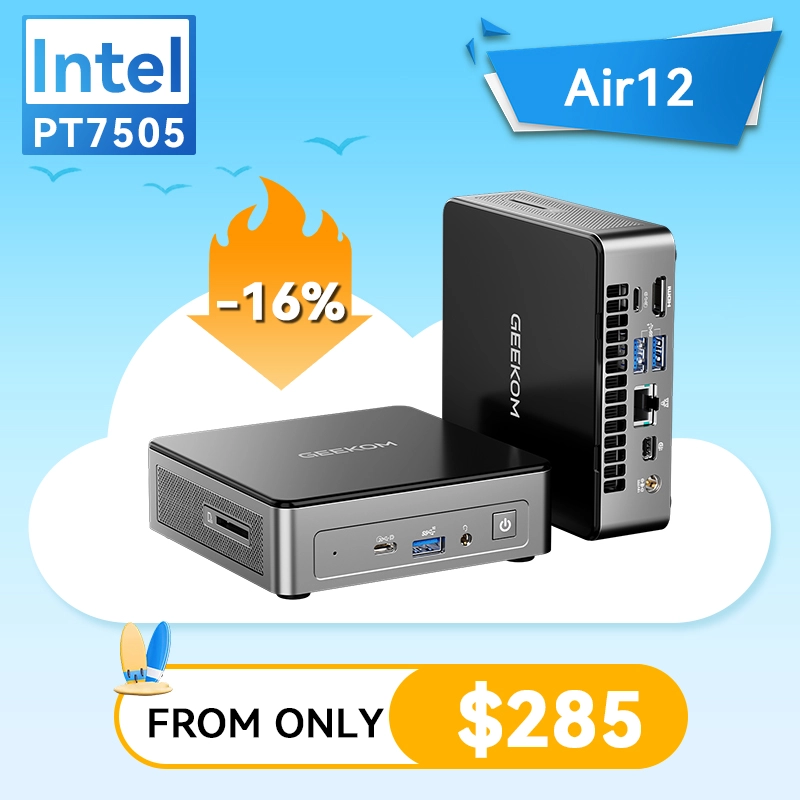
Checked price: $299. Core specs: Intel 7505; 8GB RAM, 256GB SSD, dual 4K support.
This is the lowest-cost pick I would still consider for a normal customer who values a recognizable mini-PC brand and only needs basic Windows work.
Buying caution: 8GB RAM and 256GB storage are tight. I would not buy this for heavy multitasking, large local photo libraries, or long-term business growth.
How I Would Choose One
For most home-office users: start with the GMKtec M8 or GMKtec M6 Ultra. The M8 is the balanced value pick, while the M6 Ultra is the better long-term multitasking pick because of the 32GB RAM and 1TB SSD.
For a budget desk or student PC: the Kamrui Pinova P1 is the safer low-cost pick than the cheapest unknown-brand boxes because it still has 16GB RAM and a 512GB SSD. The GEEKOM Air12 can work for basic use, but 8GB/256GB is the part I would hesitate over.
For heavier office multitasking: the Kamrui Hyper H2 is worth checking if you prefer Intel and want 32GB/1TB under $600. Keep fan noise and heat in mind because performance chips have to breathe.
For light gaming or creator work: the Bosgame P6 and GMKtec M6 Ultra are stronger candidates than basic N-series or older low-power mini PCs. They are still not replacements for a full gaming tower with a dedicated GPU, but they are far more capable than the tiny office PCs from a few years ago.
Setup Tips After It Arrives
- Run Windows Update before moving files or installing business software.
- Check Device Manager for missing drivers, then get chipset, Wi-Fi, Bluetooth, and graphics drivers from the manufacturer if Windows uses generic drivers.
- Turn on BitLocker or Device Encryption where available and save the recovery key somewhere safe.
- Create a standard daily-use account and keep a separate admin account for maintenance.
- Install only the software the user needs, then make a restore point or backup image while the system is clean.
- For business use, test printers, scanners, VPN, accounting software, and line-of-business websites before retiring the old PC.
FAQ
Can a mini PC replace a normal desktop?
Yes, for many customers. Office work, browser-based apps, video calls, streaming, light photo work, and multi-monitor desks are all realistic. Heavy gaming, high-end video editing, CAD, and workloads that need a full-size graphics card are better served by a larger desktop.
Should I wait until Prime Day actually starts?
Maybe. If the current price already fits the budget and the return window is good, buying early can be fine. If the purchase is not urgent, waiting until June 23-26 may reveal better pricing, bundles, or competing deals.
What specs should I avoid?
For a normal Windows 11 customer, I would be careful with 4GB RAM, 64GB or 128GB storage, unknown Windows license claims, very old processors, and listings that hide the seller or warranty details. For 2026, 16GB RAM and 512GB SSD is the healthier baseline.
Sources
- PCWorld early Prime Day mini PC deal roundup, checked June 19, 2026.
- PCWorld June 2026 mini PC deal roundup, updated June 14, 2026.
- Beelink 2026 Amazon Prime Day sale timing report, noting the June 23-26 Prime Day window and up-to-20% Beelink sale framing.
- Amazon desktop computer deals category, used as a live customer-check link because individual Amazon pages may block automated checks.
The IT Guys can help customers choose the right mini PC before purchase, set it up correctly after delivery, migrate files, secure Windows, configure backups, connect printers, and make sure the new computer fits the job instead of just looking good in a sale headline.