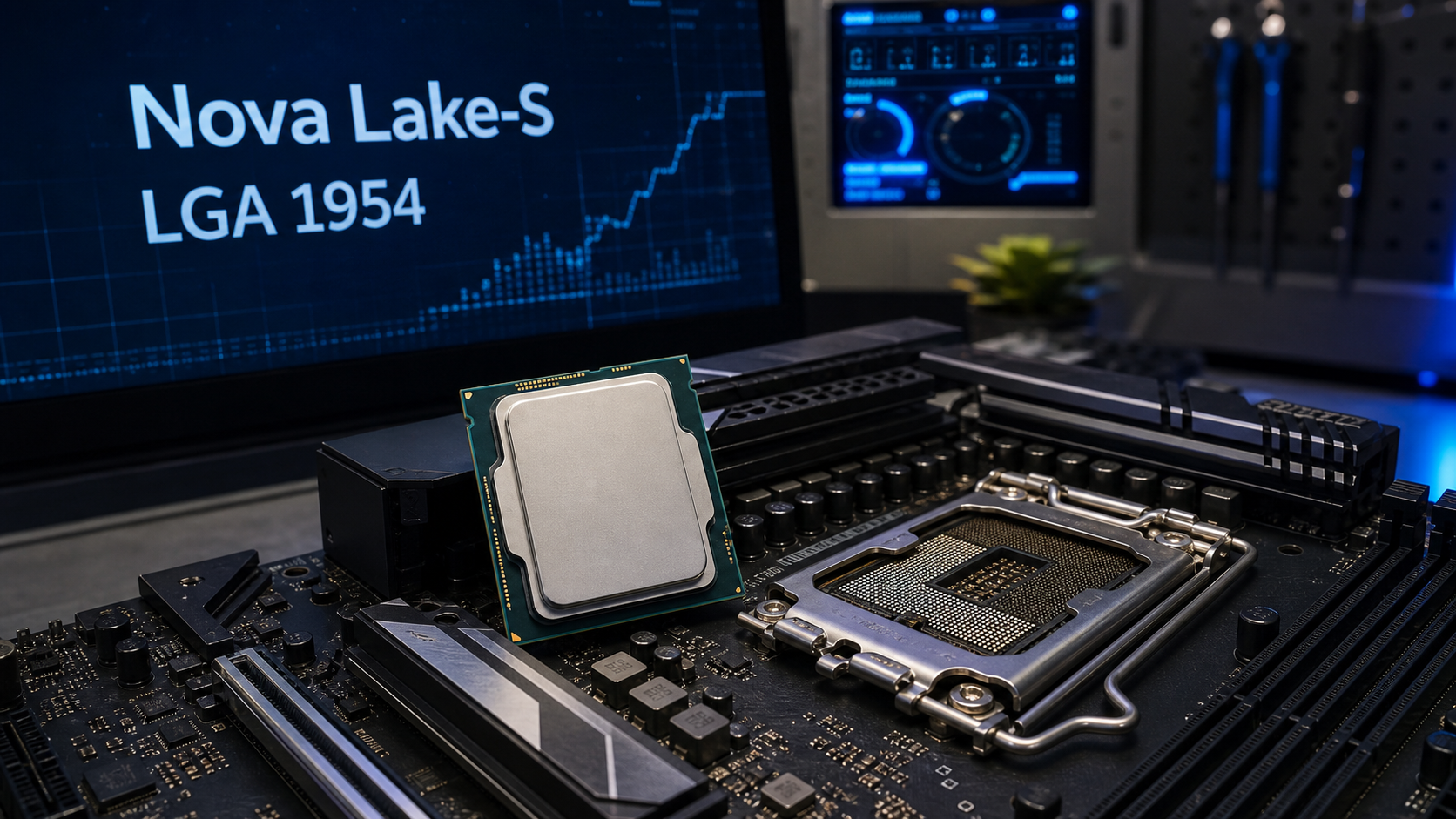
Bottom line: a new leak claims to show an Intel Nova Lake-S desktop processor for the upcoming LGA 1954 platform. If the details are accurate, Nova Lake-S could be a major desktop platform change with a new socket, new motherboards, and higher-end CPU options that may eventually reach up to 52 cores. For most home users and small businesses, the practical takeaway is simple: do not buy today’s Intel desktop platform expecting an easy drop-in upgrade to Nova Lake later.
This is not an official Intel launch. Treat the current details as early hardware reporting, not final product guidance. Still, the leak is useful because it points to the kind of planning customers should do before spending money on a new desktop, gaming PC, creator workstation, or office machine that needs to last several years.
In This Article
- What reportedly leaked
- Why LGA 1954 matters
- The good points
- The cautions
- Buying advice for customers
- Sources
What Reportedly Leaked
Wccftech reported on June 8, 2026 that images posted on X appear to show an Intel Nova Lake-S desktop CPU intended for the LGA 1954 socket. The article says the backside layout points to the new socket, with different notch placement compared with current Arrow Lake-S chips and a different contact layout around the edges.
That matters because CPU sockets are physical compatibility boundaries. If the socket, notches, pressure mechanism, or electrical contacts change, the processor is not something you can simply place into an older motherboard. Even if a future chip looks similar from the top, the underside and socket keying decide whether it fits.
A separate Wccftech report from June 4 said an LGA 1954 socket sample had also appeared online. That report claimed the socket keeps the same 45 x 37.5 mm package dimensions associated with recent Intel desktop sockets while adding more contacts, and that existing LGA 1851 coolers may remain mechanically compatible if the final platform keeps the same cooler mounting expectations. That cooler point is useful, but it should still be verified against final motherboard and cooler support lists before purchase.
Why LGA 1954 Matters
Intel’s current mainstream desktop platforms have already gone through several socket transitions. LGA 1700 served 12th, 13th, and 14th generation Core desktop chips. LGA 1851 arrived for Core Ultra 200S / Arrow Lake desktop processors. LGA 1954, if these reports are accurate, would be the next desktop socket for Nova Lake-S.
For customers, the socket is often more important than the CPU name. A new socket usually means a new motherboard. A new motherboard can also mean new chipset options, new BIOS support, different memory validation, different power delivery expectations, and sometimes new cooler or bracket checks. That is why a platform change can turn a CPU upgrade into a board, CPU, and sometimes memory/cooling project.
The rumored platform names floating around include higher-end 900-series boards such as Z990, with some earlier reporting also mentioning Z970. None of that should be treated as final retail guidance yet. The point is that Nova Lake-S is shaping up as a platform refresh, not just a minor CPU swap.
The Good Points
- Nova Lake-S could be a large desktop upgrade. Current reporting points to a new Core Ultra 400 / Series 4 desktop family with new CPU core architectures, often described in leaks as Coyote Cove performance cores and Arctic Wolf efficiency cores.
- High core counts are the headline rumor. Wccftech’s roundup reporting has discussed Nova Lake-S configurations up to 52 cores for dual-compute-tile models, with lower configurations also expected. That would be interesting for heavy multitasking, compiling, rendering, local AI experimentation, and workstation-style loads.
- Cooler compatibility may be better than expected. If the 45 x 37.5 mm package and mounting assumptions hold, some existing LGA 1851 coolers may physically carry forward. That could reduce upgrade cost for some builders.
- The leak suggests hardware is moving through the partner pipeline. Early samples and socket sightings often mean motherboard makers and partners are preparing long before retail launch.
The Cautions
- Intel has not officially launched these chips. Specs, branding, launch timing, motherboard names, power limits, and performance can all change before release.
- Early 2027 versus late 2026 timing is still fuzzy. Some reporting says early 2027 for desktop availability, while other socket-focused reporting references Nova Lake activity later in 2026. Until Intel confirms dates, treat timing as tentative.
- More cores do not automatically mean a better everyday PC. Office work, web apps, email, bookkeeping, and general Windows use usually benefit more from enough RAM, a good SSD, stable networking, and clean maintenance than from chasing maximum core counts.
- New platforms can carry first-wave friction. Early motherboards may need BIOS updates, memory compatibility tuning, cooler pressure checks, and driver updates. Businesses usually want stability more than day-one bragging rights.
- Do not assume current motherboards will support Nova Lake-S. If LGA 1954 is the socket, current LGA 1700 and LGA 1851 boards should not be treated as Nova Lake upgrade paths.
Buying Advice For Home Users And Small Businesses
If you need a computer now, buy based on what solves the problem now. A reliable current-generation Intel or AMD desktop can still be the right choice for office work, point-of-sale support, QuickBooks, dispatch work, design tasks, school work, gaming, and normal home use. Waiting for a rumored platform only makes sense if you are already planning a high-end build and can afford to delay.
If you are building a workstation and your current machine is still acceptable, waiting may be reasonable. Nova Lake-S could be relevant for customers who compile code, edit video, render 3D projects, run local virtual machines, process large datasets, or want a long-life enthusiast platform. In that case, it is worth watching final motherboard pricing, memory support, thermal requirements, and real independent benchmarks before ordering parts.
If you are buying for a business, I would be more conservative. First-generation platforms can be fine, but a business workstation has to be dependable. For most offices, I would rather deploy a proven machine today than build around an unreleased CPU family unless there is a clear workload reason. When Nova Lake becomes real retail hardware, the right time for business adoption will usually be after BIOS updates, vendor validation, and a few weeks of public issue tracking.
If you recently bought into Intel’s LGA 1851 platform, do not panic. A computer does not become bad just because the next platform leaks. The important part is to stop thinking of the motherboard as a long multi-generation upgrade guarantee unless Intel and the board vendor specifically say so. Plan around the useful life of the whole machine, not just the possibility of a future CPU swap.
A Practical Upgrade Checklist
- For normal office PCs: prioritize 16GB to 32GB of RAM, a quality NVMe SSD, good backup habits, and stable networking before chasing unreleased CPUs.
- For gaming PCs: watch real gaming benchmarks, not just core counts. GPU choice, monitor resolution, cooling, and power supply quality still matter more for most players.
- For creator workstations: check application-specific benchmarks once Nova Lake launches. Adobe, Blender, CAD, development tools, and encoding workloads do not all scale the same way.
- For businesses: wait for OEM systems or proven motherboard firmware unless you have an internal reason to build early.
- For cooler reuse: verify the cooler maker’s compatibility list. Similar dimensions do not automatically guarantee correct mounting pressure or support.
What It Means Locally
For customers around Port Saint Lucie, Jensen Beach, Fort Pierce, and Vero Beach, this is the kind of hardware news that is useful for planning but not worth overreacting to. If your PC is slow because it has 8GB of RAM, a full SSD, a failing hard drive, weak Wi-Fi, too many startup apps, or old Windows updates, Nova Lake is not the fix you need today.
But if you are planning a premium desktop later this year or next year, this leak is a reminder to slow down before buying a motherboard as a “future-proof” part. New CPU families often bring new socket and chipset realities. The smarter move is to match the whole build to the job, budget, support life, and upgrade window.
FAQ
Is Intel Nova Lake-S official?
Intel has discussed future client roadmaps in broad terms, but the specific desktop socket photos, LGA 1954 details, core counts, and board names in this article come from leaks and hardware reporting. Treat them as unconfirmed until Intel and motherboard vendors publish final specs.
Will my current Intel motherboard support Nova Lake-S?
Do not assume that. Current reports point to LGA 1954 for Nova Lake-S, which would mean current LGA 1700 and LGA 1851 motherboards are not a drop-in path.
Should I wait to buy a desktop?
If you need a reliable computer now, probably not. If you are planning a high-end enthusiast or workstation build and your current machine can last, waiting for confirmed Nova Lake details may be reasonable.
Related Reading
- RAM And Hard Drive Prices Are Surging In 2026: What To Buy Now And What To Delay
- Satisfactory Dedicated Server 1.2 Update Guide
- Quick Tech Tip: Set A Monthly Update Window Before Your Computer Forces One