

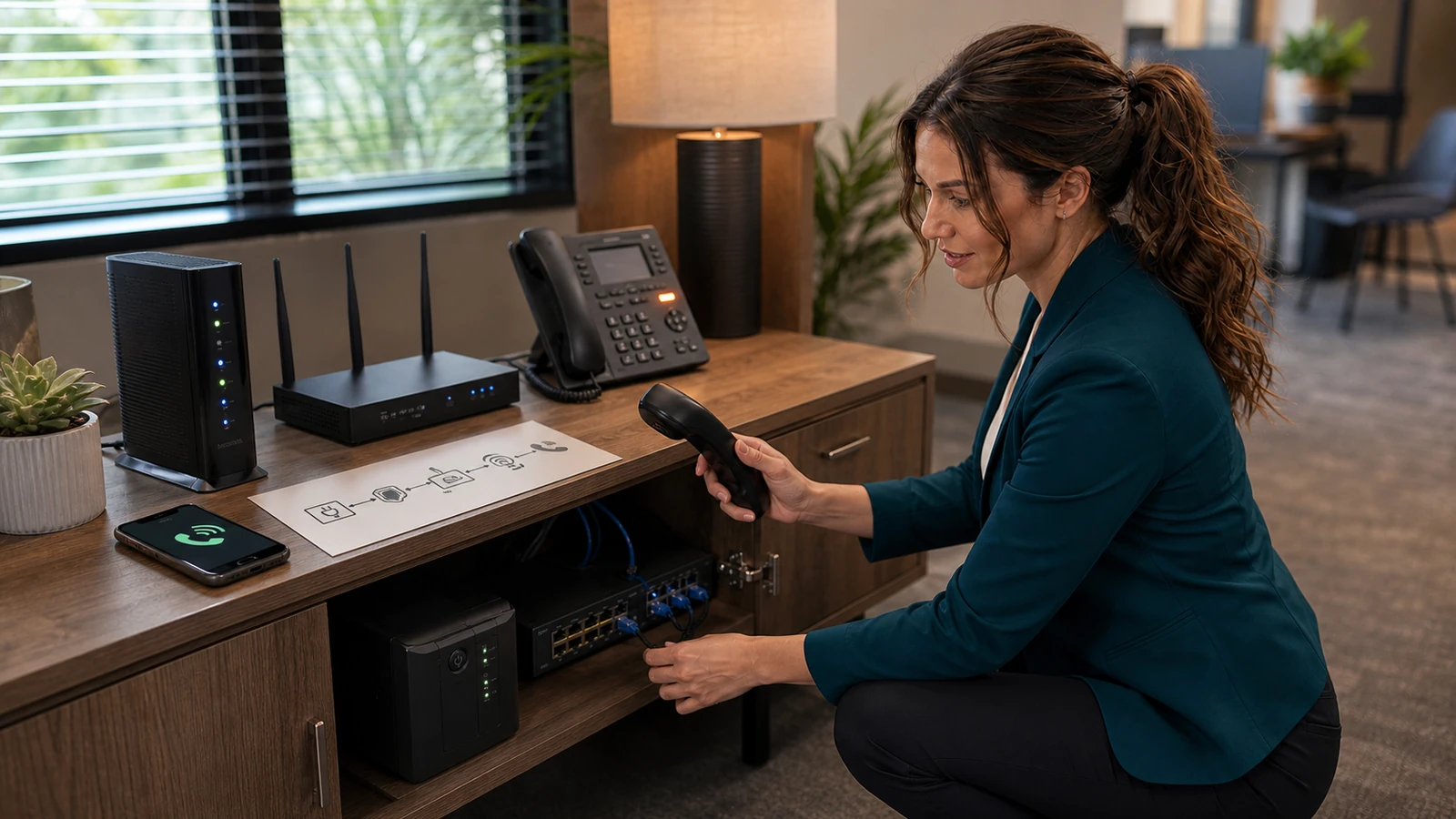
A cloud phone system can lose every desk phone even when the phones themselves are perfectly healthy. A brief power failure, dead UPS battery, failed modem, offline router, PoE switch problem, internet outage, or provider incident can all produce the same symptom: no dial tone and missed customer calls.
The costly mistake: treating VoIP like an old copper phone line
Traditional analog service could often keep working during a local power failure because the telephone company powered the line. Most modern Voice over Internet Protocol (VoIP) systems depend on equipment inside your building and a working path to the provider. The FCC cautions that VoIP service may not work during a power outage or when an internet connection fails or becomes overloaded. VoIP 911 behavior can also differ from traditional service, especially when location information is missing or stale.
For a home office, failure can mean missed appointments or an unreachable family phone. For a small business, it can mean lost sales, a silent receptionist queue, failed alarm or elevator call paths, and confusion during an emergency. The answer is not to panic and factory-reset equipment. It is to know which layer failed and to have a fallback that does not depend on that same layer.
What can actually break?
Phone readers: swipe the table left to see every column.
| Layer | What failure looks like | Fast, safe check | What usually restores service |
|---|---|---|---|
| Utility power | Phones, modem, router, switch, and computers go dark. | Check whether the UPS is on battery and which devices are actually connected to battery-backed outlets. | Restore power or keep the complete communications chain on a correctly sized, tested UPS. |
| ISP modem or fiber ONT | Local network may work, but internet and calling fail. | Record status lights; check the ISP outage page from cellular data. | ISP recovery, modem/ONT power restoration, or a tested secondary internet circuit. |
| Router or firewall | Several internet services fail at once; local devices may still communicate. | Check its power, WAN status, and whether other sites load. Avoid a factory reset. | Controlled reboot, configuration repair, hardware replacement, or WAN failover. |
| PoE switch or injector | Desk phones are dark while Wi-Fi or wired computers may still work. | Check switch power and port lights. Confirm its UPS outlet did not get overlooked. | Restore PoE power, replace a failed supply, or move a known-good phone to a known-good port. |
| Cloud phone provider | Internet works, but multiple phones show registration errors or cannot complete calls. | Check the provider’s official status page from a separate device. | Provider recovery plus preconfigured inbound forwarding or mobile-app continuity. |
| One handset, cable, or extension | Only one person is affected. | Swap one known-good cable/port or sign into the approved mobile/desktop app. | Repair that endpoint; do not reboot the entire office network. |
Who is affected—and who may not be?
Likely affected
- Desk phones powered by a PoE switch
- Analog phones connected through an internet telephone adapter
- Cloud PBX users whose only internet path is down
- Reception queues that forward only after a handset rings
- Remote workers whose emergency address still points to the office
May still work
- Provider-hosted voicemail and cloud auto attendants
- Inbound forwarding configured in the provider cloud
- Approved mobile apps using cellular data
- Cellular calls made directly through the mobile carrier
- A second internet circuit that was configured and tested before the outage
Important: “may still work” is not the same as “will work.” Some mobile apps need an existing sign-in token, some forwarding rules activate only when a specific device is unreachable, and some dual-WAN routers do not fail over cleanly without configuration. Test your exact service.
Phones are down now: use this safe first-10-minutes checklist
Preserve the evidence
Photograph phone displays, modem/ONT lights, router WAN status, switch lights, UPS warnings, and the time the failure began. Ask whether every extension, one location, remote users, inbound calls, outbound calls, or only one phone is affected. This prevents a blind reset from erasing the clues.
Protect emergency calling first
If anyone needs emergency help, use a working cellular phone and give the dispatcher the complete location. Do not delay an emergency while troubleshooting VoIP. Do not place an unarranged “test” call to 911; use your provider’s approved test feature or coordinate a test with the appropriate local public-safety answering point.
Check the power chain, not just the phone
Confirm the modem or fiber ONT, router/firewall, relevant switch or PoE injector, and phones all have power. A UPS that keeps the desk phone lit is useless if the router or ONT is plugged into a surge-only outlet. If the UPS reports a fault, overload, or exhausted battery, reduce nonessential load rather than repeatedly cycling it.
Separate local network trouble from provider trouble
From a wired computer, test the local gateway and a normal website. From a cellular connection, check the ISP and VoIP provider status pages. If internet works but every phone is unregistered, the phone provider or a firewall/DNS path may be the problem. If nothing reaches the internet, focus on the WAN path first.
Activate the documented fallback
Use the provider’s cloud forwarding rule, business continuity number, mobile app over cellular data, or secondary WAN exactly as documented. Make one inbound test from an outside phone and one outbound business test. Confirm caller ID, the main greeting, receptionist queue, voicemail, and after-hours routing—not merely one direct extension.
Reboot narrowly and once
If the ISP or provider directs a reboot, restart only the failed layer and allow it to finish. Avoid factory-reset buttons. A factory reset can erase VLANs, firewall rules, SIP settings, Wi-Fi names, and failover configuration, turning a short outage into a full rebuild.
Record the recovery
Write down the failing component, start and restore times, what the fallback did, missed-call handling, and every setting changed. Return temporary forwarding only after normal inbound and outbound calling has been tested.
Build a VoIP continuity plan before you need it
1. Draw the complete dependency chain
On one page, list: utility power → UPS → ISP modem or fiber ONT → router/firewall → switch or PoE injector → phone or computer → VoIP provider. Include device model, location, power outlet, support owner, provider account contact, and official status-page URL. Mark anything that is outside your control, including neighborhood cable/fiber infrastructure and the cloud provider.
2. Put the right equipment on battery backup
Battery-back the communications chain, not every office appliance. Usually that means the ONT/modem, router/firewall, core switch or PoE switch, and only the critical phones needed during an outage. Printers, space heaters, coffee makers, and laser printers do not belong on a communications UPS.
A UPS may keep your office equipment alive while the ISP’s neighborhood equipment is offline. That is why battery backup and secondary connectivity solve different failure modes.
3. Configure inbound continuity in the cloud
Many hosted phone services can forward calls when an extension or site becomes unreachable. RingCentral, for example, documents an internet-outage forwarding rule for eligible desk-phone extensions. Other providers use terms such as business continuity, unreachable routing, failover number, simultaneous ring, or disaster recovery.
- Send the main number to a staffed mobile number, backup queue, answering service, or alternate site.
- Decide whether direct-dial numbers and call queues need separate rules.
- Keep the public greeting accurate; do not expose an employee’s private mobile number unnecessarily.
- Test with a real outside caller while the office connection is deliberately isolated.
- Confirm what happens to voicemail, recordings, SMS, fax, and call reporting.
4. Give staff an outbound fallback
An approved provider mobile app over cellular data can preserve the business caller ID and call log. A direct cellular call is simpler but may expose a personal number and will not necessarily follow the business recording or retention policy. Choose the method in advance, document sign-in and MFA recovery, and keep at least one charged mobile device and cable available.
Do not assume a phone hotspot will fix desk phones. Most desk phones cannot use a hotspot directly, and moving the office router to an improvised connection can break VPNs, static addresses, or emergency-location rules. Use a tested cellular router or the provider’s mobile app instead of inventing a network during the outage.
5. Verify emergency addresses and dispatchable locations
A VoIP provider cannot always determine a caller’s physical location from the internet connection. The FCC defines a dispatchable location as a validated street address plus details such as a suite, apartment, floor, or similar information needed to find the caller. Microsoft likewise advises assigning emergency addresses—and more precise places where appropriate—to Teams users so emergency calls carry accurate location information.
- Check the address assigned to every main number, extension, device, user, and site in the provider portal.
- Include suite, floor, building, or room details where the system supports them.
- Review remote and hybrid users; a laptop or handset moved home may still carry an office location.
- Confirm whether your system supports dynamic emergency calling and how it identifies networks or subnets.
- For a multi-line telephone system, review Kari’s Law and RAY BAUM’S Act requirements with your provider or qualified counsel. FCC requirements include direct 911 dialing, on-site notification for covered systems, and dispatchable-location obligations. This article is practical guidance, not legal advice.
A practical quarterly test
Run this during a low-risk maintenance window and after changing the ISP, router, switch, provider, office address, phone numbers, or staff locations.
- Record normal inbound and outbound behavior.
- Unplug utility power from the UPS—not equipment from the UPS—and verify the complete phone path remains up for the intended test period.
- Restore power and allow the UPS to recharge.
- Disconnect the primary WAN using the documented method; verify secondary internet or provider-side forwarding.
- Call the main number, a direct number, and a queue from an outside phone.
- Make a non-emergency outbound call through the approved fallback and verify caller ID.
- Use the provider’s approved emergency-address test tool or test number; do not make an unarranged live 911 call.
- Check voicemail, auto attendant, business SMS, fax, recording, and reporting if your business relies on them.
- Restore normal service, retest, and date the results.
Good plan versus bad plan
Phone readers: swipe the table left to see every column.
| Good | Bad | Why it matters |
|---|---|---|
| UPS powers the ONT/modem, router, PoE switch, and critical phones. | Only the desk phone is on battery. | Every upstream dependency must stay alive. |
| Provider-side forwarding was tested from an outside number. | “The portal says enabled.” | A saved setting is not proof that routing works. |
| Emergency addresses include the correct site and suite/floor. | Every extension uses the billing address. | Responders need the caller’s actual location. |
| Employees know one approved cellular fallback. | Everyone improvises with personal phones and hotspots. | Improvisation creates privacy, caller-ID, and support problems. |
| Factory-reset buttons are labeled “Do not press—call IT.” | Repeatedly reset every box. | Resetting can erase the configuration needed for recovery. |
Two realistic outage examples
Harmless failure
One desk phone goes dark, but every other extension works. Moving it to a known-good PoE port brings it back. The fault is isolated to a cable, port, or handset; rebooting the entire office would have created needless downtime.
Costly wrong turn
Every phone stops registering after an ISP interruption. Someone factory-resets the router. The internet returns, but the phones, VPN, guest network, and static business systems remain broken because the VLAN and firewall configuration is gone. A documented status check and narrow reboot would have avoided the rebuild.
Related guides from The IT Guys
- Build and test a backup internet plan before your ISP goes down
- Test your UPS battery backup before the next power flicker
- Find an Ethernet loop before resetting the router
- Hurricane preparation for home and business computers
Frequently asked questions
Will a UPS keep VoIP working during any outage?
No. It can cover a local power failure only while its battery lasts and only if every required device is connected. It cannot repair a provider outage or guarantee that the ISP’s outside network remains powered.
Should I forward the main number to one employee’s cellphone?
That can be a short-term fallback, but a staffed queue, answering service, or provider mobile app is usually easier to manage. Consider privacy, caller ID, voicemail, hours, recording, and what happens when that employee is unavailable.
Can employees use the VoIP app over cellular data?
Often, yes, if your provider supports it and the app is signed in before the outage. Test authentication, MFA recovery, calling, caller ID, and emergency-location behavior. A provider app is not automatically equivalent to a normal cellular call.
Why do phones have power but show “unregistered”?
The handset can reach the PoE switch but not the provider. Check the WAN connection, DNS, firewall path, provider status, and account state. Do not assume the handset is defective.
How often should we test?
Quarterly is a practical baseline for many small organizations, with another test after material changes. Higher-risk sites may need more frequent checks based on provider guidance, regulation, and business impact.
Does this replace fire-alarm, elevator, fax, or alarm-panel planning?
No. Those systems may have separate code, monitoring, compatibility, and battery requirements. Confirm each one with the responsible vendor before replacing an analog line or changing the network.
Sources
- FCC: VoIP and 911 Service
- FCC: Multi-line Telephone Systems—Kari’s Law and RAY BAUM’S Act 911 requirements
- FCC: Dispatchable Location for 911 Calls
- National 911 Program: Frequently Asked Questions
- Microsoft Learn: Plan and manage emergency calling
- RingCentral: Setting up call forwarding during an internet outage
- Ready.gov: Business Continuity Planning
Make one useful test today
Call your main number from outside the business, then confirm where it goes if your internet connection is unavailable. If nobody owns that answer, your phone continuity plan is not finished.