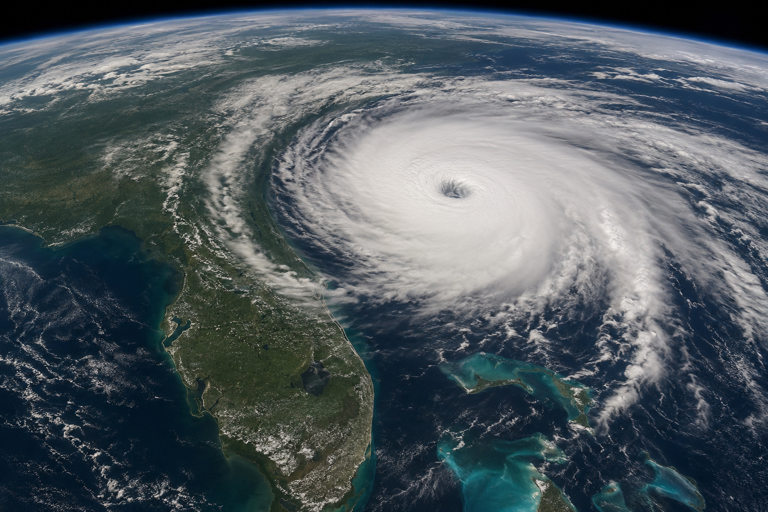
Hurricane Preparation for Home Computer Systems
How to Protect Your Computers Before the Storm
Hurricanes threaten more than roofs, windows, and power lines. A single storm can destroy years of digital memories, important documents, business records, and expensive computer equipment in minutes. Flooding, lightning, extended power outages, and humidity can all severely damage home computer systems. Preparing your computers before a hurricane is just as important as boarding windows or stocking emergency supplies.
This guide explains practical steps homeowners can take to protect desktops, laptops, networking equipment, and digital data before a storm arrives.
Understand the Risks to Computer Equipment
Hurricanes create several hazards for electronic systems:
- Power surges from lightning strikes or unstable utility power
- Sudden outages that can corrupt files or damage hardware
- Flooding from storm surge or heavy rain
- High humidity and moisture that can corrode components
- Physical damage from debris or falling objects
- Internet outages that disrupt cloud access and communications
Even if the home itself survives, electronics often fail because they were left plugged in during power fluctuations or stored too close to flood-prone areas.
Back Up Important Data First
The most valuable part of any computer system is usually the data stored on it. Family photos, tax records, passwords, legal documents, school projects, and business files may be impossible to replace.
Before the storm:
Create Multiple Backups
Use the “3-2-1” backup strategy:
- Keep 3 copies of important data
- Store them on 2 different types of media
- Keep 1 copy offsite or in the cloud
Examples include:
- External hard drives
- USB flash drives
- Cloud backup services
- Network-attached storage (NAS)
Prioritize Critical Files
Back up:
- Personal photos and videos
- Financial records
- Insurance documents
- Password manager exports
- Medical information
- Work files and school assignments
Verify the Backup Works
A backup is useless if it cannot be restored. Open several files from the backup to ensure they copied correctly.
Use Surge Protection and Battery Backup Systems
Electrical instability is one of the most common causes of computer damage during hurricanes.
Install Quality Surge Protectors
A basic power strip is not enough. Use surge protectors rated for:
- Computers
- Routers and modems
- Monitors
- External drives
Look for units with:
- Joule ratings suitable for electronics
- Indicator lights showing protection status
- Protection for Ethernet or coaxial lines if possible
Consider an Uninterruptible Power Supply (UPS)
A UPS provides temporary battery power during outages.
Benefits include:
- Safe computer shutdowns
- Protection against voltage drops
- Reduced risk of file corruption
- Time to save work during blackouts
A UPS is especially important for:
- Desktop computers
- Home offices
- Gaming PCs
- NAS storage systems
Shut Down and Unplug Equipment Before the Storm
One of the safest actions is also the simplest.
As the hurricane approaches:
- Fully shut down computers
- Turn off monitors and peripherals
- Disconnect power cables
- Unplug Ethernet, cable, and phone lines
Lightning and power surges can travel through networking and cable connections even when the computer is turned off.
If evacuation orders are issued, unplugging devices before leaving can prevent catastrophic electrical damage.
Move Equipment Away From Flood Zones
Water destroys electronics quickly.
Elevate Devices
Move equipment:
- Off the floor
- Away from windows
- To higher shelves or upper floors if possible
Particularly vulnerable items include:
- Desktop towers
- External drives
- Wi-Fi routers
- Printers
- Power supplies
Use Waterproof Storage
For smaller electronics:
- Seal devices in waterproof plastic bins
- Use heavy-duty zip bags for accessories and cables
- Add silica gel packs to reduce moisture buildup
Protect Internet and Networking Equipment
Home internet equipment is often overlooked during storm preparation.
Disconnect Modems and Routers
Power surges frequently destroy:
- Cable modems
- Fiber terminals
- Wi-Fi routers
- Network switches
Disconnect:
- Power cords
- Coaxial cables
- Ethernet connections
Save Network Information
Before disconnecting equipment:
- Record Wi-Fi passwords
- Save router settings
- Document ISP account information
This simplifies reconnecting systems after the storm.
Prepare Laptops and Mobile Devices
Portable devices can become essential communication tools after a hurricane.
Fully Charge All Devices
Charge:
- Laptops
- Phones
- Tablets
- Battery packs
Download Offline Resources
Internet access may disappear for days.
Save offline copies of:
- Maps
- Emergency contacts
- Insurance policies
- Medical information
- Important documents
Enable Device Tracking
Turn on:
- “Find My Device”
- Location tracking
- Remote wipe features
This can help if devices are lost during evacuation.
Reduce Humidity Exposure
Even without direct flooding, hurricanes create intense humidity that can damage electronics over time.
Store Equipment Properly
If computers will remain unused:
- Cover them with plastic sheeting
- Store them in dry interior rooms
- Use desiccant packs when possible
Avoid:
- Garages
- Basements
- Areas near leaking windows or doors
Create a Storm Recovery Plan
Preparation should include recovery steps after the hurricane passes.
Document Your Equipment
Take photos of:
- Computers
- Monitors
- Networking gear
- Serial numbers
Keep receipts and warranty information in cloud storage.
Review Insurance Coverage
Standard homeowners insurance may not fully cover:
- Flood damage
- Expensive electronics
- Business equipment used at home
Consider additional coverage if needed.
Know Safe Restart Procedures
After power returns:
- Wait until utility power stabilizes
- Inspect outlets for water damage
- Check devices for moisture before powering them on
Never plug in wet electronics.
Final Thoughts
Hurricanes can destroy electronics in seconds, but thoughtful preparation dramatically improves the chances of protecting both equipment and irreplaceable digital data. The most important steps are backing up files, disconnecting systems before the storm, protecting against surges, and moving equipment away from water hazards.
Computers have become central to modern life, storing everything from financial records to family memories. Taking time to prepare before a hurricane can save thousands of dollars and prevent permanent data loss long after the storm has passed.
Related Reading
- How to remove those relentless Google Chrome and/or Microsoft Edge notifications for GOOD! – related guidance from The IT Guys archive
- How to reinstall Windows 11 Phone Link – related guidance from The IT Guys archive
- How to install Chocolatey on your local personal PC! – related guidance from The IT Guys archive
FAQ
How often should I check backups?
For important personal or business files, check backups at least monthly and before storms, trips, device repairs, or major software updates.
Is cloud sync the same as a backup?
Not always. Sync can copy deletions, corruption, or ransomware changes. A safer plan includes version history, offline or separate backup copies, and a recovery test.
What is the most important backup test?
Make sure you can restore a real file. A backup you have never restored is only a hope, not a proven recovery plan.