Listen to the Podcast Version
Prefer to listen? Here is a short audio version of this hurricane prep and data protection checklist.
Hurricane prep is not just plywood, flashlights, and bottled water anymore. For a home office or small business, your computers, phones, passwords, documents, photos, accounting files, customer records, and internet connection are part of the emergency plan too.
NOAA’s May 21, 2026 Atlantic hurricane outlook calls for a below-normal season as the most likely outcome, with a 70% probability range of 8-14 named storms, 3-6 hurricanes, and 1-3 major hurricanes. That is still enough risk to prepare now, because it only takes one local storm to create days of downtime or permanent data loss.
Start With Your Data
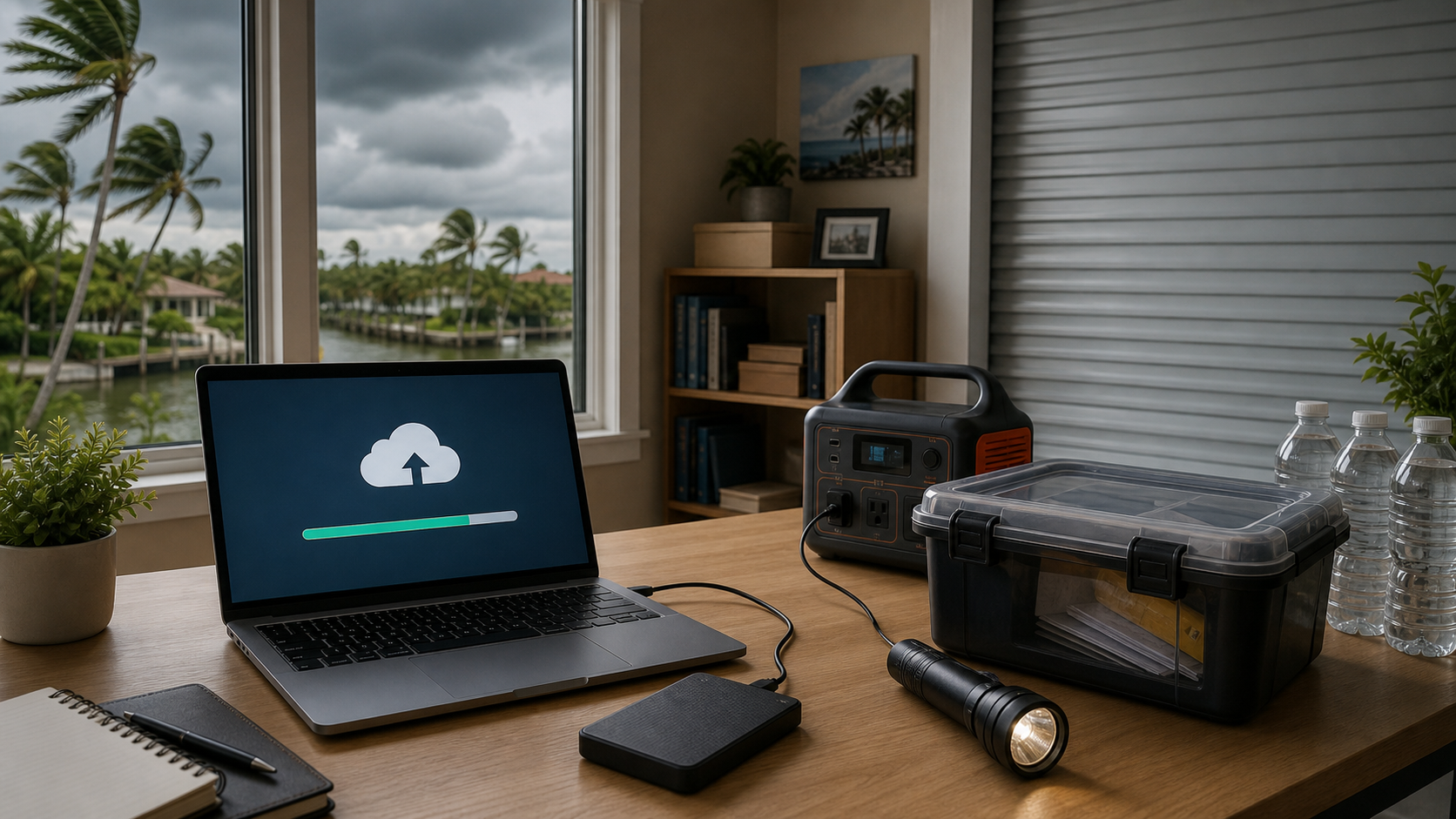
Before a storm is named, make sure your important data exists in more than one place. I like the 3-2-1 rule: keep three copies of important files, on two different types of storage, with one copy off-site or in the cloud.
- Back up Documents, Desktop, Pictures, accounting files, tax records, client files, passwords, and browser bookmarks.
- Use a cloud backup for off-site protection, not just a sync folder. Sync can copy accidental deletions or ransomware damage.
- Keep one local backup on an external drive so you can recover quickly if the internet is down.
- Unplug the backup drive after the backup finishes so lightning, surge damage, or malware cannot reach it.
- Test restore one file before hurricane season. A backup you have never tested is only a guess.
Protect Documents Before You Protect Devices
Scan or photograph critical papers and store the originals in a waterproof container. Include insurance policies, IDs, business licenses, bank records, lease or mortgage documents, vehicle titles, medication lists, vendor contacts, and emergency phone numbers. Use a password-protected digital copy and make sure a trusted person knows how to access it if you cannot.
Prepare Your Home and Office Tech
- Charge laptops, phones, tablets, hotspots, battery banks, and portable power stations.
- Update operating systems and security software before the storm, not during the last-minute rush.
- Take photos of your computer setup, serial numbers, router, modem, monitors, printers, and networking gear for insurance documentation.
- Label cables and take a quick photo before unplugging equipment.
- Move computers, external drives, paperwork, and networking gear away from windows and off the floor.
- Use surge protectors, but unplug sensitive electronics if you evacuate or expect severe lightning.
- Put small electronics, drives, and key documents in sealed bags or waterproof bins.
Build a Communication Plan
Internet and cell service can get unreliable after a storm. Download important phone numbers, insurance documents, maps, and password vault emergency access before the weather turns. If you run a business, write down how customers and staff will get updates if your normal phone, website, or office connection goes down.
During the Storm
- Keep devices charged and use low-power mode.
- Do not run generators indoors, in garages, or near windows.
- Keep electronics away from leaks and exterior walls where wind-driven rain can enter.
- Avoid using wired electronics during lightning.
- Save battery by using one primary phone for updates and keeping backup devices powered off.
After the Storm
Do not power on wet equipment. If a computer, backup drive, router, or power strip got wet, leave it off and get it checked. Turning on wet electronics can turn a recoverable problem into a permanent failure.
- Photograph damage before moving or discarding items.
- Check for water intrusion before reconnecting power strips and desktop equipment.
- Verify your backups before cleaning up old files or replacing hardware.
- Watch for post-storm scams, fake utility messages, fake insurance links, and suspicious repair offers.
- If your business systems were offline, document what failed and update your recovery checklist while the details are fresh.
The Simple Checklist
- Cloud backup working
- Local backup completed and unplugged
- One test restore completed
- Important documents scanned
- Passwords accessible securely
- Devices charged
- Electronics moved off floors and away from windows
- Photos taken for insurance
- Customer/staff communication plan ready
If you want help checking your backups, securing your home office, or building a small business storm recovery plan, The IT Guys can help before the rush starts.
Sources: NOAA 2026 Atlantic Hurricane Season Outlook, Ready.gov hurricane preparedness, Ready.gov Get Tech Ready, and Ready.gov flood preparedness.
Hurricane Data Protection FAQ
What is the best backup plan before a hurricane?
Use the 3-2-1 backup rule: keep three copies of important files, on two different types of storage, with one copy off-site or in the cloud. For home and business computers, that usually means the original files, a local external-drive backup, and a cloud backup.
Should I leave my backup drive plugged in during a storm?
No. After the backup completes, safely eject and unplug the external drive. Store it in a dry, protected place so power surge, water damage, or malware cannot reach it.
What should a small business protect before hurricane season?
Back up customer records, accounting files, tax documents, passwords, website access, email data, insurance records, business licenses, and device setup photos. Also write down how staff and customers will get updates if phones or internet go down.
Related local IT help: if you are also replacing older equipment, see our Memorial Day laptop and desktop buying guide.
Related Reading
- Latest Security Threats for May 26, 2026: Microsoft Defender, Website Attacks, Data Breaches, and How to Protect Yourself – related guidance from The IT Guys archive
- Hurricane Preparations for Business and Home Computers for 2026 – related guidance from The IT Guys archive
- 15-Minute Account Recovery Check: Avoid Getting Locked Out of Email, MFA, and Business Accounts – useful account-security guidance for home users and small businesses
FAQ
How often should I check backups?
For important personal or business files, check backups at least monthly and before storms, trips, device repairs, or major software updates.
Is cloud sync the same as a backup?
Not always. Sync can copy deletions, corruption, or ransomware changes. A safer plan includes version history, offline or separate backup copies, and a recovery test.
What is the most important backup test?
Make sure you can restore a real file. A backup you have never restored is only a hope, not a proven recovery plan.