

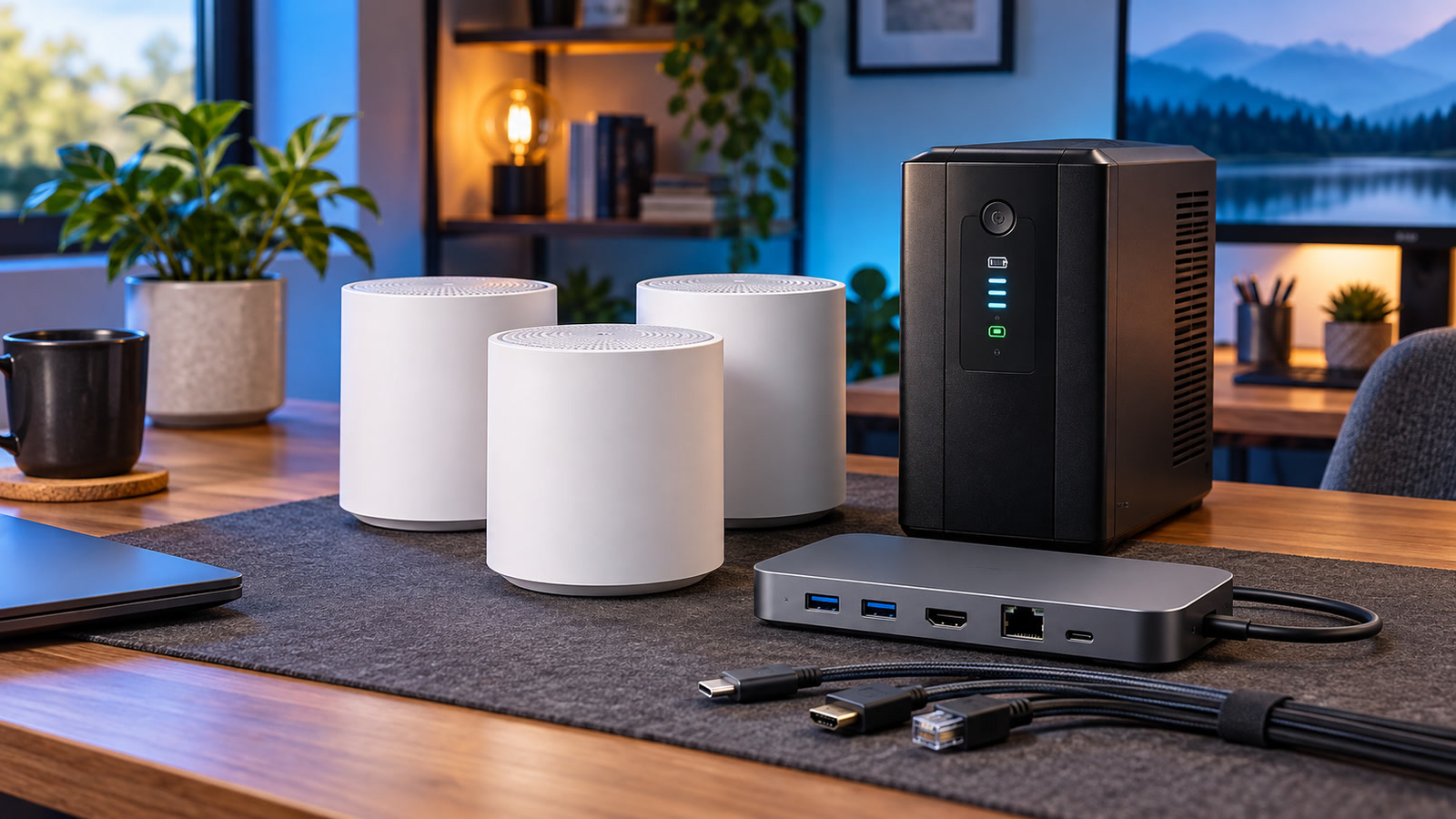
This week’s useful tech-deal mix focuses on infrastructure rather than impulse gadgets: a three-node Wi-Fi 7 mesh kit, a 1500VA UPS battery backup, and an 11-in-1 USB-C dock. We checked each listing against a live retailer page and official manufacturer specifications, then separated Prime-only pricing, ordinary sale pricing, shipping terms, and compatibility limits.[2][3][5][6][8][9]
Deal check • Wednesday, October 7, 2026[1][4][7]
Reporting cutoff: 12:34 p.m. Eastern / 16:34 UTC.[1][2][4][5][7][8] Prices, membership eligibility, seller, delivery estimate, and stock can change quickly. Always confirm the exact model and final cart price before paying.[1][2][4][5][7][8]
This is a one-time editorial snapshot, not a live price feed. Taxes are excluded. Shipping and delivery vary by address.[1][2][4][5][7][8]
Quick comparison
Phone readers: swipe the table left to compare every column.
| Pick | Price at cutoff | How the price works | Best fit | Watch before buying |
|---|---|---|---|---|
| TP-Link Deco BE25 three-pack | $198.19[1][2] | Amazon Prime-member price; captured offer was shipped and sold by Amazon.com, In Stock, with free Prime shipping.[1][2] | Whole-home Wi-Fi refresh with optional wired backhaul.[3] | Dual-band—not 6GHz tri-band; headline speed and coverage are theoretical/test-based.[3] |
| CyberPower CP1500GAVR UPS | $129.00[4][5] | Amazon Exclusive Prime price; captured offer was shipped and sold by Amazon.com, In Stock, with free Prime shipping.[4][5] | Desktop, router, NAS, or small-office graceful shutdown.[6] | Battery runtime depends on load and condition.[6] |
| Belkin INC014 11-in-1 dock | $49.99[7][8] | Automatic Woot sale price; free shipping with Prime, otherwise a $6 order fee.[7][8] | Multi-monitor laptop desk with wired Ethernet and card readers.[9] | Belkin’s live page conflicts on Ethernet speed; buy only if 1GbE is acceptable.[9] |
1TP-Link Deco BE25 three-pack: practical Wi-Fi 7 mesh without a 6GHz band
Prime-member price: $198.19 at Amazon[1][2]
TP-Link identifies the Deco BE25 as a dual-band BE5000 Wi-Fi 7 system with theoretical rates up to 4,324Mbps on 5GHz and 688Mbps on 2.4GHz.[3] Each node has two auto-sensing 2.5Gbps WAN/LAN ports, and the system supports optional Ethernet backhaul.[3]
TP-Link advertises coverage up to 6,600 square feet for the three-pack and connections for more than 150 devices, but its own footnotes explain that those figures come from laboratory testing and that real performance varies with clients, interference, layout, materials, and internet service.[3] Wi-Fi 7 features also require compatible client devices.[3]
Buying advice: do not buy mesh merely because the box promises a large square-foot figure. First test whether the real problem is interference, poor placement, an old modem, or a slow internet plan.[3] Our Wi-Fi interference diagnosis guide helps separate those causes, and our router backup checklist is worth following before a network replacement.
2CyberPower CP1500GAVR: enough UPS for a controlled shutdown—not endless runtime
Exclusive Prime price: $129.00 at Amazon[4][5]
CyberPower rates the CP1500GAVR at 1500VA/900W with line-interactive topology, automatic voltage regulation, simulated sine-wave battery output, USB monitoring, and ten outlets: five battery-plus-surge and five surge-only.[6] The manufacturer lists approximately nine minutes at half load and 1.5 minutes at full load—not a promise that every setup will run that long.[6]
The practical value is orderly shutdown and ride-through for brief flickers.[6] AVR can correct certain voltage fluctuations without consuming the battery, while PowerPanel software can monitor the UPS over USB and help shut down a connected computer during a longer outage.[6]
Buying advice: add the actual watts of the equipment you plan to protect; do not size from VA alone. Leave headroom for startup spikes and battery aging.[6] Read our UPS battery test guide and UPS alarm guide before treating any battery backup as dependable.
3Belkin INC014 dock: lots of desk connectivity, with a driver and display caveat
Automatic sale price: $49.99 at Woot[7][8]
Belkin identifies the model as INC014btSGY and specifies Silicon Motion technology, support for Windows, macOS, and ChromeOS, up to three monitors, up to 10Gbps data transfer, and up to 100W USB-C pass-through power.[9] The port mix includes two HDMI outputs, VGA, two USB-A ports, USB-C data, USB-C power delivery, SD, microSD, Ethernet, and audio.[9]
Belkin recommends downloading the Silicon Motion driver for the best experience and says display behavior depends on the laptop’s capabilities.[9] The 100W figure is pass-through input: Belkin notes that the dock keeps 15W for its own operation, and the charger is not part of this Woot listing’s stated box contents.[8][9]
Buying advice: check your laptop model—not merely whether it has a USB-C-shaped port.[9] Our USB-C capability guide explains why charging, video, and data are separate features. If displays or Ethernet later drop, follow our dock troubleshooting workflow.
What we would buy—and what we would skip
- Best network upgrade: the Deco kit when placement tests show genuine coverage gaps and you can use Ethernet backhaul for at least one remote node.[3]
- Best small-business resilience buy: the CyberPower UPS when a brief outage currently hard-stops a desktop, router, or NAS.[6]
- Best desk-expansion value: the Belkin dock when your exact laptop and monitor plan matches its driver and display limits.[9]
Skip any pick whose membership requirement, seller, stock, model, or checkout total no longer matches this article. A vanished price is not a challenge to “make the deal work”; it is a changed offer.[1][2][4][5][7][8]
Frequently asked questions
Are these prices guaranteed?
No. They are point-in-time observations from October 7, 2026. Both Amazon picks require Prime for the highlighted price, and retailer inventory can change.[1][4]
Does Wi-Fi 7 automatically make internet faster?
No. The mesh can improve local coverage and capacity, but internet speed still depends on the service plan, modem, wired bottlenecks, placement, interference, and client hardware.[3]
Will a 1500VA UPS run my office for hours?
Usually not. CyberPower’s own rating is about nine minutes at half load and 1.5 minutes at full load for this model.[6] The normal goal is brief ride-through or enough time for a safe shutdown.[6]
Will the Belkin dock give every laptop three extended displays?
Not automatically. Belkin says display support depends on the host device and recommends its Silicon Motion driver.[9] Verify your laptop, operating system, monitor inputs, and resolution/refresh targets before buying.[9]
Should I trust the crossed-out reference price?
No. Compare the final price with current alternatives and the job you need done. A reference price is not proof of the normal street price.[2][5][8]
Need help choosing or setting it up?
The IT Guys offers in-home and on-site technology help for residential and commercial customers, including computer, printer, and network-hardware setup and troubleshooting.[10][11]
Sources
- Slickdeals: TP-Link Deco BE25 three-pack deal
- Amazon: TP-Link Deco BE25 three-pack
- TP-Link: Deco BE25 official specifications
- Slickdeals: CyberPower CP1500GAVR deal
- Amazon: CyberPower CP1500GAVR
- CyberPower: CP1500GAVR official specifications
- Slickdeals: Belkin 11-in-1 dock deal
- Woot: Belkin Universal USB-C 11-in-1 Pro Dock
- Belkin: INC014btSGY official specifications
- The IT Guys: Ask The IT Guys
- The IT Guys: service areas and services
Editorial note: Product specifications are attributed to manufacturers; deal mechanics are attributed to current retailer and deal pages. The IT Guys recommends verifying the final cart because third-party promotions can change after publication.[1][2][3][4][5][6][7][8][9]