

Page 3: Power users, servers, and centrally managed backups
restic: the community-interest leader and best technical all-rounder
Best for: Technically comfortable Windows, macOS, Linux, or BSD users who want an efficient encrypted backup engine for local, SFTP, REST, S3-compatible, and cloud repositories.
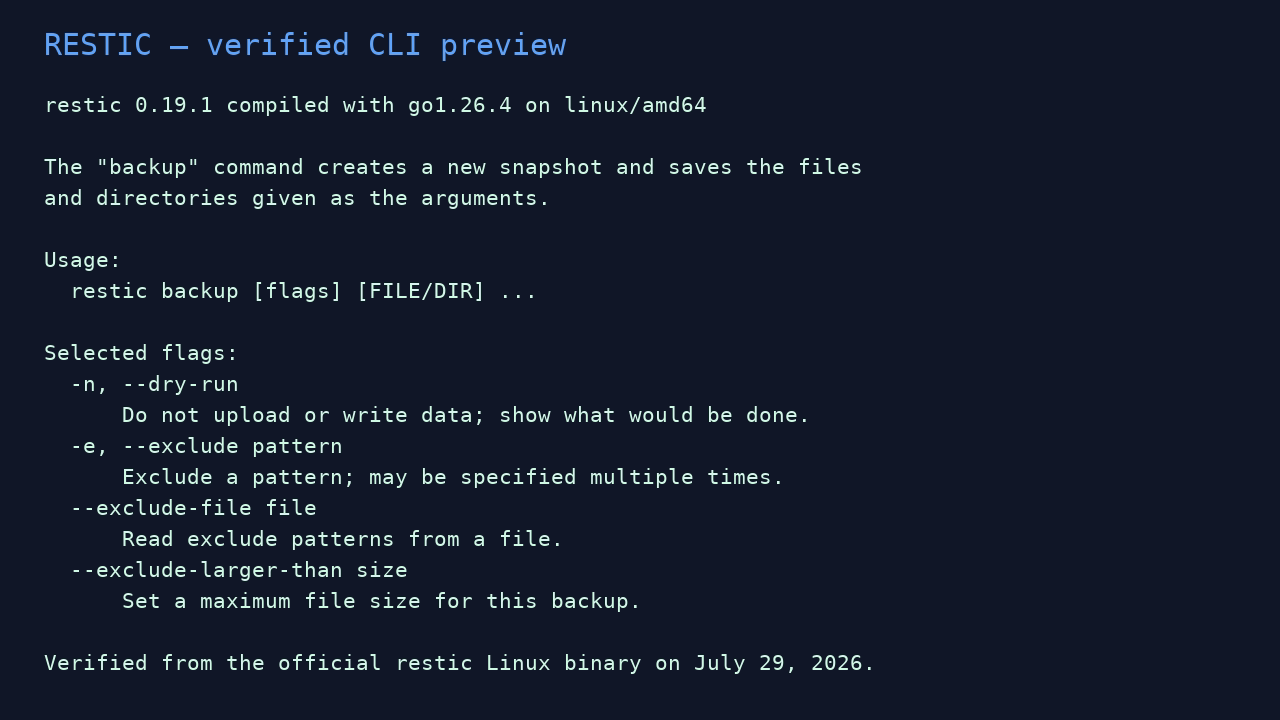
restic had the strongest GitHub-interest signal in our sample. Its design is deliberately focused: create authenticated encrypted snapshots, deduplicate data across a repository, apply retention, check integrity, and restore. It does not pretend to be a consumer cloud service; you supply the destination, scheduler, monitoring, and operational plan.
What we like
- Cross-platform, fast-moving project with clear repository and snapshot concepts.
- Client-side encryption and authentication are part of the repository design.
- Strong scripting surface through predictable commands, exit codes, JSON, tags, standard schedulers, and broad storage targets.
- Selective restore, whole-snapshot restore, mounting, retention, and repository checking.
What to watch
- No official native GUI and no bare-metal disk imaging.
- A client credential with delete rights can still erase snapshots. Pair it with limited credentials, append-only server patterns, object retention, protected snapshots, or an independent copy.
checkoptions differ in how much stored data they read. A metadata check is not the same as proving every data pack can be read.- Forgetting every copy of the password/recovery information can make data unrecoverable.
Sensible starter setup: Daily snapshots to SFTP or object storage using a dedicated credential, daily/weekly/monthly retention, alerts on every job, scheduled data-read checks, and a second independently controlled or offline copy.
restic WebsiteDownloadDocumentation
BorgBackup: best Linux/Unix power-user option
Best for: Linux, macOS, and FreeBSD users who want efficient deduplicating archives on local storage or a controlled remote Borg server over SSH.
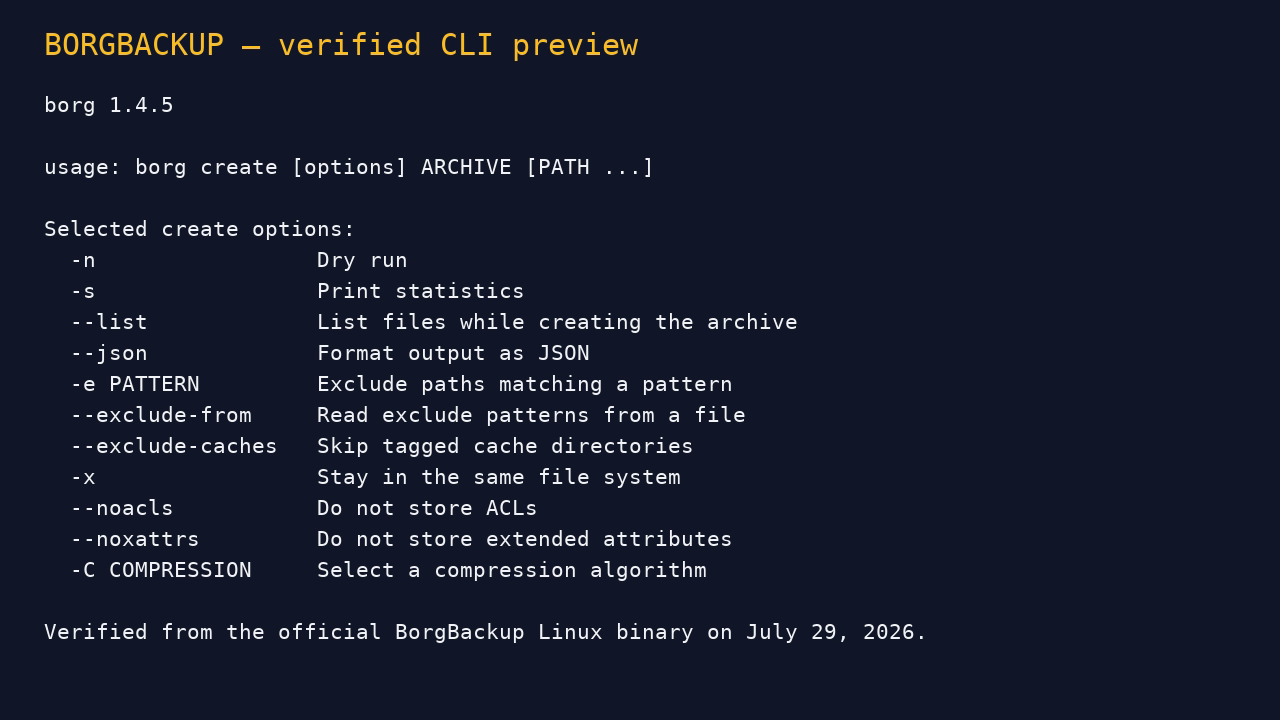
Borg uses content-defined chunking, compression, optional authenticated encryption, and repository-wide deduplication. Archives can be listed, extracted, or mounted. Its borg serve model can restrict repositories and support append-only client operation—valuable when carefully administered.
Good
- Mature, efficient repository model for frequent Unix-style backups.
- Excellent SSH integration and restricted-server possibilities.
- Powerful check, prune, compact, mount, and scripting workflows.
- Append-only client mode can reduce the damage a compromised routine client can cause.
Cautions
- Native Windows/MSYS2 and WSL support is explicitly experimental, so Borg is not our default Windows-household recommendation.
- Append-only mode still needs a separate administrator path, secure cleanup, transaction-log awareness, and restore testing.
- Files changing during backup may require application dumps or filesystem snapshots for consistency.
- Repository and cache capacity must be managed; do not discover a full backup server during an emergency.
Sensible starter setup: A dedicated SSH account restricted to one repository and command, append-only client jobs, a separate admin workflow for retention/compact, and protected server snapshots or offline replication.
BorgBackup WebsiteInstall BorgDocumentation
UrBackup: best central dashboard for several PCs
Best for: A household, lab, or small office with several Windows, Linux, or macOS clients and one person responsible for a central backup server.
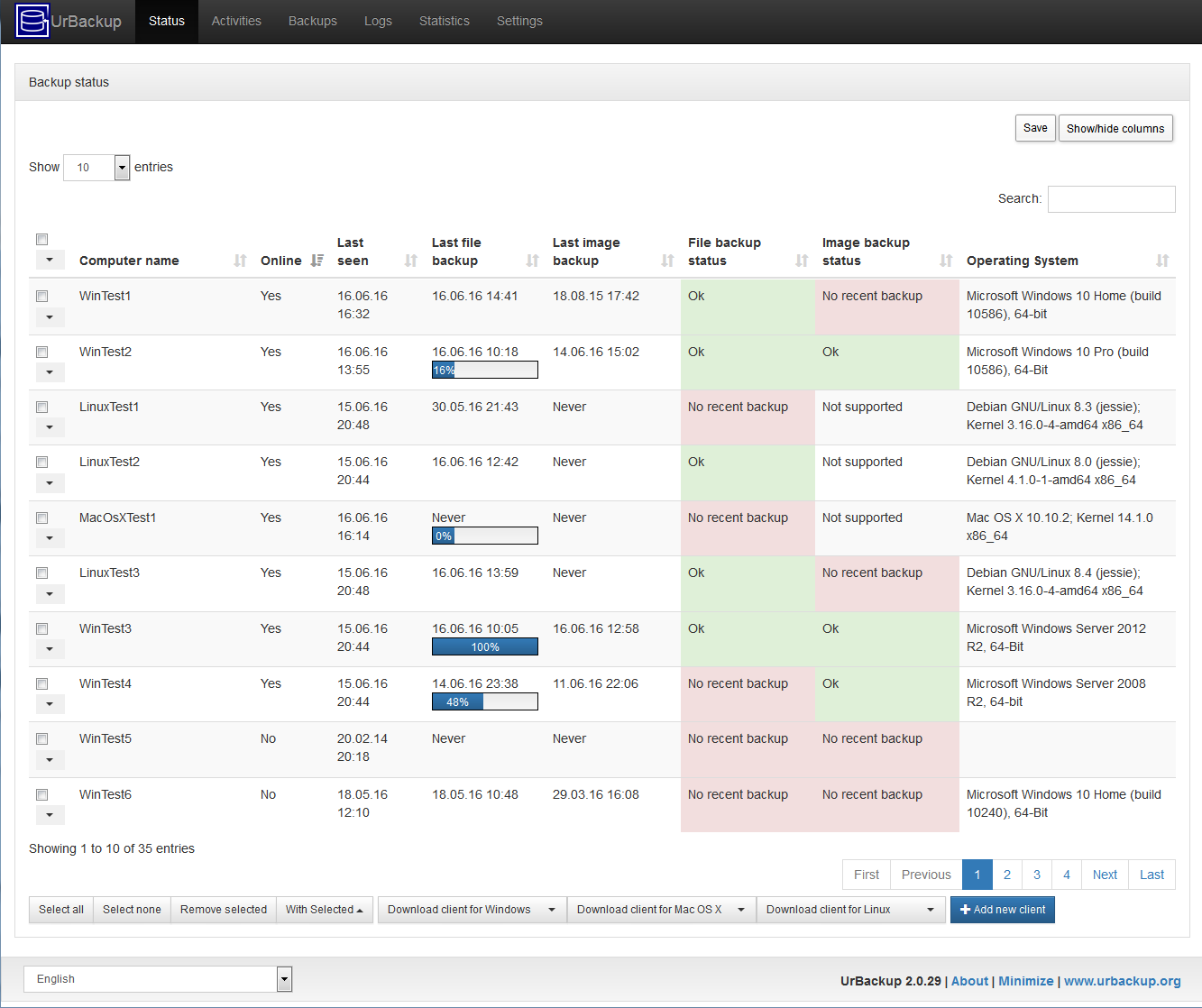
UrBackup combines full and incremental file backups with image-backup workflows in a client/server system. One dashboard can show client status, schedules, logs, and backup age. This is a fundamentally different job from a single-machine application: central visibility improves management, but the server and storage become high-value assets.
Good
- Central status, logs, scheduling, reports, and storage management.
- File backup plus supported live image-backup workflows, especially useful for Windows PCs.
- Changed-block transfer and file-level deduplication across computers.
- Internet-client support and preconfigured-client deployment options.
Cautions
- The official manual warns that LAN client/server traffic is unencrypted unless encrypted transfer is enabled. Use only on a trusted LAN otherwise, and configure transport security where appropriate.
- Image support varies by operating system, filesystem, and volume type. Dynamic volumes are unsupported; test the exact hardware and restore media.
- The backup server can expose every client’s history if compromised. Separate administration, patching, segmentation, protected snapshots, and offline/offsite replication matter.
- Do not casually expose its web administration interface to the internet.
Sensible starter setup: A dedicated server/NAS, protected web administration, daily client file backups, a tested image cadence for supported machines, email status reports, server-side snapshots, and an offline or offsite copy.
UrBackup WebsiteDownloadAdministration Manual
Bareos: best when you truly need a backup platform
Best for: Businesses or technical organizations that need agents, catalogs, media pools, tape, formal schedules, and a named administrator.
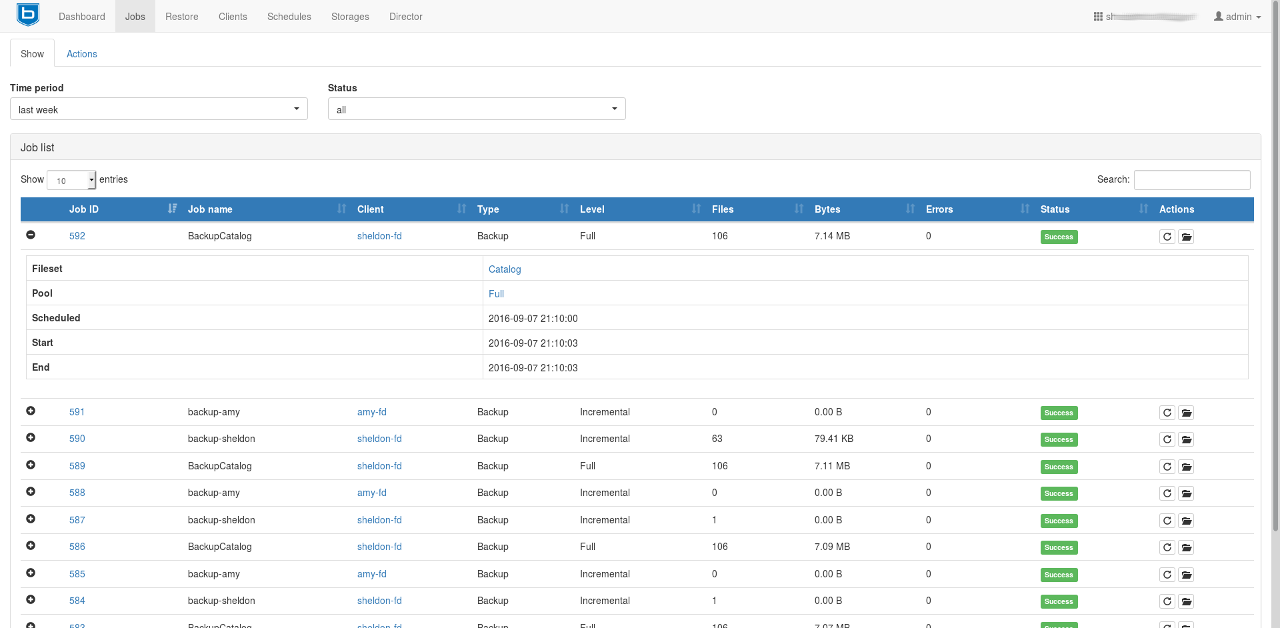
Bareos is backup infrastructure rather than a desktop utility. Its Director schedules work, File Daemons protect clients, Storage Daemons manage backup media, and a PostgreSQL catalog tracks jobs and volumes. It supports full, differential, incremental, and “Always Incremental” strategies, plus disk, tape, and S3-compatible storage scenarios.
Good
- Central management for many clients, jobs, schedules, restores, verification, and long-term media.
- Disk and tape workflows with a real catalog and formal retention concepts.
- Encrypted communication and backup-encryption options.
- Scales far beyond a home-PC tool.
Cautions
- Multiple services, a database, certificates, storage pools, retention/recycling, firewalling, and upgrades create substantial operational responsibility.
- Bareos does not claim native inline global deduplication; it can use deduplication-friendly storage such as ZFS, VDO, or btrfs.
- The catalog must itself be protected and recoverable.
- It is the wrong choice when nobody will review failures, manage capacity/media, and perform restores.
Sensible starter setup: A named backup owner and deputy; documented catalog bootstrap/recovery; tightly scoped client identities; protected disk or tape media; daily alert review, monthly sample restores, and periodic disaster exercises.