Somethings good things at times, can come from companies purchasing another. After Broadcom has just recently purchased VMWare. They have decided to place the VMware Fusion and VMWare workstation only for FREE.
Due to Oracle Virtual Machine having great success, in handing over their virtual software for free. Broadcom, I believe is looking to follow in the same footsteps. This is excellent for the consumer, creating competitiveness in the virtual community.
To obtain a copy, please follow the following steps to register and download your copy.
- If you don’t already have an account with Broadcom, please do so by clicking on the click below. https://profile.broadcom.com/web/registration
- Log into your Broadcom account by clicking on this link: https://access.broadcom.com/default/ui/v1/signin/
- Under products, select the version of the VMWare product that you would like to get a license.
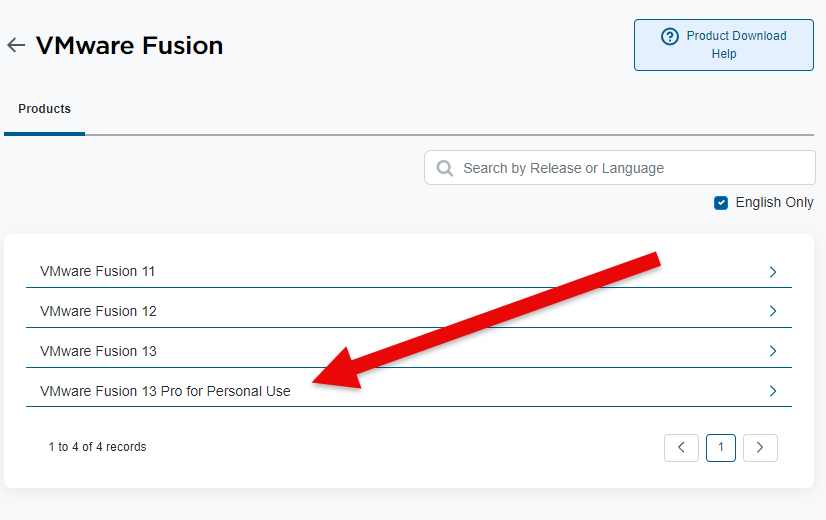
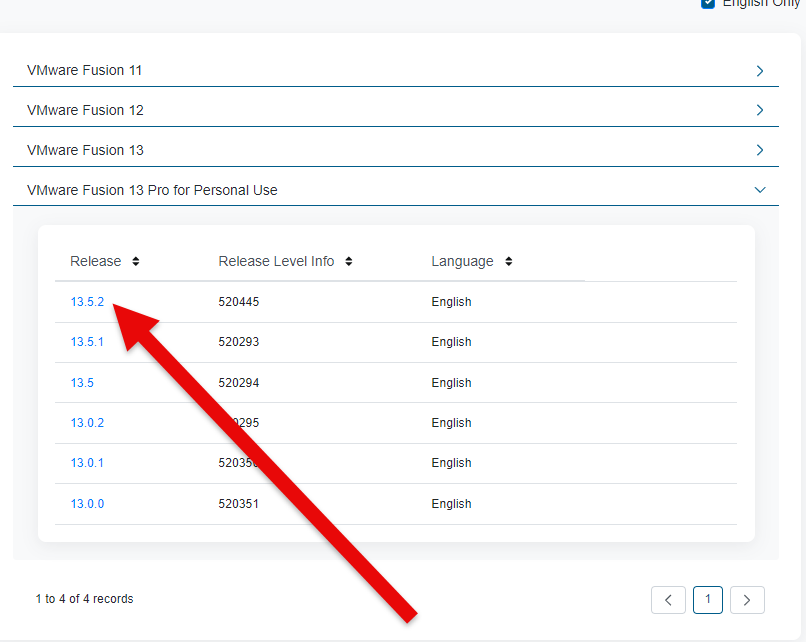
4. Select the version, of the product in which you would like to download.
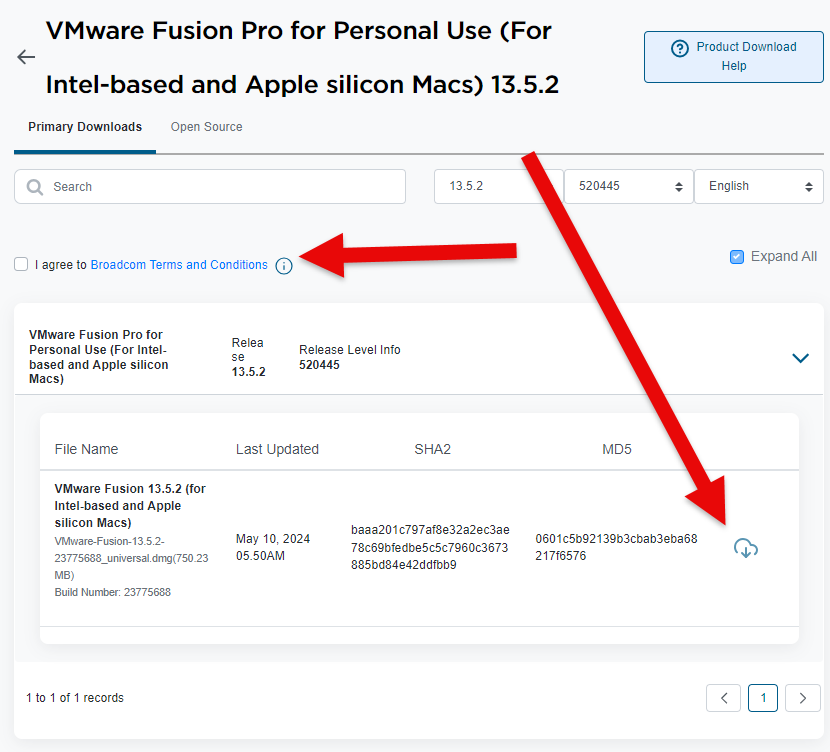
5. Select the check box for the terms and conditions. Then click on the cloud to download the software.
Related Reading
- FREE!! EPIC GAMES UNTIL MAY 8TH, 2025 @ 11AM – SUPER SPACE CLUB – another gaming/deals post from The IT Guys archive
- FREE!! EPIC GAMES UNTIL MAY 1ST, 2025 @ 11AM – CHUCHEL – another gaming/deals post from The IT Guys archive
- FREE!! EPIC GAMES UNTIL APRIL 24TH, 2025 @ 11AM – BOTANICULA – another gaming/deals post from The IT Guys archive
FAQ
Who is this guide for?
This article is written for regular home users and small businesses that want practical technology guidance without unnecessary jargon.
What should I check before following the steps?
Make sure the instructions match your device, account, software version, and business requirements. If something looks different, pause before guessing.
When should I ask for help?
If the device or account is important for work, contains sensitive data, or the change could affect backups, email, payments, or customer access, it is worth getting help first.