

The IT Guys Customer Heads-Up • Updated August 1, 2026
August will look very different on Windows and Apple devices. Windows 11 is headed toward its normal Patch Tuesday security release on August 11, with several useful features and fixes already previewed by Microsoft. Apple, meanwhile, has current production security updates ready now while iOS 27 and macOS 27 remain pre-release software scheduled for the fall—not finished August upgrades.
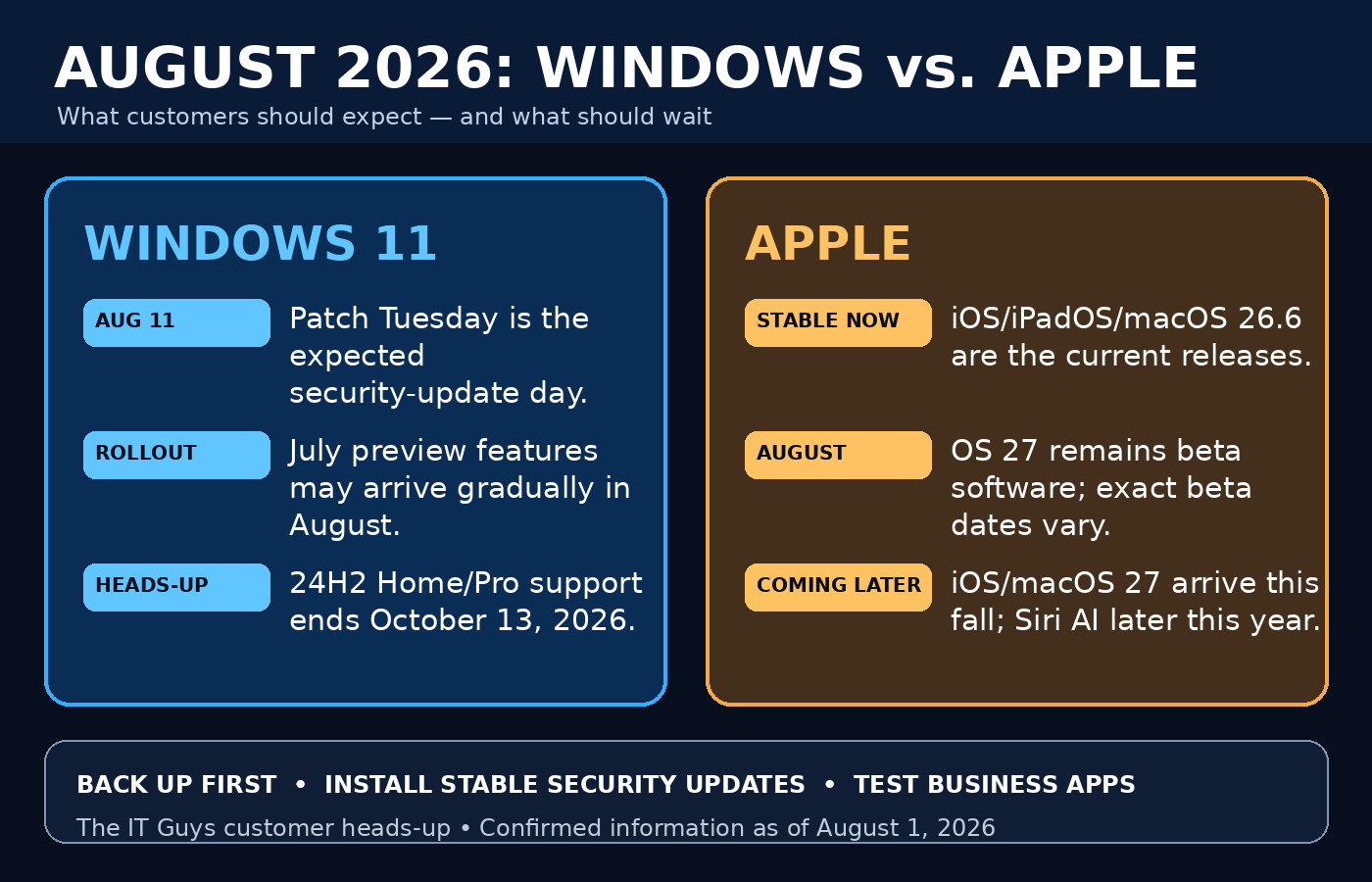
August 2026 at a glance: Windows versus Apple
| Question | Windows 11 | Apple devices |
|---|---|---|
| What is confirmed now? | Microsoft published the optional July 28 KB5101684 preview for Windows 11 24H2/25H2 and KB5101681 for new 26H1 hardware. | Apple released iOS/iPadOS 26.6, macOS Tahoe 26.6, older supported macOS security updates, and Safari 26.6 on July 27. |
| What should happen in August? | The regular monthly security update is expected Tuesday, August 11, under Microsoft’s published second-Tuesday cadence. Prior preview content may be incorporated, with some features still rolling out gradually. | More iOS 27/macOS 27 beta testing is reasonable to expect, but Apple has not announced exact August beta dates. The major public OS 27 releases are advertised for this fall. |
| Should ordinary users install a preview? | Usually no. The July preview is optional. Most customers can wait for the normal security release unless they need a listed fix and have a tested backup. | Usually no. OS 27 betas are pre-release software. Use a secondary test device—not the phone or Mac that runs your business. |
| Biggest readiness issue | Windows 11 24H2 Home and Pro reach end of updates October 13, 2026. Start planning the move to 25H2 where compatible. | iOS 27 supports iPhone 11 and later plus iPhone SE (2nd generation and later), but many Apple Intelligence features require newer hardware. macOS 27 supports Apple-silicon Macs, not Intel Macs. |
Expected August timeline
- Now: Install Apple’s stable 26.6 security releases after a backup. Windows users can leave the July preview optional unless it solves a specific problem.
- August 11: Microsoft’s normal monthly security-update day based on its official second-Tuesday schedule. Microsoft typically publishes at 10:00 a.m. Pacific / 1:00 p.m. Eastern.
- Throughout August: Eligible Windows devices may receive previewed features in stages. Two PCs on the same version may not see a feature on the same day.
- During August: Apple’s OS 27 testing should continue, but exact beta timing and contents can change. Apple officially says iOS 27 and macOS 27 arrive in the fall; Siri AI is described separately as an English beta coming later this year.
- Around August 25: If Microsoft follows its usual fourth-Tuesday cadence, another optional non-security preview may appear. This date is an expectation from the published cadence, not a Microsoft announcement for a specific KB.
Windows 11 changes customers may notice
Microsoft’s July 28 preview is the best official look at non-security content that can feed the following month’s cumulative security update. Microsoft also warns that availability varies by device and market.
File Explorer becomes easier to use
- File sizes in Details view use appropriate KB, MB, and GB units instead of showing everything in KB.
- Middle-clicking a folder in the address bar or Home can open it in a new tab.
- App search better handles typos and partial names.
- Settings search is intended to surface more relevant results.
Voice Access and touch improvements
- Voice Isolation can reduce background voices and noise for Voice Access.
- Korean language support is being added to Voice Access.
- Precision touchpads gain scroll/zoom speed controls and accelerated scrolling.
- Magnifier touch bars are off by default so they do not obstruct enlarged content; users can turn them back on.
Sign-in and Secure Boot changes
- Windows Hello Enhanced Sign-in Security begins supporting compatible external fingerprint readers.
- Microsoft is expanding targeting for automatic delivery of new Secure Boot certificates. Microsoft says a limited number of devices may restart one additional time while certificate changes are applied.
- Supported Copilot+ PCs can remove the installed Image Generation AI component.
Practical fixes for homes and businesses
- Power settings should apply more consistently across power plans.
- File History backups to SMB network shares receive a fix for a false “invalid credentials” failure.
- DFS mapped-drive files should be less likely to receive an incorrect Internet-origin warning after reconnecting.
- Microsoft lists fixes for DHCP renewals, secure IPP printing performance, Remote Desktop clipboard reliability, Explorer, Start, taskbar, and sign-in.
Windows version warning: 24H2 is approaching end of support
Windows 11 24H2 Home and Pro editions stop receiving updates on October 13, 2026. Enterprise and Education have a different lifecycle. Microsoft also says Windows 11 26H1 is designed for new devices and is not an in-place feature upgrade from 24H2 or 25H2. Existing eligible PCs should generally plan around 25H2 rather than trying to force 26H1.
Special note for Windows Insiders
Microsoft says current Windows Insider flight certificates expire August 11. Insider PCs need a build containing the renewed certificate to keep receiving future Insider builds. This is an Insider-only flight certificate issue; it is not the same thing as the production Secure Boot certificate rollout described above.
For a deeper examination of the optional update, read our related guide: Windows 11 KB5101684 Preview Update: What to Know Before Installing.
Apple changes: stable updates now, major features later
Apple’s current production story is simpler: update supported devices to the stable 26.6 releases. The exciting iOS 27 and macOS 27 features are official previews, but Apple labels the operating systems as coming this fall.
iOS and iPadOS 26.6
- Released July 27 for iPhone 11 and later and supported iPads.
- Includes bug fixes and security updates.
- Optimizes the Spotlight index in preparation for iOS 27.
- Apple’s security advisory covers issues involving sensitive data, malicious files, kernel privileges, code-signing enforcement, media processing, and other components. Apple does not state active exploitation in the reviewed iOS 26.6 advisory.
macOS Tahoe 26.6 and older Macs
- macOS Tahoe 26.6 addresses bugs and security issues and optimizes Spotlight for macOS 27.
- Apple also released macOS Sequoia 15.7.8, macOS Sonoma 14.8.8, and Safari 26.6 for supported older systems on July 27.
- Back up with Time Machine before updating and verify security/VPN software afterward.
Apple notes for managed business devices
Apple’s enterprise notes add several changes administrators should verify after 26.6:
- macOS Tahoe 26.6 disables the
srv_lookup_enabledDFS-share feature by default, fixes unexpected Platform SSO re-registration, and improves managed-app updates offered through self-service tools. - iOS and iPadOS 26.6 fix an issue where the
DisableAssociationMACRandomizationmanagement key did not prevent users from changing Private Wi-Fi Address behavior. - Mac administrators should also confirm that Install system data files and security updates remains enabled under Automatic Updates so XProtect, Gatekeeper data, and other background protections can arrive promptly.
What Apple is previewing for iOS 27 and macOS 27
These are fall features—not promised August production features. Apple’s official previews include:
- Siri AI: conversational assistance, personal-context search, app actions, broad knowledge, and a dedicated Siri app. Apple says the English beta is coming later this year, which is separate from the general fall OS 27 availability statement.
- Smarter apps: AI photo editing, Messages and Mail suggestions, Safari tab grouping and Notify Me, Passwords assistance for weak or compromised passwords, and natural-language Shortcut creation.
- Communication help: Call Context can surface relevant information such as a confirmation code while calling a business; availability is limited by language and device.
- Child-safety controls: Ask to Browse, expanded Communication Safety, Time Allowances, Schedules, and redesigned parental controls.
- Performance and design: refined Liquid Glass readability, faster experiences under Apple’s testing conditions, improved network transitions, and more relevant Mail search.
- macOS-specific improvements: Visual Intelligence for onscreen content, faster network file browsing, Safari improvements, and a more consistent desktop design.
Official feature screenshots and previews
Apple’s official iOS 27 preview and macOS 27 Golden Gate preview contain current vendor screenshots and demonstrations. Microsoft’s KB5101684 release notes provide the authoritative Windows feature list.
We link to those first-party galleries instead of copying their copyrighted marketing screenshots. The hero and comparison graphic in this article are original The IT Guys editorial artwork, not official Apple or Microsoft interfaces.
What customers should do now
- Make a real backup. Windows users should confirm File History, image backup, or business backup status. Mac users should confirm a recent Time Machine backup. A sync service alone is not always a full backup.
- Install stable Apple 26.6 updates. On iPhone/iPad: Settings → General → Software Update. On Mac: System Settings → General → Software Update.
- Wait for the normal Windows security release. Most users do not need KB5101684’s optional preview. Watch Windows Update around August 11.
- Check your Windows version. Press Windows + R, type
winver, and press Enter. If a Home/Pro PC is still on 24H2, begin planning a supported upgrade before October 13. - Keep betas off primary devices. Do not install iOS 27 or macOS 27 beta on the phone used for authentication, the Mac that runs accounting, or any device you cannot erase and restore.
- Test business dependencies. Confirm VPN, printer/scanner, accounting, security, browser extensions, remote access, shared drives, and backup tools after updates.
- Do not force features. Gradual rollout means a feature may arrive later even when Windows reports that it is fully updated.
Home and small-business update checklist
| Before updating | After updating | Call for help if… |
|---|---|---|
| Verify backup date and restore access | Restart once more and check Windows Update/Software Update | The device loops, freezes, or cannot start |
| Save work and connect laptops to power | Test Internet, VPN, printers, scanners, and shared folders | File shares report credential or access errors |
| Record critical app versions and license information | Open accounting, point-of-sale, security, and remote-work apps | Business software, security, or peripherals stop working |
| Schedule a maintenance window | Confirm backup jobs still run successfully | You need to roll back without losing new work |
Frequently asked questions
Will Windows release a brand-new annual version in August?
Microsoft’s published cadence says annual feature updates arrive in the second half of the year, but the August 11 expectation discussed here is the normal cumulative security update—not a confirmed new annual Windows version.
Will every Windows feature arrive on August 11?
No. Microsoft explicitly uses gradual rollouts. Security and quality content can arrive while individual experience changes appear later on eligible devices.
Should I install the Windows preview to get features early?
Most home users should wait. A preview is useful for IT testing or when it fixes a specific documented problem. It should still follow a backup and compatibility check.
Is iOS 27 coming in August?
Apple says iOS 27 is coming this fall. August is a beta-testing period, not a confirmed general-release month.
Is Siri AI included immediately with every OS 27 installation?
Apple separates Siri AI timing from the OS release and says its English beta is coming later this year. Hardware, language, and regional requirements apply.
Why does Apple 26.6 mention Spotlight preparation?
Apple says iOS 26.6 and macOS Tahoe 26.6 optimize the Spotlight index in preparation for OS 27. That does not install OS 27 or enroll the device in a beta.
How do I know whether my traffic or business apps survived an update?
Use a written test list: open each critical app, perform a safe sample workflow, print or scan a test page, connect the VPN, reach shared folders, test remote access, and verify the next backup job.
Official references
- Microsoft Learn — Windows client update release cycle (second-Tuesday security updates, fourth-Tuesday optional previews, and continuous innovation).
- Microsoft Support — July 28, 2026 KB5101684 Preview for Windows 11 24H2 and 25H2.
- Microsoft Learn — Windows 11 release information (servicing versions and 26H1 scope).
- Windows Insider Blog — July 31 builds and flight-certificate deadline.
- Apple Support — Apple security releases.
- Apple Support — Security content of iOS 26.6 and iPadOS 26.6.
- Apple Support — About iOS 26 updates.
- Apple Support — What’s new in macOS Tahoe 26 updates.
- Apple — iOS 27 preview, compatibility, availability, and footnotes.
- Apple — macOS 27 Golden Gate preview and compatibility.
- Apple Beta Software Program.
- Microsoft Learn — Windows message center (current rollout and Secure Boot servicing notices).
- Apple Support — What’s new for enterprise in macOS Tahoe 26.
- Apple Support — What’s new for enterprise in iOS 26 and iPadOS 26.
- Apple Support — About background updates in macOS.
Accuracy note: This article separates released production software, optional previews, and beta software as of August 1, 2026. Vendor schedules, known issues, and gradual feature availability can change. Recheck the linked official release notes before deploying updates across a business.