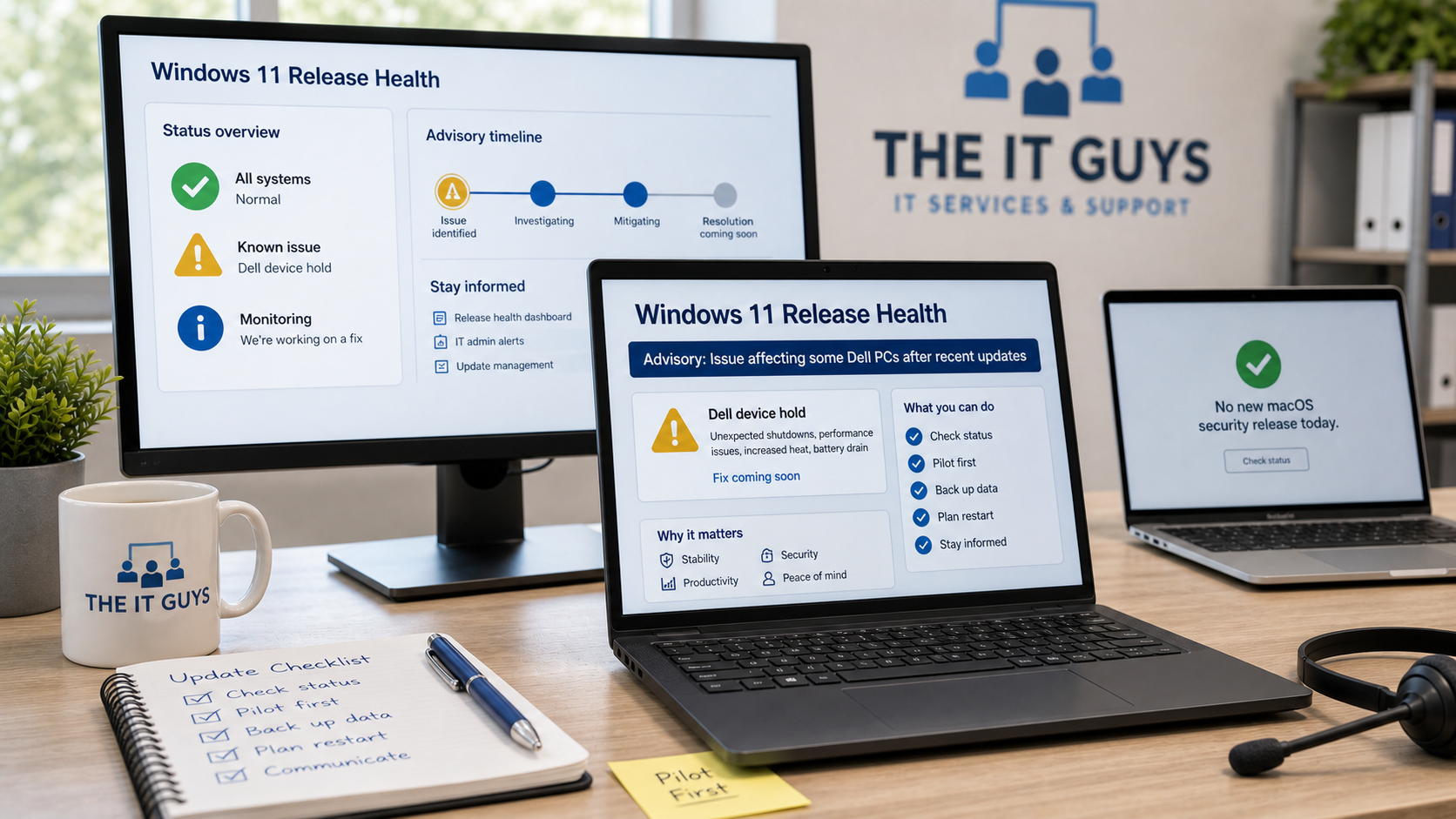
Checked July 15, 2026: Microsoft has a Windows 11 release-health advisory that matters for some Dell computers after recent Windows updates. Apple’s official security-release page did not show a new macOS security update, Rapid Security Response, or same-day macOS advisory for July 15.
This is not a “panic and unplug everything” situation. It is a practical update-management reminder: when Microsoft, Dell, and driver changes intersect, a normal monthly security update can behave differently on a small set of machines. If you manage home office PCs, a small business, or a mixed Windows/Mac environment, the right move is to check the affected-device details, avoid forcing updates onto held devices, and keep a short restart and backup plan for the rest of your computers.
What Microsoft Posted
Microsoft’s Windows 11 release-health dashboard lists a confirmed known issue titled “Some Dell devices with a specific Intel driver might experience poor performance.” The advisory says the issue affects specific Dell models with an Intel Innovation Platform Framework Processor Participant driver after installing the June 23, 2026 Windows preview update, KB5095093.
According to Microsoft, affected devices may show a yellow exclamation point in Device Manager next to that Intel driver and may experience unexpected shutdowns, poor performance, increased heat, and battery drain. Microsoft says Dell reported the issue during testing and that the problem is tied to an incompatibility between the Intel driver and the new Windows USB-C Connection Manager interface introduced in the June preview update.
The operationally important part is the mitigation. Microsoft says the July 14, 2026 Windows security update for Windows 11 version 25H2 and 24H2, KB5101650, will not be offered to affected devices while Microsoft works with partners on a resolution. Microsoft says it plans to release a resolution for affected devices in the coming days.
Who Is Affected
- Affected platform: Microsoft lists Windows 11 version 25H2 and Windows 11 version 24H2 clients.
- Server impact: Microsoft lists server impact as none for this release-health issue.
- Device scope: Microsoft describes this as a limited number of Dell devices with a specific Intel Innovation Platform Framework Processor Participant driver.
- Update relationship: The issue originates with the June 23 preview update, KB5095093. The July 14 security update, KB5101650, is being held back from affected devices while Microsoft and partners work on the fix.
If your Windows PC is not a Dell model in that affected group, this advisory may not change your normal monthly update plan. If you do use Dell laptops or desktops, especially in a business fleet, this is worth checking before anyone manually downloads packages from the Microsoft Update Catalog or forces installation outside normal Windows Update controls.
Why This Matters For Customers
Most Windows security updates should be installed promptly, but “promptly” does not mean “blindly force it on every machine the second you see a headline.” Microsoft’s safeguard and release-health systems exist because hardware, firmware, drivers, and monthly Windows changes can interact in ways that only show up on specific device families.
For a home user, the symptoms Microsoft lists could mean a laptop suddenly runs hot, drains battery faster, slows down, or shuts down unexpectedly. For a business, the risk is larger: a few affected laptops can turn into lost appointments, interrupted point-of-sale work, missed video calls, or staff avoiding updates because they no longer trust them.
The safer approach is boring but effective: let Windows Update respect Microsoft’s hold, do not bypass it unless there is a clear IT reason, watch Dell’s and Microsoft’s official guidance, and test business-critical systems before broad rollout.
Good Points And Watch-Outs
Good Points
- Microsoft is using an update hold. Affected devices should not be offered KB5101650 through normal Windows Update while the known issue is being worked on.
- The issue is documented publicly. The release-health page gives symptoms, affected Windows versions, the originating update, and the current mitigation.
- Most devices can still follow normal update policy. This is not described as a broad Windows 11 failure. It is a targeted Dell/Intel-driver compatibility issue.
Watch-Outs
- Do not manually force the update onto a held Dell device. The hold is there for a reason.
- Do not assume every “up to date” screen means every device is equal. A held machine may be intentionally waiting for a fix while another machine receives the July security update normally.
- Check Device Manager only as part of a real troubleshooting process. A yellow exclamation point on the listed Intel driver is relevant, but guessing at driver changes can create more problems.
- Backups still matter. Unexpected shutdowns are bad for open documents, accounting files, browser sessions, and local-only data.
What You Should Do Today
- Open Windows Update normally. Go to Settings > Windows Update and let Windows tell you what is available. Do not start with random downloads from search results.
- Check whether the device is a Dell system. If it is not a Dell system, this specific advisory is less likely to apply, though normal patch precautions still do.
- Look for update holds before forcing anything. If Windows Update is not offering KB5101650 on an affected Dell device, leave it alone unless your IT provider has a tested reason to act.
- Save work and plan restarts. Security updates still need restarts. Close accounting software, browser-based admin portals, synced files, and line-of-business apps cleanly before rebooting.
- Make sure backups are current. For business machines, verify cloud sync and backup status before a patch window, especially for Desktop, Documents, customer files, and accounting exports.
- Watch heat, battery drain, and shutdown behavior. If a Dell laptop starts acting differently after recent updates, note the model, Windows version, update history, and Device Manager status before making changes.
Business IT Rollout Guidance
For small businesses, this is a good example of why patch management should be staged instead of improvised. A simple rollout pattern is usually enough:
- Start with a pilot group. Test a few representative PCs first: one Dell laptop, one desktop, one remote worker, one machine with the most important business software.
- Separate preview updates from security updates. KB5095093 was a June preview update. Preview updates can be useful for testing, but most normal business users do not need optional previews on production machines unless IT is deliberately validating them.
- Respect safeguard holds. If Microsoft blocks an update for a known hardware or driver combination, forcing it through another channel can remove the protection.
- Communicate plainly. Tell staff whether they should install updates, wait, or call before restarting. Mixed messages create skipped patches and unnecessary support calls.
- Record affected models. If your office standardizes on Dell systems, keep a quick inventory of model, service tag, Windows version, and driver status so troubleshooting is not guesswork.
What About macOS Today?
Apple’s official Apple security releases page did not list a new macOS security update, Rapid Security Response, or same-day macOS security advisory for July 15, 2026 when checked for this article. The latest macOS item shown there was macOS Tahoe 26.5.2, dated June 29, 2026.
That does not mean Mac users should ignore updates. It means there was no new same-day macOS security release to write up tonight. Mac owners should still keep automatic security responses, system data files, and normal software updates enabled where appropriate. Apple’s Mac update instructions are here: Update macOS on Mac.
When To Call The IT Guys
Call The IT Guys if a Windows laptop starts shutting down unexpectedly, running hot, draining battery quickly, or refusing a security update that another computer already received. It is also worth calling before forcing an update onto business-critical machines, especially if you have Dell laptops, USB-C docks, accounting software, point-of-sale equipment, remote access tools, or staff who cannot afford downtime during business hours.
We can check update history, device model, drivers, backup status, Windows release health, and vendor guidance before making changes. That beats guessing at driver updates after the machine is already unstable.
Official Sources Checked
- Microsoft Windows 11 release health status
- Microsoft Support: July 14, 2026 KB5101650 for Windows 11 25H2 and 24H2
- Microsoft Support: June 23, 2026 KB5095093 preview update
- Microsoft Security Update Guide: July 2026 Security Updates
- Microsoft Windows message center
- Apple security releases
- Apple Support: Update macOS on Mac