

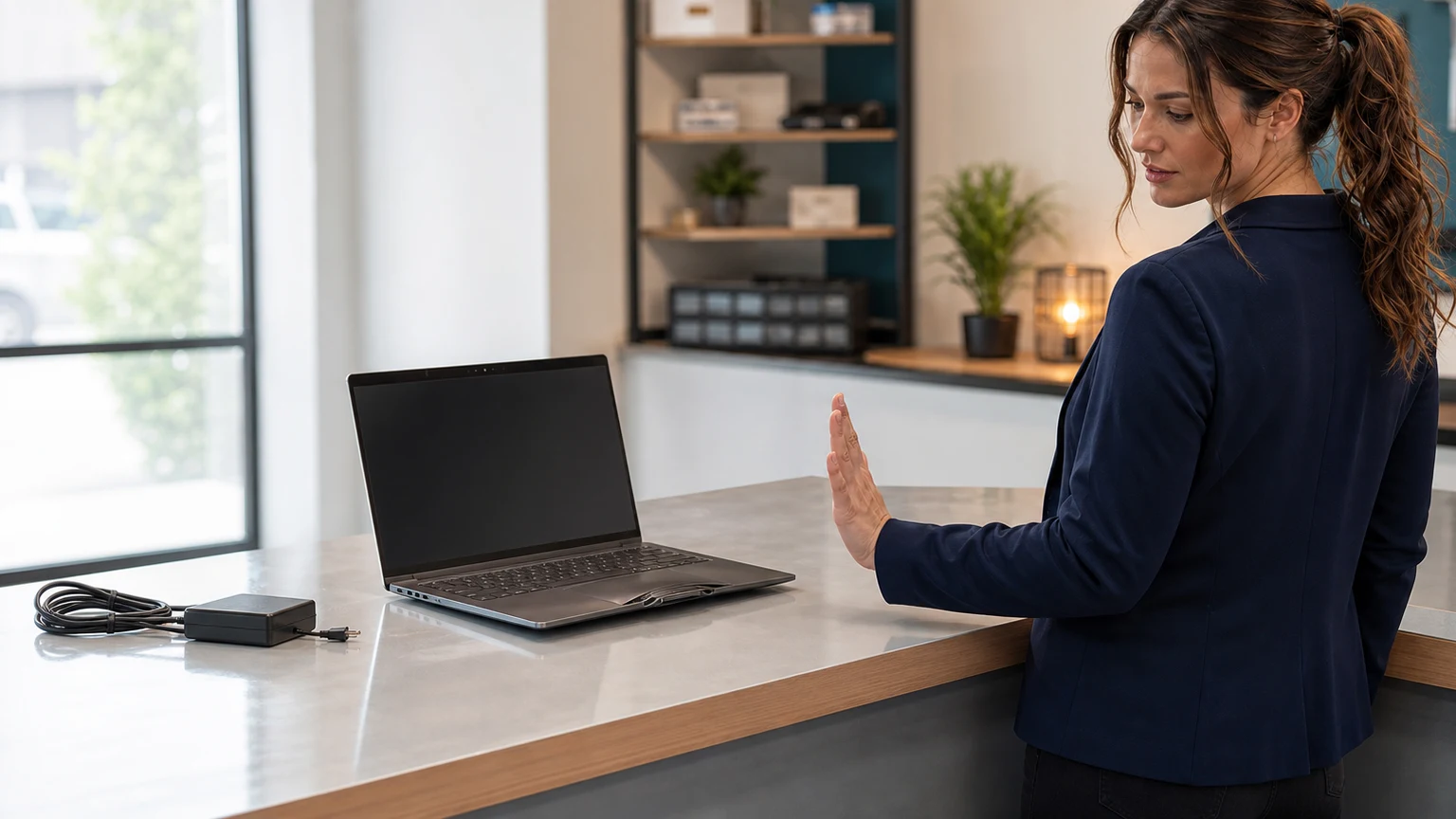
A lifted trackpad, separating screen, or new gap in a laptop or phone is not a cosmetic annoyance. It can be the first visible sign of a swollen lithium-ion battery—an internal failure that can damage the device and, if the battery is crushed, bent, punctured, overheated, or improperly discarded, create a fire hazard.
The safest response is simple: stop using and charging the device, keep people away from it, and arrange qualified service. Do not squeeze the case closed or keep turning it on “just long enough” to finish a backup.
The problem: pressure is building inside the device
Lithium-ion cells can swell as gases build inside their sealed layers. In a thin laptop, phone, or tablet, there is little empty space. The expanding battery may push against a trackpad, keyboard, display, or back cover. The United States Fire Administration advises inspecting lithium-ion batteries for warning signs including bulging, cracking, leaking, unusual odors, excessive heat, or a change in color or shape.
- Laptop: the trackpad is raised, difficult to click, or uneven; the keyboard bows; the bottom panel rocks on a flat desk; or the case begins to separate.
- Phone or tablet: the display or back panel lifts, a new gap appears around the edge, buttons become stiff, or the case no longer sits flat.
- Any device: new bulging, unusual heat, a sweet/chemical odor, leaking, hissing, popping, or smoke.
Who is affected—and who probably is not?
Affected: any rechargeable laptop, phone, tablet, power bank, handheld game system, wireless accessory, or other device showing physical deformation, case separation, abnormal heat, odor, leaking, hissing, or smoke. Small businesses should also inspect stored spares and older loaner devices that stay plugged in for months.
Not automatically affected: a laptop with a loose hinge, a trackpad disabled by software, or a phone screen lifting only after an impact. Those faults still need inspection, but they do not prove that the battery is swollen. Treat unexplained deformation as a possible battery failure until a qualified technician can inspect it.
What to do, in order
1. Stop using and charging it
Disconnect the charger from the wall if you can do so without touching a hot, smoking, leaking, or severely distorted device. Do not reconnect it to test whether the problem goes away. If the device is cool, stable, and operating normally enough to shut down without handling the damaged area, power it off. If it is very hot, hissing, leaking, smoking, or actively changing shape, do not handle it—move people away and call 911.
2. Do not press the case back together
A bad response is to clamp the lid, push down on the trackpad, sit on a separating phone, or tighten screws to force a panel closed. That pressure acts directly against the battery. Do not puncture, bend, crush, or pry a swollen cell. Avoid context-free online repair videos that make battery removal look routine; adhesive, hidden cables, sharp tools, and model-specific construction can turn a recoverable device into a dangerous incident.
3. Record identifying information without repeatedly powering it on
Photograph the model label, serial number, visible gaps, and charger label if they are safely accessible. Write down when you first noticed the change and whether the device was recently dropped, overheated, repaired, or used with a replacement charger or battery. Check the exact model at the U.S. Consumer Product Safety Commission recall database and the manufacturer’s support site. A recall may provide model-specific stop-use, transport, repair, or refund instructions that take priority over general advice.
4. Protect data without crossing the safety line
If your files already synchronize to a verified cloud account or recent external backup, leave the device off. From another computer, confirm that the important files are actually present—do not assume a sync icon meant the upload completed.
If irreplaceable data exists only on the affected device, tell the repair provider before service. A technician may be able to remove a separate storage drive or make a controlled backup after assessing the battery. Repeatedly charging and running a visibly swollen device is not a safe backup plan.
5. Arrange qualified repair and ask the right questions
- Can the shop service this exact model and safely manage a swollen lithium-ion battery?
- Should you bring the device in, or are there model- or condition-specific transport precautions?
- Will the replacement battery be manufacturer-approved or otherwise clearly identified and warranted?
- Has swelling damaged the trackpad, keyboard, enclosure, display, or internal cables?
- How will the old battery be recycled?
Do not mail a damaged battery or device unless the manufacturer, carrier, or qualified service provider gives instructions that comply with applicable shipping rules. A normal padded envelope is not a safety plan.
6. Recycle it through the correct channel
The U.S. Environmental Protection Agency says lithium-ion batteries and devices containing them should not go in household trash or municipal recycling bins. Waste-handling equipment can crush a battery and start a fire. Use a battery recycler, electronics recycler, manufacturer program, or local household hazardous-waste program that specifically accepts damaged lithium-ion batteries. Call first and describe the swelling; a routine retail collection box may not accept a damaged battery.
Good responses versus costly wrong turns
| Good | Bad |
|---|---|
| Stop charging, shut down when safe, and isolate the device from use. | Keep charging overnight to finish a backup. |
| Photograph the model and deformation without squeezing the case. | Press the display or trackpad flat to see whether it stays. |
| Check recalls and call a qualified service provider. | Follow a generic removal video without model-specific knowledge. |
| Use an approved damaged-battery recycling channel. | Put it in household trash, curbside recycling, or an unattended store bin. |
Two realistic examples
The harmless-looking warning: A bookkeeping laptop still runs, but its trackpad suddenly requires extra force and one corner is higher than the other. The owner stops using it, verifies yesterday’s cloud backup from another PC, and schedules service. The battery is replaced before it cracks the trackpad or bends the enclosure.
The costly wrong turn: A phone screen begins separating from the frame. The user presses it closed under a heavy book and charges it overnight. Compression and charging add risk, while the display and frame sustain more damage. What might have been a battery replacement becomes a larger repair—and could have become a fire incident.
Frequently asked questions
Can I keep using it if the battery still holds a charge?
No. Remaining runtime does not make a physically swollen battery healthy. The visible deformation is the warning.
Should I drain the battery to zero?
Do not deliberately run or charge a swollen device to change its state of charge. Stop using it and follow the manufacturer’s or qualified service provider’s instructions.
Can I put it in the refrigerator or freezer?
No. Do not improvise with freezing, water, compression, or a sealed household container. Move away from a hot, hissing, leaking, or smoking device and call emergency services.
Is every lifted laptop trackpad caused by a battery?
No, but battery swelling is important enough that unexplained lifting should be treated as a stop-use condition until inspected.
Can The IT Guys help?
Yes. Contact us before transporting a visibly damaged device so we can discuss its condition and the safest next step. The IT Guys serves Port Saint Lucie, Jensen Beach, Fort Pierce, and Vero Beach.
Related help from The IT Guys
- Test your UPS battery backup before the next power flicker
- No Boot Device Found? Protect your files before reinstalling Windows
- At-home computer services
- Small-business IT services
- Contact The IT Guys
Your next step
If a device is bulging, separating, unusually hot, leaking, hissing, or smoking, stop using it now. For a stable, cool device, photograph the model and visible damage and contact The IT Guys before transporting it. For smoke, fire, hissing, severe heat, or a rapidly changing battery, move people away and call 911.
Sources
- U.S. Fire Administration: Lithium-ion battery community education
- U.S. EPA: Used Lithium-Ion Batteries
- U.S. Consumer Product Safety Commission: Recalls and Product Safety Warnings
- iFixit: What to do with a swollen battery (practical symptom reference; official safety and disposal guidance controls)