
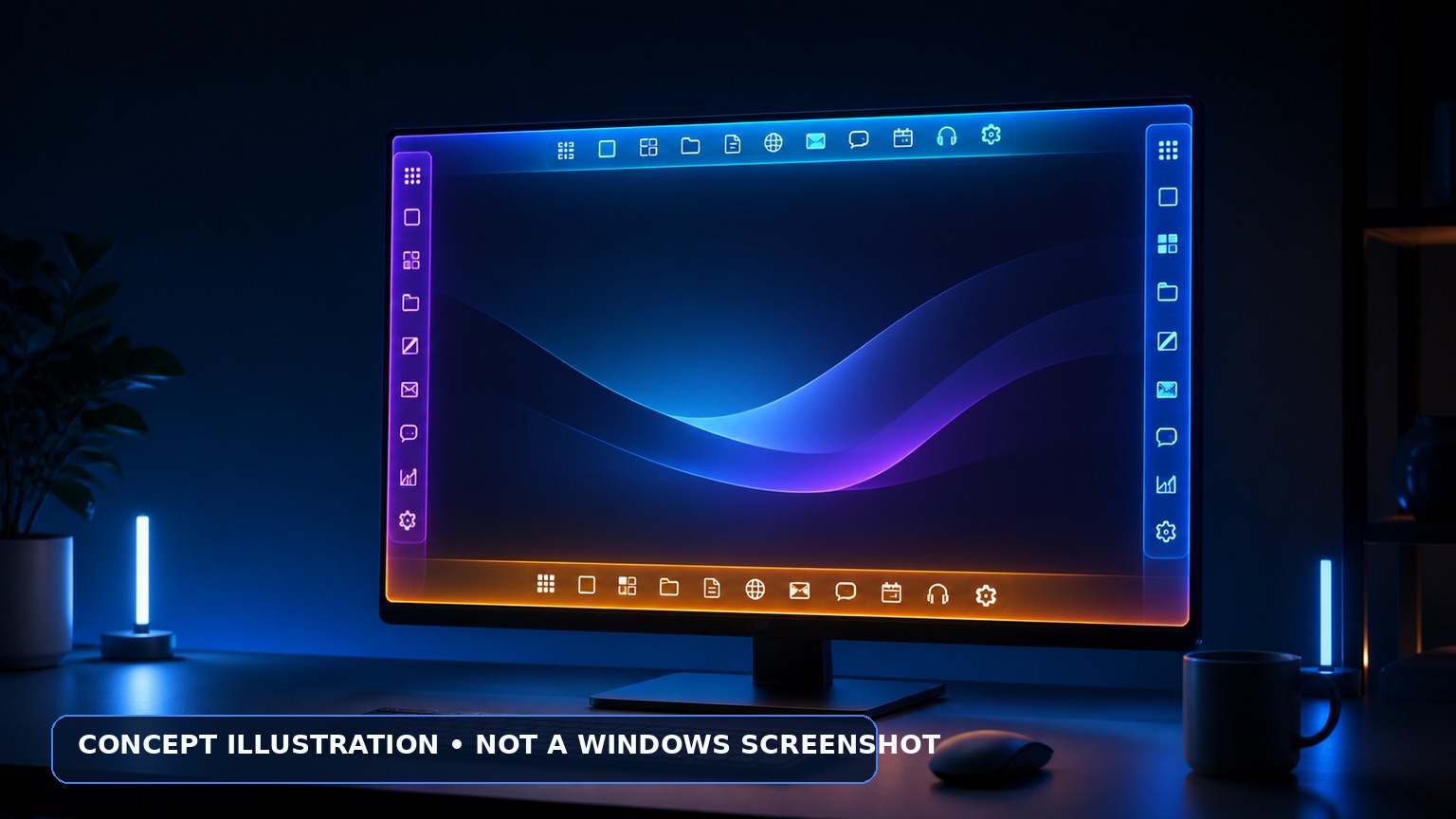
One of Windows 11’s most-requested missing features is almost back. Microsoft is now testing a native setting that moves the taskbar to the top, left, right or bottom of the screen—restoring the flexibility people had in Windows 10 and earlier releases. The change reached the Release Preview Channel on August 14, 2026, which places it close to ordinary production PCs. It is not yet a guaranteed public release, and some alternate-position features remain unfinished.
What Microsoft has confirmed
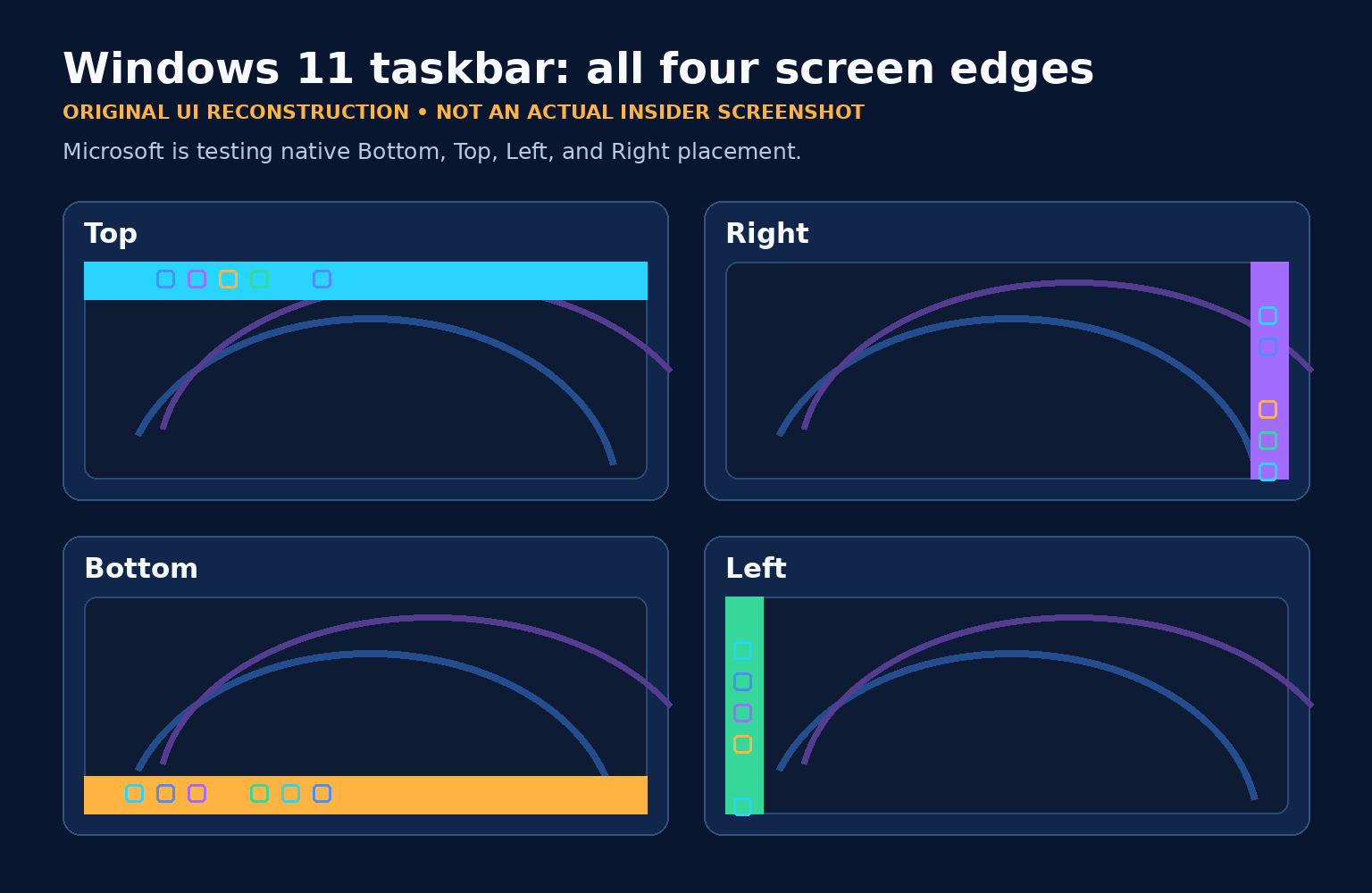
All four edges
The native selector offers Bottom, Top, Left and Right. It is not a registry hack or third-party taskbar replacement.
Close to production
Builds 26100.9267 and 26200.9267 for Windows 11 24H2 and 25H2 include it under a gradual rollout.
September is expected
Independent reporting expects a September public update if testing succeeds. Microsoft has not promised that date.
Where the feature stands right now
Microsoft first announced alternate taskbar positions on March 20, calling repositioning one of the top requests it had received from Windows users. On May 15, the company began testing the feature in the new Experimental Channel with build 26300.8493. On July 31, it expanded to Beta build 26220.9022 and Beta 26H1 build 28020.2623. Microsoft later updated that July notice to say a short delivery delay had been resolved as of August 4.
The decisive step arrived on August 14. Microsoft’s Release Preview notes for KB5120998 list movable taskbar support in builds 26100.9267 and 26200.9267, covering Windows 11 versions 24H2 and 25H2. After Experimental and Beta testing, the feature has now reached Release Preview. That is substantial progress, but Microsoft still lists it as prerelease and gradual.
The verified development timeline
| Date | Channel/build | What changed |
|---|---|---|
| March 20, 2026 | Public commitment | Microsoft announced that top and vertical taskbar positions were returning as part of a Windows quality and personalization push. |
| May 15, 2026 | Experimental 26300.8493 | Native Bottom, Top, Left and Right positions entered public Insider testing, alongside position-aware flyouts and a smaller taskbar. |
| July 31 / August 4 | Beta 26220.9022 and Beta 26H1 28020.2623 | The feature reached broader Beta testing. Microsoft acknowledged a slight delivery delay and then confirmed the improvements were included. |
| August 14, 2026 | Release Preview 26100.9267 / 26200.9267 | Windows 11 24H2 and 25H2 gained the feature in KB5120998 under gradual rollout. |
| Next | General Availability | No guaranteed date. September is a credible expectation from independent reporting, not a Microsoft commitment. |
What each new position looks and behaves like
Classic desktop alternative
The taskbar spans the upper edge. Start and other flyouts open relative to the top instead of appearing disconnected at the bottom. Icons can be left-aligned or centered.
More vertical workspace
A vertical bar can free valuable height for documents, code and web pages. Icons can sit near the top or be centered vertically.
Useful on wide displays
Right-side placement mirrors the vertical layout and may suit desks where the right edge is easier to reach or visually organize.
The familiar default
Nothing forces customers to move it. Bottom placement remains the default and continues to support the widest combination of taskbar features.
Microsoft also says most customization choices, including Never combine taskbar buttons, work in all locations. When a vertical taskbar is combined with labels and never-combine mode, each window can appear as a separate labeled button—especially useful for people who juggle many documents.
Actual Microsoft preview screenshots
Microsoft has published real screenshots showing the work in progress. Because these images depict an unreleased Insider feature, we are linking to the official files instead of copying and rehosting them. Microsoft’s public screenshot rules generally restrict republication of beta and prerelease product screenshots without separate permission.
Those links open Microsoft-hosted preview images. The graphics displayed directly in this article are original explanatory reconstructions and are labeled accordingly.
How customers will change the position
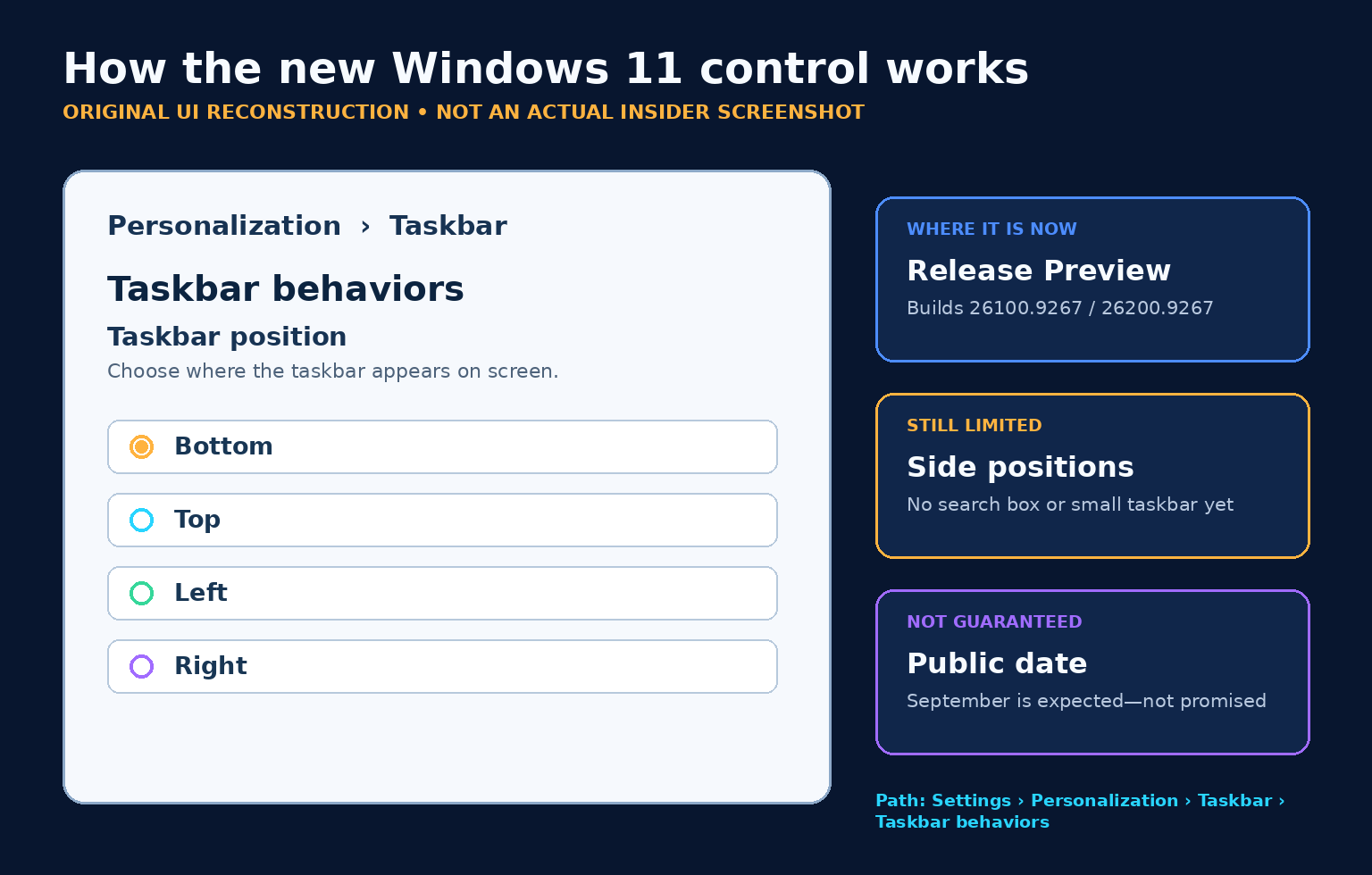
On a build where the feature is enabled, Microsoft’s documented path is:
- Open Settings.
- Select Personalization, then Taskbar.
- Expand Taskbar behaviors.
- Open Taskbar position and choose Bottom, Top, Left or Right.
This is different from Windows 10’s older unlocked, movable taskbar and its Taskbar location on screen setting. Microsoft’s current Windows 11 preview uses an explicit position selector. Microsoft said in May that it was still evaluating drag-and-drop movement; that is not the same as promising it for launch.
What is still unfinished or limited
The feature is still in prerelease testing. Microsoft’s August notes specifically say the search box and smaller taskbar are currently supported only in top and bottom positions. On the left and right, Search may be reduced to an icon and the compact-height option is not available.
The July Beta notes additionally listed touch gestures, Search and Ask Copilot support in alternate locations as work in progress, while auto-hide and the touch-optimized taskbar were not supported. The shorter August Release Preview summary does not repeat every earlier limitation, so customers should not assume each one has been fixed unless Microsoft documents it or the control works on their device.
No full search box
Microsoft says the search box is presently supported only at the top and bottom.
No smaller taskbar
The compact taskbar option is presently supported only in horizontal positions.
Touch and auto-hide
July’s Beta notes listed incomplete touch support and no alternate-position auto-hide. Recheck at release.
Different position per monitor
Microsoft said it was evaluating per-monitor positions. Evaluation does not guarantee shipment.
Should you join Windows Insider to get it now?
For most households and every production business computer, our recommendation is wait. Although this feature reached Release Preview after Experimental and Beta testing, it remains prerelease servicing. Preview updates can contain regressions, and the feature itself may arrive gradually even after the correct build is installed.
If you already maintain a dedicated test PC, understand the Insider recovery process and accept telemetry and update-channel tradeoffs, Release Preview is one place to evaluate the feature before General Availability. Do not enroll a work-critical receptionist, point-of-sale, accounting or field-service computer just to move its taskbar.
After installing a qualifying build, check the Settings path above. If Taskbar position is absent, wait for Microsoft’s controlled rollout. Do not force-enable it on a device whose reliability matters.
Why Microsoft removed movement in the first place
Windows 11 launched in 2021 with a redesigned taskbar locked to the bottom. The scope visible in Microsoft’s 2026 preview shows why restoring vertical layouts involves more than rotating a bar: Start, Search, notification areas, labels, touch targets, flyouts and animations all have to respond coherently to the selected edge.
That engineering cost helps explain why the return took years. The May preview demonstrated that Microsoft is not merely repositioning icons. Start and other flyouts originate from the selected edge, alignment rules change for vertical layouts, and taskbar labels have to remain usable in a narrow column. The remaining limitations show that compatibility and polish work is still underway.
What businesses should test
- Multiple monitors and mixed scaling. Test laptops docked to displays with different resolutions, DPI settings and orientations.
- Line-of-business applications. Confirm app windows, notification popups, kiosk tools and remote-support overlays do not assume a bottom taskbar.
- Screen sharing and remote desktops. Verify help-desk instructions and recordings remain understandable when the Start button is not at the lower edge.
- Accessibility and touch. Test keyboard navigation, magnification, touch targets, auto-hide expectations and any assistive software before standardizing a non-default position.
- Policies and support scripts. Update screenshots and documentation only after the feature reaches your managed production channel and its final Settings wording is stable.
Frequently asked questions
Can ordinary Windows 11 users move the taskbar today?
Not universally. As of August 17, 2026, the native selector is in Release Preview builds 26100.9267 and 26200.9267 under gradual rollout. Production availability has not been guaranteed.
Will it work at the top, left and right?
Yes. Microsoft’s documented choices are Bottom, Top, Left and Right. Vertical positions also support top-aligned or centered icons.
Is September 2026 the confirmed public release?
No. Independent reporting expects the feature could reach production with a September update if testing succeeds. Microsoft has not committed to that date.
Can I drag the taskbar to another edge?
The current preview uses Settings › Personalization › Taskbar › Taskbar behaviors › Taskbar position. Microsoft said it was evaluating drag-and-drop movement, but that is not confirmed for launch.
Can each monitor have a different taskbar position?
Not as a confirmed feature. Microsoft said in May that it was evaluating different positions per monitor. That remains an idea under consideration.
Do I need a registry hack or third-party utility?
No. The coming implementation is native. Wait for the supported Settings control instead of modifying hidden feature flags on a primary computer.
Does the smaller taskbar work vertically?
Not yet according to Microsoft’s August Release Preview notes. The smaller taskbar and full search box are currently supported only at the top and bottom.
The IT Guys’ recommendation
This is a welcome correction to one of Windows 11’s longest-running usability complaints. Microsoft has progressed beyond promises and hidden prototypes: the movable taskbar is now in Release Preview for both 24H2 and 25H2. That makes a broad release plausible soon.
Still, wait for the production update unless you have a dedicated test machine. When it arrives, use the supported selector, try the layout that fits your monitor and workflow, and remember that side positions may initially have fewer features than the familiar bottom taskbar.
Sources and further reading
- Microsoft Learn: Release Preview Build 26100.9267/26200.9267 — August 14, 2026; primary source for current rollout status, builds and limitations.
- Windows Insider Blog: Our commitment to Windows quality — Microsoft’s March announcement of top and vertical positions.
- Windows Insider Blog: Making Taskbar and Start more personal — detailed behavior, screenshots, alignments and early limitations.
- Windows Insider Blog: Builds for May 15, 2026 — Experimental build 26300.8493.
- Windows Insider Blog: Builds for July 31, 2026 — Beta expansion, build numbers and remaining limitations.
- Windows Central: movable taskbar nears production — independent August reporting and September expectation.
- Microsoft: Use of Microsoft copyrighted content — screenshot and product-image rules.
Reporting cutoff: August 17, 2026. Microsoft’s current documentation places this feature in Release Preview under gradual rollout, not universal General Availability. The screenshots linked above remain hosted by Microsoft. Visuals displayed in this article are original reconstructions by The IT Guys and are not actual Windows Insider screenshots.