

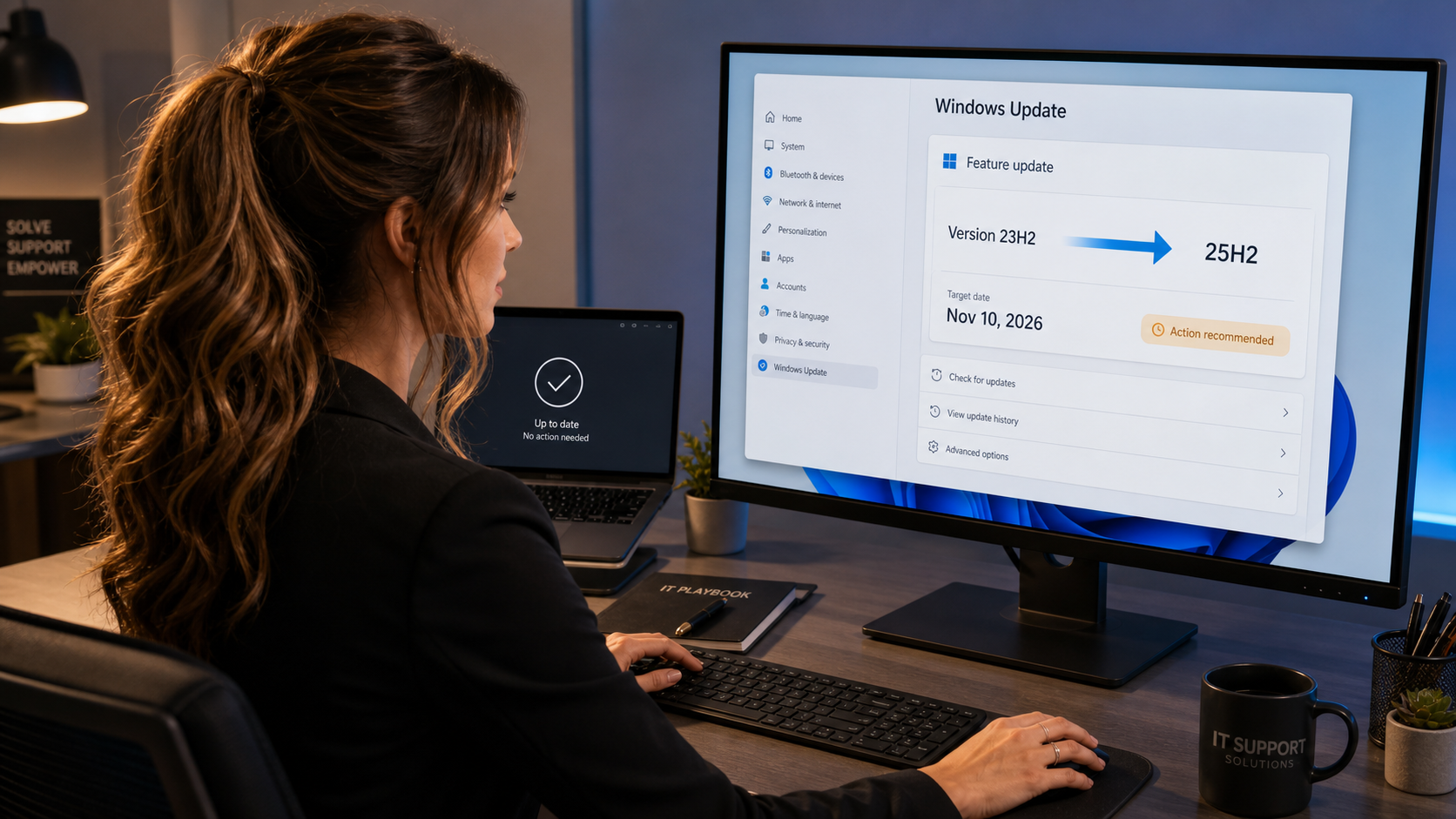
Microsoft says Windows 11 version 23H2 Enterprise and Education will receive their final security update on November 10, 2026. That leaves 89 days from today—not a reason to panic, but enough reason for businesses and schools to identify remaining 23H2 PCs and schedule an upgrade to Windows 11 25H2.
What Microsoft announced today
On August 13, Microsoft posted an operational support reminder in the Windows Message Center. Windows 11 23H2 Enterprise and Education editions reach end of updates on November 10, 2026. The November security update will be the last monthly update for those editions.
After that cutoff, remaining 23H2 Enterprise and Education devices will no longer receive monthly security and non-security preview updates, fixes for known issues, time-zone updates, or Microsoft technical support. Microsoft recommends moving eligible systems to Windows 11 25H2, whose Enterprise and Education support continues through October 11, 2028.
This is a support advisory—not a new emergency patch
Microsoft released the August Patch Tuesday security updates on August 11. Today’s notice does not introduce a new KB, out-of-band update, preview update, or Insider build. It establishes the operational deadline for organizations still running 23H2 Enterprise or Education.
Who is affected—and who is not
| Device | Today’s advisory applies? | What to do |
|---|---|---|
| Windows 11 23H2 Enterprise | Yes | Plan an upgrade before November 10. |
| Windows 11 23H2 Education | Yes | Plan an upgrade before November 10. |
| Windows 11 23H2 Home or Pro | No—not this specific deadline | These editions are already outside their normal 23H2 servicing window; move to a supported release promptly. |
| Windows 11 24H2 or 25H2 | No | Keep normal Windows Update servicing enabled. |
| Windows 11 26H1 | No | 26H1 is for eligible newer-device scenarios and is not an in-place feature update for ordinary 24H2/25H2 PCs. |
| Windows 10, Windows Server, or macOS | No | Follow the separate lifecycle and update policy for that platform. |
How to check your Windows version
- Press Windows key + R.
- Type
winverand press Enter. - Read the version and OS build in the window that appears.
- If it says Version 23H2, open Settings → System → About and check the Windows edition.
- If the edition is Enterprise or Education, put the device on your migration list.
The current August security baseline for Windows 11 23H2 is KB5120240, OS build 22631.7517, released August 11. Installing that update is important, but it does not extend the November lifecycle deadline.
Practical plan for home users
- Check edition and version first. Most personal PCs use Home or Pro, so this Enterprise/Education notice may not be the alert that governs your machine.
- Install current security updates. Go to Settings → Windows Update, check for updates, restart, and check again.
- Back up before a feature upgrade. Keep a verified copy of documents, photos, browser data, and any encryption recovery key.
- Confirm free space and power. Feature upgrades are less troublesome when the PC has ample free storage and remains plugged in.
- Do not use random “upgrade assistant” downloads. Use Windows Update or Microsoft’s official download tools.
Practical plan for businesses and schools
- Inventory the estate. Query Intune, Configuration Manager, RMM, or your asset platform for Windows 11 23H2 Enterprise/Education and build numbers.
- Separate capable, blocked, and special-purpose systems. Record hardware readiness, safeguard holds, disk encryption, VPN/security agents, line-of-business software, peripherals, kiosks, labs, and shared devices.
- Pilot 25H2. Start with representative low-risk users, validate authentication, printing, VPN, endpoint protection, business applications, accessibility tools, and recovery.
- Stage deployment rings. Expand only after the pilot is stable. Do not wait until the final November maintenance window.
- Track exceptions with an owner and deadline. A device that cannot move should have a documented remediation, replacement, isolation, or retirement plan.
- Verify the result. Confirm the new version, update compliance, encryption state, endpoint-security health, and business application function after deployment.
Good points and cautions
Good
- The deadline is explicit and still allows time for a controlled migration.
- Windows 11 25H2 Enterprise/Education has a published support runway through October 2028.
- A staged pilot can uncover compatibility problems before broad deployment.
Cautions
- Installing the latest 23H2 cumulative update does not extend support.
- Feature updates can expose old driver, VPN, security-agent, or application incompatibilities.
- Microsoft’s “90-day reminder” label is approximate at this point; the concrete deadline is November 10, 2026.
What about Apple and macOS today?
Apple did not publish a same-day macOS security release, Rapid Security Response, or Background Security Improvement on August 13. Apple’s public security-release table most recently lists macOS Tahoe 26.6.1, macOS Sequoia 15.7.9, and macOS Sonoma 14.8.9 dated August 6. Apple’s Developer Software Releases page lists August 10 developer artifacts and betas; those are not a new public macOS security event today.
Frequently asked questions
Will Windows 11 23H2 stop working on November 10?
No. The operating system does not switch off. The risk is that affected Enterprise and Education installations stop receiving normal security and quality servicing after the final update.
Does today’s notice mean Microsoft released another patch?
No. This is a lifecycle reminder. The August security update for 23H2 is KB5120240, released August 11.
Should every PC upgrade directly to 25H2 tonight?
No. Home users should back up and use Microsoft’s supported update path. Organizations should test representative hardware and applications first, then deploy in controlled rings while there is still time.
Where can I read more?
See our practical guide to Windows 11 25H2 features and installation and our coverage of the August 2026 Windows security updates.
Need help planning the upgrade?
The IT Guys can help Port Saint Lucie, Jensen Beach, Fort Pierce, and Vero Beach homes and businesses check versions, protect data, test compatibility, and plan a safer Windows migration.
Official sources
- Microsoft Windows Message Center — August 13 lifecycle reminder
- Windows 11 Enterprise and Education lifecycle
- Windows 11 release information
- KB5120240 for Windows 11 23H2
- Microsoft Security Update Guide data
- Apple security releases
- Apple Background Security Improvements by date
- Apple Developer Software Releases