

The IT Guys

– Port Saint Lucie, FL – 772.667.4469 – Boynton Beach, FL

Call Us: +1 772-667-4469

Menu...
  • Home
  • Cart
  • Checkout
  • Contact Us
  • Daily News Stream
  • Our Services
  • PC Building Parts
  • Schedule Appointment
  • Shop
  • Small Business Services

Quick Tech Tip: Make A Same-Day Employee Offboarding Checklist

July 28, 2026
 |  No Comments
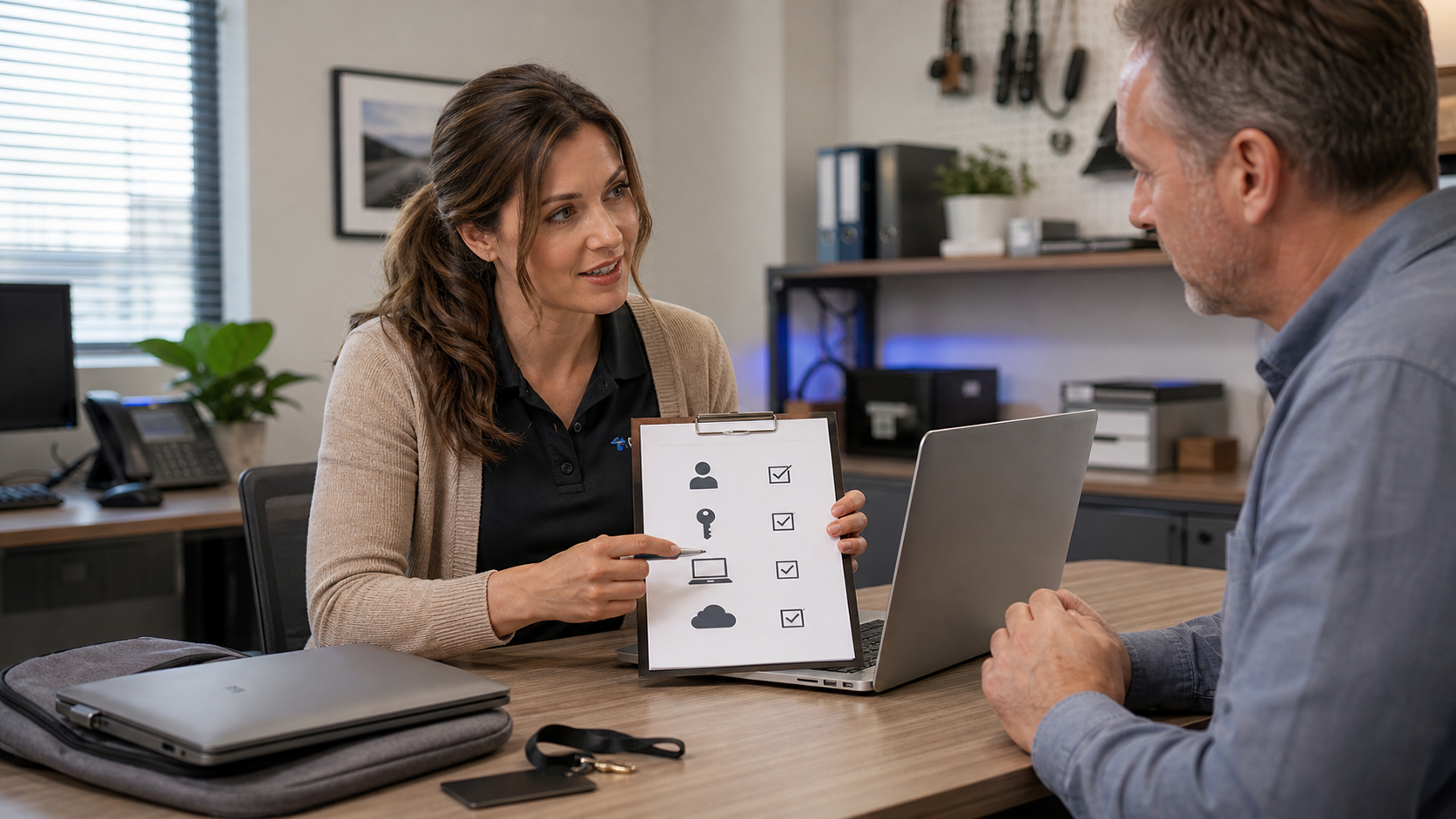
Jennifer from The IT Guys helping a small business owner review an employee offboarding checklist with a laptop, keycard, and company device.

When an employee leaves, the most important IT work is usually not dramatic. It is the ordinary cleanup: turn off account access, preserve the business data, collect devices, and make sure no shared password or old session is still floating around.

That cleanup is easy to miss when the departure is sudden, emotional, or simply busy. A same-day offboarding checklist gives owners and managers a repeatable way to protect email, files, phones, customer records, and line-of-business apps before a forgotten login becomes a problem.

Why This Matters

Former employee accounts are risky for two different reasons. First, a person who no longer works for the company may still be able to read email, open cloud files, connect by VPN, or access a shared app. Second, attackers like old accounts because they are often less monitored, still trusted by other users, and tied to old passwords or recovery methods.

CISA’s Cyber Essentials guidance tells businesses to have policies for changes in user status, including transfers and termination. Microsoft and Google also both publish formal admin guidance for handling departing users because deleting an account too quickly can remove business data, while leaving it active too long can leave access open.

The goal is not to make offboarding harsh. The goal is to make it orderly. You want the business to keep the files it owns, protect customers and coworkers, and avoid emergency guesswork later.

The Same-Day Offboarding Checklist

Use this list whenever someone leaves, even if the departure is friendly. Friendly departures still create loose ends.

1. Start With A Written Record

Create a short offboarding ticket or checklist entry with the person’s name, role, manager, last working day, and the exact time access should change. If the person had access to payroll, banking, customer records, vendor portals, domain registration, website admin, remote access, or admin tools, mark the task as higher priority.

For a small business, this can be a help desk ticket, a shared document, or a printed form. What matters is that someone owns the task and records what was changed.

2. Block Sign-In Before You Preserve Data

In Microsoft 365, Google Workspace, Apple Business Manager, VPN tools, password managers, remote support platforms, accounting software, CRM systems, point-of-sale tools, and industry-specific apps, disable or suspend the user’s ability to sign in. If the platform lets you sign the user out of active sessions, do that too.

Do not start by deleting the account unless you already know how that platform handles email, cloud storage, shared documents, legal retention, and manager access. In Microsoft 365, for example, Microsoft notes that email, contacts, and calendar data may only be retained for a limited period after license removal or deletion unless you take the correct steps. Google Workspace similarly warns admins to transfer important company data before deleting a user account.

3. Preserve Email And Cloud Files

Decide who should receive access to business email and files. Usually that is the person’s manager, a department mailbox, or another employee taking over the role.

Common options include converting a mailbox to a shared mailbox, forwarding mail temporarily, setting an automatic reply, transferring Drive or OneDrive ownership, archiving project folders, and moving business documents into a team-owned location instead of leaving them inside a single user’s personal cloud space.

Be careful with personal information, HR records, medical details, legal matters, and customer data. The right answer may depend on your industry and retention requirements.

4. Remove MFA Devices, App Passwords, And Recovery Methods

Turning off the account is only part of the job. Remove or reset the user’s multifactor authentication methods, recovery email addresses, app passwords, remembered devices, hardware security keys, authenticator app registrations, and phone-based recovery options.

This is especially important for shared admin accounts, which should be rare, and for any account that was used on a personal phone. If the business cannot tell which MFA device belongs to whom, that is a sign the account structure needs cleanup.

5. Rotate Shared Passwords And Shared Secrets

If the employee knew a shared password, Wi-Fi password, alarm code, vendor portal login, local admin password, router login, NAS password, domain registrar login, social media password, or payment processor credential, rotate it.

Shared credentials are one of the main reasons offboarding becomes messy. A password manager with named users makes this much easier because you can remove the person from a vault instead of changing every password by memory.

6. Collect And Check Devices

Collect company laptops, desktops, phones, tablets, keys, badges, USB drives, YubiKeys or other security keys, backup drives, docking stations, and chargers. Record each device by serial number or asset tag.

Before reassigning a device, back up business data if needed, verify encryption status, remove the old user profile when appropriate, install updates, run a security scan, and confirm the device is still managed by the company. For higher-risk departures, do not reuse the device until IT has reviewed it.

7. Check Forwarding, Delegates, Rules, And Shared Access

Email forwarding rules, mailbox delegates, shared folders, shared calendars, Teams or Slack channels, Google Groups, Microsoft groups, SharePoint sites, and shared drives can keep access alive even after the obvious account changes are done.

Look for unusual forwarding addresses, inbox rules that move or delete messages, delegated mailbox access, shared links that allow outside access, and personal accounts added to company-owned folders.

8. Review Admin And Vendor Access Separately

Admin access deserves its own pass. Check domain registrar access, DNS hosting, website admin, WordPress users, Microsoft 365 admins, Google Workspace admins, firewall and VPN users, backup systems, remote monitoring tools, accounting users, payroll users, bank portals, security camera apps, and vendor support portals.

If the person worked with outside vendors, notify the right vendors that the person is no longer an authorized contact. This prevents social engineering later.

What Can Go Wrong

The most common mistake is deleting the account too early. That can make it harder to recover email, files, calendar history, ownership of documents, or access to subscriptions. The second common mistake is doing only the Microsoft 365 or Google Workspace step and forgetting everything else: phones, VPN, website admin, accounting tools, shared passwords, and vendor portals.

Another problem is unmanaged personal devices. If a former employee used a personal phone for email, MFA, files, or chat, make sure the account is signed out everywhere and the business data is removed through the management tools available to you. Do not assume changing the password ends every active session in every service.

When To Call An IT Professional

Call IT before making changes if the departing employee had admin rights, managed billing or payroll, handled customer data, maintained the website or domain, used VPN or remote desktop, controlled backups, or owned important cloud files. You should also get help if the departure is hostile, if there is suspected data theft, if devices are missing, or if you are not sure where company accounts are documented.

The IT Guys can help small businesses build a practical offboarding checklist, clean up old users, review Microsoft 365 or Google Workspace access, and make sure important data is preserved before accounts are removed.

Helpful Source Links

  • CISA Cyber Essentials
  • Microsoft 365: Remove a former employee
  • Microsoft 365: Forward a former employee’s email
  • Google Workspace: Delete or remove a user from your organization
  • Google Workspace: Transfer data between accounts
  • The IT Guys small business IT services
Cybersecurity, Small Business IT, Tech Tips
 |  Tags: Account Security, cloud files, employee offboarding, Google Workspace, IT checklist, Jennifer Tech Tip, Microsoft 365, Small Business Securityskt-it-consultant

Post navigation

← Daily NOAA Atlantic Tropical Weather Outlook For Florida: July 28, 2026
SpaceX Wants Up To 1 Million Orbital Data Center Satellites: Why Environmental Groups Are Alarmed →

Leave a Reply Cancel reply

Your email address will not be published. Required fields are marked *

Latest Articles

  • Triple-A Says Customer Funds Are Safe After Estimated $11.8M Crypto Treasury Wallet BreachJuly 28, 2026
  • SpaceX Wants Up To 1 Million Orbital Data Center Satellites: Why Environmental Groups Are AlarmedJuly 28, 2026
  • Quick Tech Tip: Make A Same-Day Employee Offboarding ChecklistJuly 28, 2026
  • Daily NOAA Atlantic Tropical Weather Outlook For Florida: July 28, 2026July 28, 2026
  • Apple Releases Major Mac Security Updates July 27, 2026: What To Do NowJuly 27, 2026
  • Epic Games Summer Sale 2026: The Best PC Game Deals To Check Before July 30July 27, 2026
  • Quick Tech Tip: Clean Up Your Printer And Scanner Address BookJuly 27, 2026
  • 5 PM Tech News Recap: Fortinet And Arista Exploits, Fake Teams Updates, Botnets, And AI Agent Security (July 27, 2026)July 27, 2026

theitguys Follow

President of The IT Guys https://t.co/4dDOyNOztR

TheitguysRolsen
theitguysrolsen theitguys @theitguysrolsen ·
10 Jun

June 10 tech recap: Microsoft patched Exchange and Windows issues, Ivanti Sentry has critical fixes, GitHub is tightening npm security, and PeopleSoft attacks are in the news. Patch carefully, verify backups, and review exposed systems this week.
https://theitguysfix.com/2026/06/10/important-tech-news-roundup-june-10-2026-exchange-ivanti-npm-peoplesoft-windows/

Reply on Twitter 2064817739156398209 Retweet on Twitter 2064817739156398209 Like on Twitter 2064817739156398209 X 2064817739156398209
theitguysrolsen theitguys @theitguysrolsen ·
10 Jun

Mac owners: macOS 27 Golden Gate drops Intel Mac support. Intel Macs will still run, but they need a replacement and security plan; check which machines handle payroll, banking, client files, or remote access first.
https://theitguysfix.com/2026/06/10/apple-drops-intel-mac-support-macos-27-golden-gate/

Reply on Twitter 2064808930786578659 Retweet on Twitter 2064808930786578659 Like on Twitter 2064808930786578659 X 2064808930786578659
theitguysrolsen theitguys @theitguysrolsen ·
10 Jun

Linux admins: CVE-2026-23111 is a local root bug in the kernel's nf_tables code. Patch through your distro, confirm the running kernel with uname -r, and reboot into the fixed kernel; container and shared hosts deserve extra attention.
https://theitguysfix.com/2026/06/10/cve-2026-23111-linux-nftables-local-root-access/

Reply on Twitter 2064801132111708461 Retweet on Twitter 2064801132111708461 Like on Twitter 2064801132111708461 X 2064801132111708461
theitguysrolsen theitguys @theitguysrolsen ·
10 Jun

Apple's iOS 27 preview is here: Siri AI, Apple Intelligence upgrades, Photos and Passwords improvements, child safety tools, and a fall 2026 release window. Our take: don't install beta on your main work phone; plan, backup, and wait.
https://theitguysfix.com/2026/06/10/ios-27-preview-release-date-siri-ai-apple-intelligence-features/

2

Reply on Twitter 2064781369750757750 Retweet on Twitter 2064781369750757750 Like on Twitter 2064781369750757750 X 2064781369750757750
Load More

The IT Guys

Rethinking IT, For Home and Small Businesses everywhere.

theitguys Follow

President of The IT Guys https://t.co/4dDOyNOztR

TheitguysRolsen
theitguysrolsen theitguys @theitguysrolsen ·
10 Jun

June 10 tech recap: Microsoft patched Exchange and Windows issues, Ivanti Sentry has critical fixes, GitHub is tightening npm security, and PeopleSoft attacks are in the news. Patch carefully, verify backups, and review exposed systems this week.
https://theitguysfix.com/2026/06/10/important-tech-news-roundup-june-10-2026-exchange-ivanti-npm-peoplesoft-windows/

Reply on Twitter 2064817739156398209 Retweet on Twitter 2064817739156398209 Like on Twitter 2064817739156398209 X 2064817739156398209
theitguysrolsen theitguys @theitguysrolsen ·
10 Jun

Mac owners: macOS 27 Golden Gate drops Intel Mac support. Intel Macs will still run, but they need a replacement and security plan; check which machines handle payroll, banking, client files, or remote access first.
https://theitguysfix.com/2026/06/10/apple-drops-intel-mac-support-macos-27-golden-gate/

Reply on Twitter 2064808930786578659 Retweet on Twitter 2064808930786578659 Like on Twitter 2064808930786578659 X 2064808930786578659
theitguysrolsen theitguys @theitguysrolsen ·
10 Jun

Linux admins: CVE-2026-23111 is a local root bug in the kernel's nf_tables code. Patch through your distro, confirm the running kernel with uname -r, and reboot into the fixed kernel; container and shared hosts deserve extra attention.
https://theitguysfix.com/2026/06/10/cve-2026-23111-linux-nftables-local-root-access/

Reply on Twitter 2064801132111708461 Retweet on Twitter 2064801132111708461 Like on Twitter 2064801132111708461 X 2064801132111708461
theitguysrolsen theitguys @theitguysrolsen ·
10 Jun

Apple's iOS 27 preview is here: Siri AI, Apple Intelligence upgrades, Photos and Passwords improvements, child safety tools, and a fall 2026 release window. Our take: don't install beta on your main work phone; plan, backup, and wait.
https://theitguysfix.com/2026/06/10/ios-27-preview-release-date-siri-ai-apple-intelligence-features/

2

Reply on Twitter 2064781369750757750 Retweet on Twitter 2064781369750757750 Like on Twitter 2064781369750757750 X 2064781369750757750
Load More

Browse Articles

  • AI (14)
  • AI News (13)
  • Amazon Deals (1)
  • Android (13)
  • Apple (3)
  • Artificial Intelligence (4)
  • Browser Security (3)
  • Company News (2)
  • Computer Deals (1)
  • Computer Hardware (5)
  • Computer Repair (1)
  • Cybersecurity (135)
  • Data Backup (1)
  • Deals (6)
  • Florida (33)
  • Free Games (2)
  • Gaming (18)
  • Gaming News (41)
  • Hurricane Preparedness (32)
  • Interesting Facts (7)
  • Internet (1)
  • Linux (3)
  • Mac (1)
  • Microsoft (3)
  • Monthly Sales (10)
  • News (2)
  • PC Gaming (3)
  • Podcasts (37)
  • Quick How-To's (29)
  • Routers (3)
  • Security (32)
  • Small Business IT (187)
  • Space News (4)
  • Tech Deals (8)
  • Tech News (115)
  • Tech Tips (64)
  • Technology News (54)
  • The IT Guys 5 PM Recap (2)
  • The IT Guys Guides (3)
  • The IT Guys Recap (2)
  • Uncategorized (30)
  • Weather (32)
  • Windows (21)
  • Windows Updates (3)

Latest Articles

  • Triple-A Says Customer Funds Are Safe After Estimated $11.8M Crypto Treasury Wallet BreachJuly 28, 2026
  • SpaceX Wants Up To 1 Million Orbital Data Center Satellites: Why Environmental Groups Are AlarmedJuly 28, 2026
  • Quick Tech Tip: Make A Same-Day Employee Offboarding ChecklistJuly 28, 2026
  • Daily NOAA Atlantic Tropical Weather Outlook For Florida: July 28, 2026July 28, 2026
  • Apple Releases Major Mac Security Updates July 27, 2026: What To Do NowJuly 27, 2026
  • Epic Games Summer Sale 2026: The Best PC Game Deals To Check Before July 30July 27, 2026

Connect with us

Facebook
Twitter
Google +
Linkedin

Contact info

380 West Arbor Ave, Port Saint Lucie, FL 34952
Phone: +1 772-667-4469
Fax: +1 772-667-4469

Email: [email protected]
Website: https://theitguysfix.com

The IT Guys Theme By SKT IT Consultant
  • Home
  • Cart
  • Checkout
  • Contact Us
  • Daily News Stream
  • Our Services
  • PC Building Parts
  • Schedule Appointment
  • Shop
  • Small Business Services
Please wait...

Subscribe to our newsletter

Want to be notified when our article is published? Enter your email address and name below to be the first to know.
SIGN UP FOR NEWSLETTER NOW

WhatsApp us